Pinokio
FeedAppsRemote
Download Pinokio
Sign inCreate accountJoin

Apps

Announcements

View all

Official updates.

Phosphene
@bizarro•8h ago
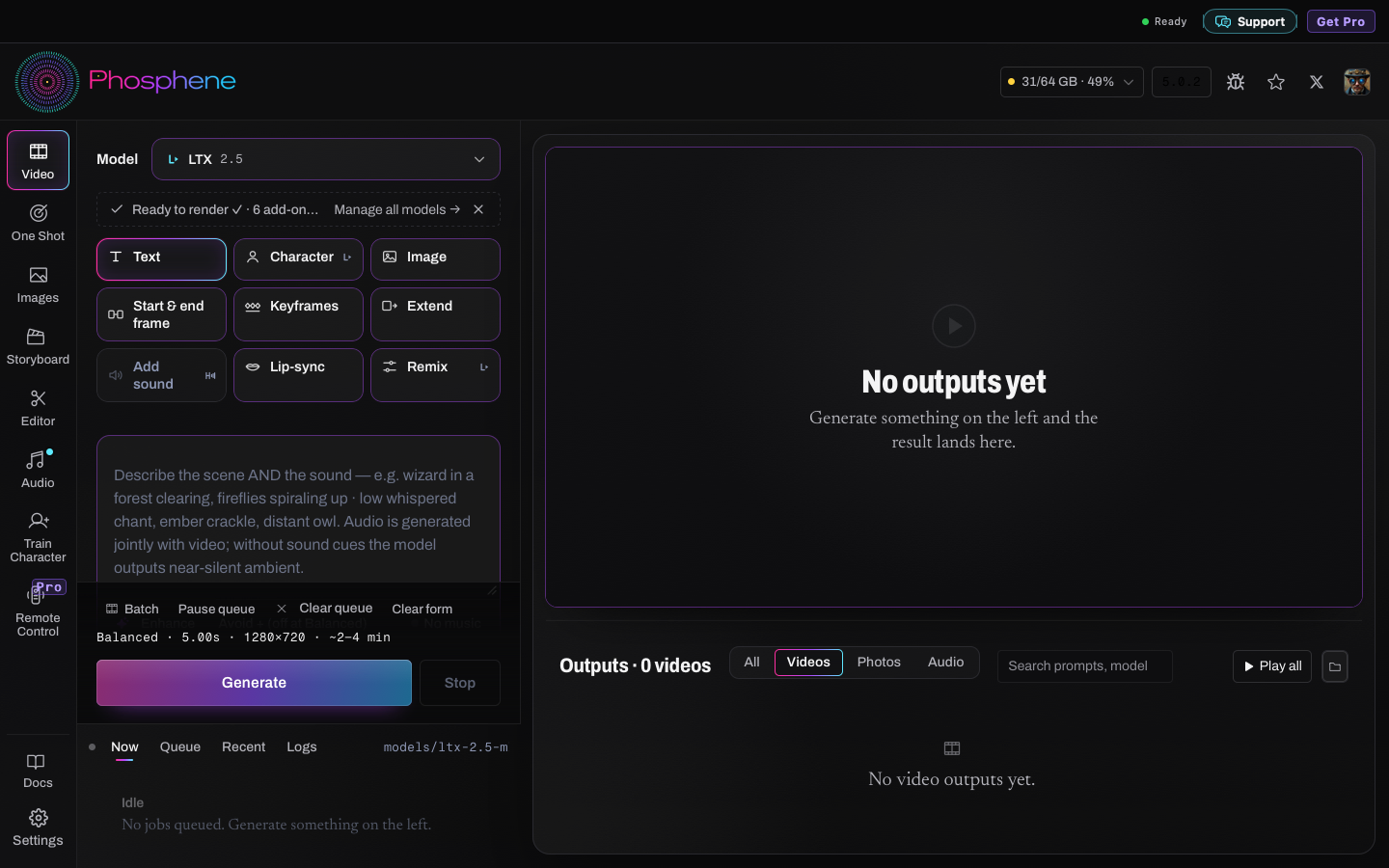
Phosphene 5.0 - a new design, a Mac app installer, Speech and faster picturesA new design The model picker comes first. Pick a model and only its options show. A Mac app that installs itself Download it, open it, done. It reuses the models you already have in Pinokio. Pinokio keeps working as before. New: Speech and lip-sync Type a line, get a voice, and sync a face to it. New: pictures with real text P-H3-Image spells the words you put in quotes. Much faster A picture took about 5 minutes in 4.19. In 5.0 it takes 48 seconds, or 21 with Pro. Pro, if you want to support us Pro gets new speed-ups first. Everything in Pro comes to Free later. Free stays the full app. In Pinokio: press Update, then restart Phosphene. Mac app: https://phosphene.video/download/

MiniMax H3 Studio
@mvrdvk•1d ago
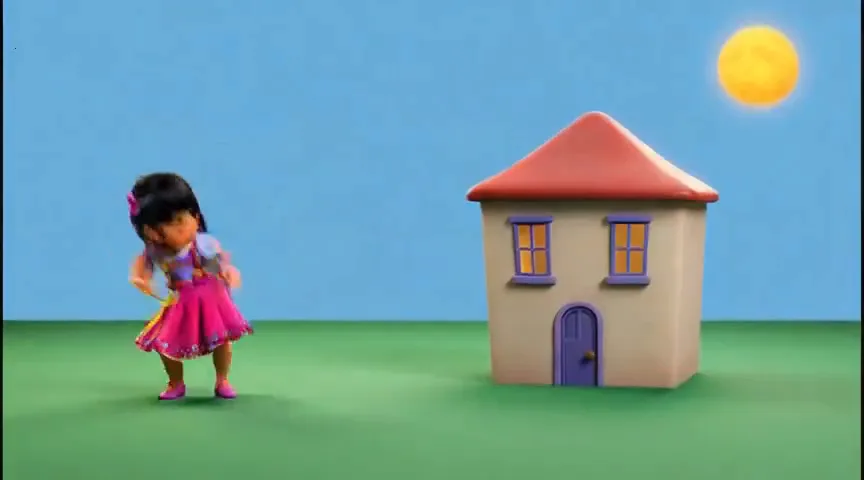
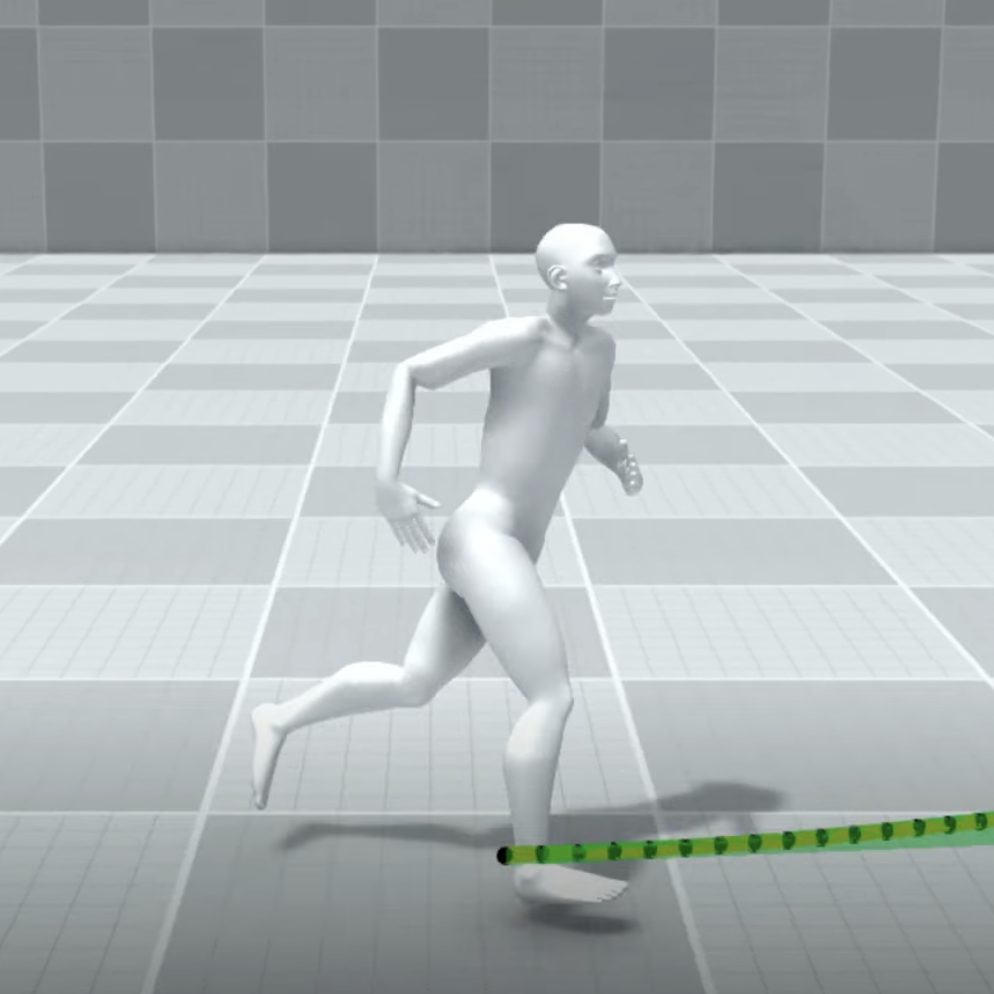
H3 Studio — Motion tabqwen_sketch_to_video.mp4`: Paint drawing dissolves into the H3 video (6.8 s, with sound) qwen_sketch_before_after.png`: Paint drawing → Qwen-Image frame → H3 video motionbricks_to_video.mp4`: raw MotionBricks robot and the H3 Motion Transfer result side by side (11.8 s, with sound) motionbricks_before_after.png`: robot vs. result: walk, turn, sit paint_drawing_original.png`: the original Paint drawing (optional) qwen_frame_full.png`: the full-size Qwen frame (optional) --- **H3 Studio: new Motion tab. Animate from a video, a robot, or a doodle** H3 Studio now has a third workspace next to Scene and Director: **Motion**. It's a single place to drive movement in your MiniMax H3 videos, with three sources: 1 H3 Video: motion transfer from any clip** Drop in a 4–30 s reference video and a character, product or outfit image. - **Motion transfer:** H3 takes only the movement, choreography, timing and camera from the video, and the look from your image. - **Objects swap:** keeps the original scene and camera, and replaces the person or object you name with the one in your image. Long clips are rendered in 5 s chunks and stitched into one video of the same length. 2 MotionBricks: direct a robot, use the take as your reference** No reference video? Make one. NVIDIA's MotionBricks runs right inside the player. - Click the floor to walk, double-click to run, steer with WASD, press E to interact. - It sits when it reaches the chair and jumps or ducks at obstacles. - Record a 5–30 s take at 24 fps. It automatically becomes the motion reference, then you add your character image and hit Generate. *Direct a robot in the browser — walk it to a chair and it sits. Record the take, and H3 transfers that exact motion to your character, frame by frame.* (video 3 / image 4) The model (~369 MB) downloads once on first open and is cached in your browser. Licenses: NVIDIA Open Model Agreement, townbox (Apache-2.0), Unitree robot (BSD-3). 3 Qwen Sketch: from a stick figure to a video** Draw on the built-in board or paste or drag in a drawing from Paint. Say in the prompt what you drew and what should happen. - Qwen-Image 2512 turns the drawing into a finished frame in the visual style you picked (realistic, Disney-like 3D, anime, game, clay…). - H3 then animates that frame. - Objects stay where you drew them. Paint the sky and grass too if you want a background. - A fidelity switch (Faithful / Balanced / Free) controls how literally the drawing is followed. *Drew this in MS Paint in a minute → Qwen-Image 2512 turned it into a frame, keeping every object exactly where I drew it → H3 animated it, with sound.* (video 1 / image 2) It takes about 4 minutes for the frame, then the usual video time. All three run locally on your own GPU and queue in their own Motion lane, so they don't block your Scene or Director renders. Update H3 Studio in Pinokio and open the **Motion** tab. Feedback and bugs: https://github.com/erdinoral/minimax-h3-studio/issues ☕ Want more updates like this? Don't forget to support the project on Buy Me a Coffee: it gives me more time to keep building H3 Studio, fixing bugs and shipping new features. https://buymeacoffee.com/erdindev

PotionUI
@oroborus•1d ago
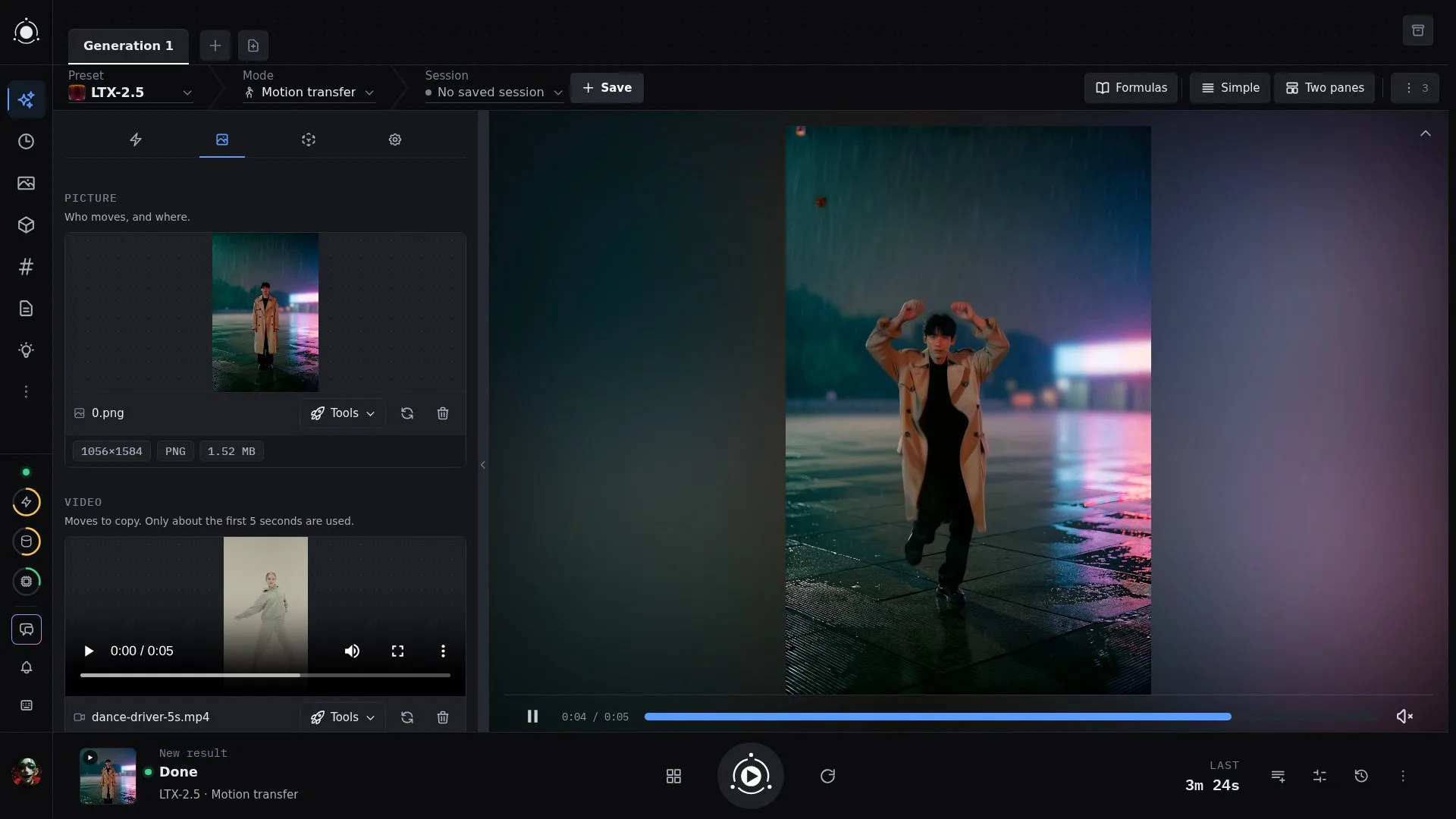
PotionUI 0.1.0 (beta) - LTX 2.5 Motion Transfer; MOSS-Image Inpaint; Exlirs and Editors in tabsPotionUI 0.1.0 is out, and it's our first beta. Click Update in Pinokio to get it. !! Video on Reddit: https://www.reddit.com/r/PotionUI/comments/1xpmtb4/potionui_010_our_first_beta_editors_as_tabs/ This is the biggest update so far: pictures that dance, inpainting on three image models, editors that live in tabs, and Elixirs, a way to chain models together and run the whole chain again with one click. Make a picture move Motion transfer: give LTX-2.5, LTX-2 or MiniMax-H3 a picture and a dance video, and the person in the picture performs the moves. Follow motion copies a video's camera and layout onto a brand new scene. LTX-2.5 can make a transition between a first and a last picture, and turn a clip into a transparent video. MiniMax-H3 gets Long video, which joins several parts into one seamless clip, and Flex, a fast six-step profile for quick drafts. While a video renders, you now see a short live preview of it, in real colour. Repaint and improve pictures Inpaint on Z-Image, Qwen-Image 2.1 and MOSS-Image: paint over the part you want to change and say what goes there. Z-Image Enhance rebuilds a picture at twice the size with sharper detail. Krea-2 gets Edit, where you describe the change in plain words, and Upscale. SDXL gets restyle, pose and sketch control, face and hand fixing, and upscaling. Qwen-Image 2.1 gets a Turbo profile (8 steps), and Qwen-Image can turn the camera around a picture. Z-Image, MOSS-Image and Qwen-Image 2.1 get a full set of styles, each with a preview picture. Editors in tabs The Image editor and the Video editor now open as tabs next to Generate instead of pop-up windows. Every edit is a step you can undo, hide or reorder, and your work survives a page reload. New tools: colour fixes, film grain, vignette, fades, LUTs, live effects and audio replacement for video; slicing a sheet into separate pictures; scene-cut detection. Elixirs Chain steps together: pick pictures from your Library or History, let a language model write a prompt for each one, and run a preset on every result. Build it once and brew it again whenever you like. Brew history keeps every run. A chat assistant can change an elixir for you, and nothing changes until you approve it. Easier setup Install modes: an admin ticks the modes they want and sees the download size and time before starting. Downloads run in parallel, survive a restart and can be cancelled. A mode that isn't installed yet says so right in the mode picker. Also new Chat has a Conversation mode for plain talk with the model, with no tools and nothing from the page. A session open in two windows stays in sync instead of overwriting itself. nvfp4 models run much faster on RTX 50 cards, and long videos are less likely to run out of memory. Before you update This update changes the database in a way that can't be undone, so back up your storage folder first. Full release notes: https://github.com/PotionUI/PotionUI
EmberWriter
@grumpystrongman•2d ago
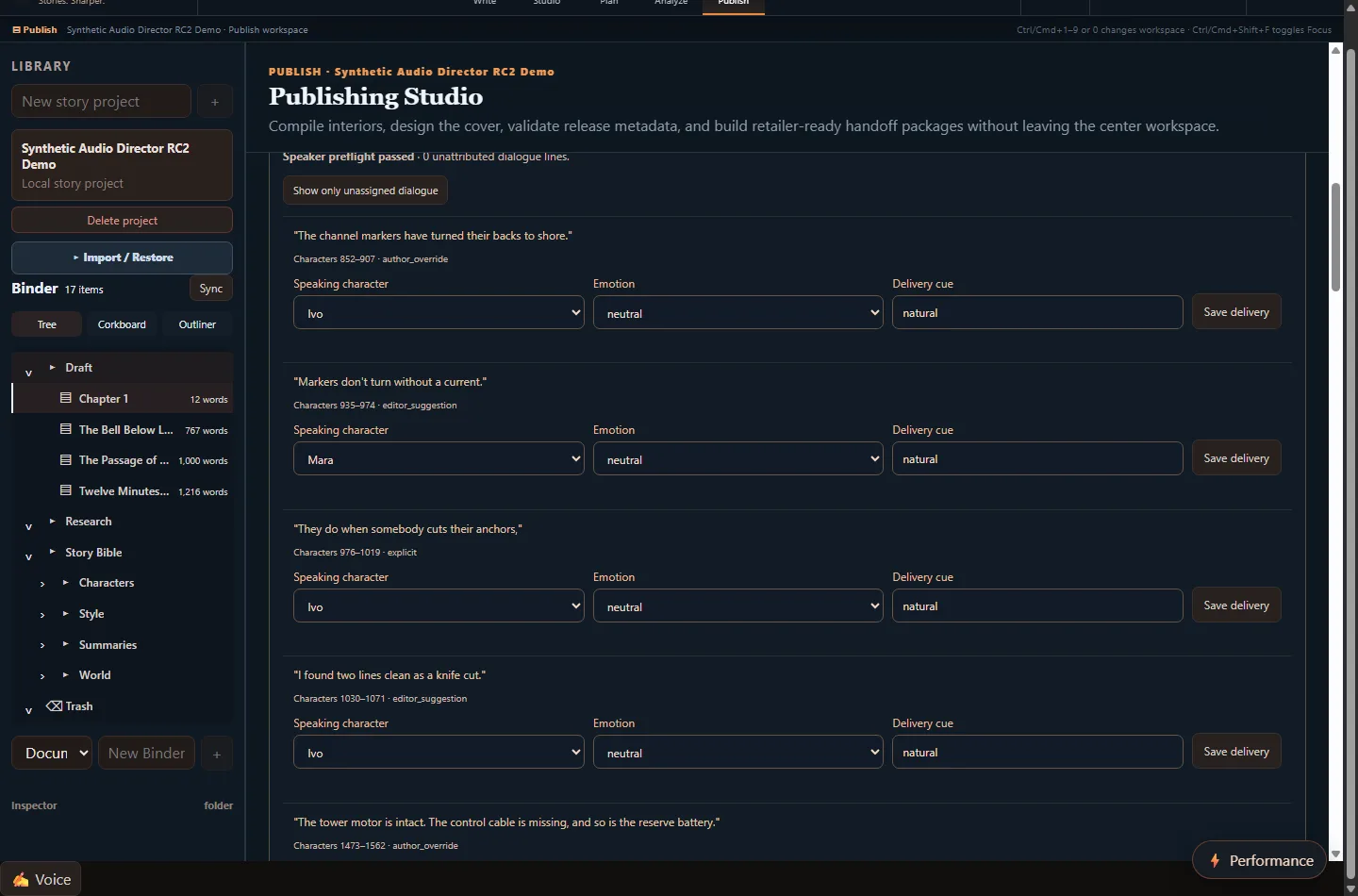
EmberWriter RC2 Is Here — Introducing Audio Director 🎙️📚One of the things that bothered me while testing EmberWriter's audiobook generation was hearing a character's dialogue suddenly switch back to the narrator's voice. The words were correct, but the performance wasn't. A conversation between two characters could lose its rhythm because the system didn't always understand who was speaking. That sent me back into the audiobook production pipeline, and it led to one of the bigger improvements we've made to EmberWriter so far. EmberWriter RC2 introduces Audio Director, a new approach to turning novels into narrated audiobooks. Instead of sending the original manuscript directly to the speech engine, EmberWriter now creates a separate Audiobook Performance Manuscript. It preserves the author's original writing while adding the information needed to produce a better performance: character assignments, emotional direction, delivery cues, and pronunciation instructions. 🎭 What's New in RC2? Character-aware narration: EmberWriter identifies dialogue and assigns it to the appropriate character voice. When it cannot confidently identify who's speaking, it flags the passage for review rather than automatically giving it to the narrator. Emotional performance direction: Authors can review and adjust cues such as fear, sadness, joy, urgency, relief, and restraint. These instructions become part of the audiobook manuscript without changing the novel itself. Audio Director interface: Review dialogue, correct character assignments, and adjust delivery instructions directly inside EmberWriter's Audiobook Workshop. Improved pronunciation: We've retained our CMU/IPA pronunciation improvements, including corrections for words such as buoy and buoys. Better pacing: Chapter headings now have a deliberate 1.35-second pause before narration begins. Smarter regeneration: Unchanged audio segments can be reused, so correcting one character's dialogue doesn't require regenerating the entire audiobook. 🎧 Hear the Results I regenerated our original three-chapter demonstration, The Bell Below Low Water, using Kokoro ONNX. The audiobook features five distinct voices: the narrator, Mara, Ivo, Nessa, and Sal. Across three chapters, we identified and assigned speakers to 70 dialogue passages, including 30 additional assignments prepared for author review. Here are three short samples from the actual recordings: 🎧 Mara and Ivo — Character Dialogue (20 seconds) https://raw.githubusercontent.com/grumpystrongman/EmberWriter-Pinokio/main/media/rc2/sample-01-mara-ivo-dialogue.mp3 🎧 The Rescue Decision (22 seconds) https://raw.githubusercontent.com/grumpystrongman/EmberWriter-Pinokio/main/media/rc2/sample-02-rescue-decision.mp3 🎧 Multiple Character Voices (26 seconds) https://raw.githubusercontent.com/grumpystrongman/EmberWriter-Pinokio/main/media/rc2/sample-03-multiple-character-voices.mp3 📸 Screenshots Audio Director — Dialogue and Speaker Validation Character Voice Assignment and Performance Controls 🔥 What About Fish Audio? Fish Speech's approach to expressive narration helped inspire this architecture. EmberWriter now has an engine-independent performance manuscript and a Fish-compatible rehearsal workflow. The idea is to let different speech engines interpret the same performance instructions according to their capabilities. Kokoro currently handles distinct character voices and pronunciation, but its emotional expressiveness is limited. Fish integration is still experimental, and we haven't completed live expressive-performance validation yet. I'm particularly interested in where we can take this next: an audiobook system that understands not just what a character says, but what they've experienced in the story and how that should influence their performance. ✅ Release Candidate Status RC2 has passed 559 backend tests, and the frontend production build completed successfully. The new three-chapter audiobook has also passed automated checks for character assignments, pronunciation rules, and chapter pacing. We're keeping this labeled as a release candidate while we finish listening reviews, clean-install testing, and further Fish integration. 🚀 Install or Update Through Pinokio New users: https://github.com/grumpystrongman/EmberWriter-Pinokio Existing users: Open EmberWriter in Pinokio and select Update. Once updated, navigate to: Publish → Audiobook → Audio Director You can find the full RC2 update, screenshots, and audio demonstrations here: https://github.com/grumpystrongman/EmberWriter-Pinokio/issues/1 EmberWriter remains a local-first writing and book-production environment. The goal is to give independent authors more control over the entire process, from their first chapter to a finished book and, eventually, an audiobook that genuinely sounds performed rather than simply read aloud. If you're testing EmberWriter through Pinokio, I'd appreciate hearing how the new dialogue attribution works with your stories, particularly conversations with several characters or dialogue where the speaker isn't explicitly identified. Those are the situations that exposed the problems in the first place, and they're exactly where I want Audio Director to keep improving.
pinokio
@cocktailpeanut•3d ago
Pinokio: Building a Security-First Platform for Local AppsToday Pinokio 8.3.7 is released. Combined with the last version (v8.3.1), these updates lay the foundation for a security-first approach to Pinokio, with more of the ongoing security maintenance handled by Pinokio itself, so app developers don't have to worry about the infrastructure and system dependencies, and focus on making their apps useful for the users. To make sure your pinokio is secure, please update to 8.3.7 (if you haven't autoupdated yet) here: https://desktop.pinokio.co Security-First Approach A shared security foundation. Certificate checks, runtime updates, and repairs can be managed centrally, reducing dependence on each app’s launcher being maintained individually. Fixes that reach existing apps. Protections can be automatically applied when older app environments are launched, without waiting for every app developer to release an update. Checks built into installation and startup. Required security updates, verification of critical setup downloads, and clear recovery instructions become part of the normal workflow. A foundation that can keep improving. The mechanisms introduced for this incident provide a way to deliver future certificate and runtime protections across apps. The goal is for users to rely on Pinokio to maintain the shared localhost infrastructure their apps run on, while app developers remain responsible for the security of their own code. What has changed? The desktop app’s browser engine has been updated. Pinokio moved to a new version of the browser engine which includes eMudhra protections for both browser requests and Node.js connections, and later to 43.8.7. Certificate errors are handled strictly. The desktop app previously allowed connections to continue despite certificate validation errors. That override has been removed. The tools bundled with Pinokio have been updated. This includes Node.js, uv, etc. Updated certificates and pip are now required by the installation checks. Pinokio requires ca-certificates and certifi version 2026.10.19 or newer, and pip 26.2.2 or newer. Outdated installations no longer pass those checks. Python 3.10.20 has been retained for app compatibility, with certificate requirements enforced separately. Certificate updates have been extended to existing apps. Common Python networking libraries now default to Pinokio’s managed certificate bundle on Windows, macOS, and Linux. Older app environments pick up those defaults when launched, while explicitly configured certificate settings are respected. The separate certificate list bundled inside pip is now repaired automatically. Updating system certificates alone doesn’t remove pip’s own copy. That copy is now replaced with Pinokio’s managed bundle when existing app environments are activated, without upgrading their other dependencies. The initial pip installation used by new Python environments has been fixed. Python’s bundled ensurepip is repaired to use the updated pip wheel, preventing newly created environments from bringing back the older version. Download verification has been added to the repair process. Miniforge installers and the pip wheel are checked against pinned SHA-256 hashes before use. Downloads that don’t match are rejected. Repair failures are now surfaced instead of silently skipped. If pip’s certificate file cannot be replaced, the app launch is stopped and recovery instructions identify the affected file. Repair logs include timestamps and file hashes, and regression tests cover stale certificates, damaged downloads, missing files, and permission failures. What next? As mentioned above, this release is laying the foundation, and will evolve to a general purpose security architecture that can quickly respond to all kinds of security issues we will encounter as AI agent based exploits become more and more prevalent. In fact I expect to see more frequent security updates over the coming weeks and months, and the goal is to make the update process as seamless as possible. Stay tuned!
Drama 3 Offload Studio
@thomas_eric•3d ago
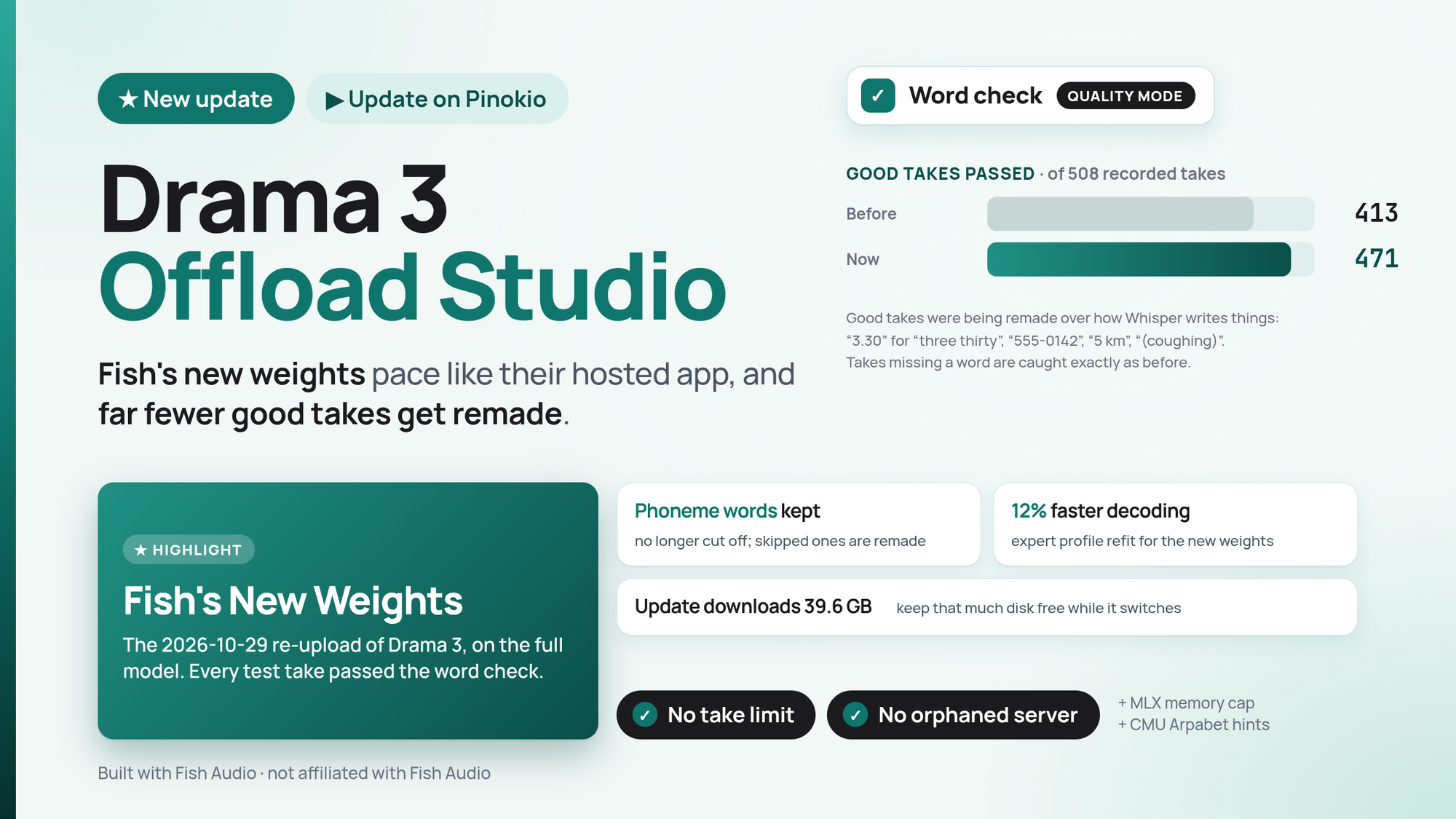
Major Update: New Weights + a lot of bug fixes!Hello! Olá! I didn't have any time yesterday to write this post! Sorry! Anyway, on October 29th Fish Audio quietly uploaded new Drama 3 weights. I patched my Studio to run them. This update also fixes phoneme words, stops the word check from rejecting good takes, and decodes about 12% faster. Press Update in Pinokio. If you run the full model, Update downloads the new weights (39.6 GB), so keep that much disk free. The old files are deleted right after, and if the download stops, the Studio keeps working on the old weights until you run it again. Fish's new weights Fish swapped the files with no announcement: 909 of 912 tensors changed, while the codec and tokenizer stayed the same. tts-bench found they pace like Fish's hosted app on English, within 5%, where the old weights ran 19-38% fast. A Spanish take that used to run to the frame limit now ends normally. Meanwhile, I found the new weights to realiably give better audio. All 108 test takes here passed the word check (12 lines, 3 voices, 3 seeds). The pause fix and stall guard needed no changes. I refit the list of experts kept in VRAM for the new weights: 72-79 frames/s, up from 65-70, on an RTX 5090. The takes come out the same. Word check: fewer false alarms Good takes were being remade because of how Whisper writes things. On 508 good recorded takes, 471 now pass, up from 413. Numbers said the way people say them: "3.30" for "three thirty", "$2.5 million", "555-0142" read digit by digit, "a hundred and seventy one". Units such as "5 km" and "250 ml". Whisper's labels for sounds, like "(coughing)" or "[BLANK_AUDIO]". Names Whisper writes in capitals, like "QUEN" for "Qwen". Takes missing a word are caught exactly as often as before. One trade-off: a take that says one wrong number now passes more often. The check was built to catch skipped spans and endings, not single wrong words. Phoneme words A script ending on phoneme words no longer has them cut off. A take that says a phoneme word no longer scores worse than one that skips it. This was remaking good takes and keeping bad ones. A take that leaves out a phoneme word is now made again in Quality Mode. CMU Arpabet works better than IPA with this model, and the Studio now says so. Smaller fixes The Space's limit of 60 takes per 10 minutes is gone. It made sense for a shared demo, not for your own GPU. The server now stops if the shell that started it dies, so it can't sit there holding 20+ GB of VRAM. Tested on Linux; the Windows path is untested. If the voice cache fails, the take goes on and reads the whole prompt instead of failing. MLX's memory cache is capped at 2 GiB. Checked on Linux, not yet on a Mac. On a Mac: the MLX models are still conversions of Fish's original weights, because no conversion of the new ones exists yet. The Small GGUF is unchanged too. Thanks to the projects this builds on: 5uck1ess/tts-bench for finding the weight change, maralski/drama-studio for the recorded takes and word-check ideas, latent-variable/shipshow for the number and name fixes and the MLX cache cap, plotarmordev/drama-tensorfold and ashhart/TensorFold, and tildaslashalef/nuclis for the cue measurements.
Type:api
apipluginAll
Platform:All
AllmacOSWindowsLinux
GPU:All
AllNVIDIAAMDApple
Sort by
RecommendedLatestCheck-ins
#ai194#tts63#image-generation49#video-generation42#140#music35#utility35#video28
Wan2GP - AMDFeatured
[AMD ONLY] Super Optimized Gradio UI for AI video creation for GPU poor machines (6GB+ VRAM). Supports Wan 2.1/2.2, Qwen, Hunyuan Video, LTX Video, Flux and more. (On Windows supported by all dedicated AMD GPUs from RDNA 2 - RDNA 4)
6Morpheus6/wan2gp-amdv8.0updated 3d ago
#wan2gp#video-generation#video
@morpheus199 check-insNVIDIAAMDApple
OdysseusFeatured
Self-hosted AI workspace for local-first chat, agents, tools, memory, research, documents, email, and model endpoint management.
cocktailpeanut/odysseus.pinokiov7.0updated 26d ago
#odysseus#agent#ai
@cocktailpeanut13 check-insNVIDIAAMDApple
SearXNGFeatured
A privacy-respecting metasearch engine that runs locally.
cocktailpeanut/searxng.pinokiov7.0updated 1mo ago
#search#searchengine
@cocktailpeanut7 check-insNVIDIAAMDApple
TripoSplatFeatured
Image-to-3D Gaussian splat generation from VAST-AI-Research. Requires a CUDA-capable GPU.
cocktailpeanut/triposplat.pinokiov7.0updated 3mo ago
#3d#gaussian#3dgen
@cocktailpeanut5 check-insNVIDIAAMDApple
Stable Audio 3Featured
Launcher for Stable Audio 3 Small Music, Small SFX, and NVIDIA Medium using public cocktailpeanut Hugging Face mirrors. https://github.com/Stability-AI/stable-audio-3
cocktailpeanut/stable-audio-3-small.pinokiov7.0updated 2mo ago
#ai#music#music-generation
@cocktailpeanut14 check-insNVIDIAAMDApple
DramaBoxFeatured
Expressive TTS with voice cloning, prompt-driven speech synthesis built on LTX-2.3 by Resemble AI
PierrunoYT/DramaBox-TTS-Pinokiov5.0updated 1mo ago
#tts#ai#voice-clone
@pierrunoyt9 check-insNVIDIAAMDApple
HiDream O1 Image FP8Featured
One-click launcher for the original HiDream-O1-Image web UI using lazy-downloaded drbaph Dev or Full FP8 checkpoints through a root FP8 runner. Requires an NVIDIA CUDA GPU.
cocktailpeanut/hidream-o1v7.0updated 3mo ago
#ai#image-generation
@cocktailpeanut3 check-insNVIDIAAMDApple
ds4-webuiFeatured
Pinokio launcher and standalone Web UI for ds4.c, a Metal-only DeepSeek V4 Flash inference server.
cocktailpeanut/ds4.pinokiov7.0updated 4mo ago
#ai#llm
@cocktailpeanut0 check-insNVIDIAAMDApple
VoxCPMFeatured
Tokenizer-free multilingual TTS and voice cloning with low-VRAM and VoxCPM2 Web UI/API launch modes.
IAnMove/voxcpm2-pinokio-launcherv7.0updated 1mo ago
#tts#ai
@theinaog2 check-insNVIDIAAMDApple
PhospheneFeatured
On your Mac, make AI video with sound. Free and open source. Run LTX-2.5, Hailuo H3 and H3 Flex locally on Apple Silicon: text or image to video, lip-sync, songs, images and character training. AI agents like Claude Code and Codex can drive it too. No cloud or API key.
mrbizarro/phosphenev7.0updated 28 min ago
#video-generation#phosphene#ai
@bizarro46 check-insNVIDIAAMDApple
OverworldFeatured
[NVIDIA GPU REQUIRED] Realtime world generator by Overworld Waypoint world model
cocktailpeanut/overworld.pinokiov7.0updated 4mo ago
#ai#realtime#world-generation
@cocktailpeanut7 check-insNVIDIAAMDApple
TexturizerFeatured
Minimal NVIDIA-first web app for texturing existing meshes with Hunyuan3D-2GP/mmgp while preserving rigged GLB structure when the vertex layout stays compatible.
cocktailpeanut/texturizerv7.0updated 6mo ago
#3d#3dgen#ai
@cocktailpeanut4 check-insNVIDIAAMDApple
AI4AnimationPyFeatured
A Python framework for AI-driven character animation using neural networks.
cocktailpeanut/ai4animationpy.pinokiov7.0updated 3mo ago
#3d#ai
@cocktailpeanut5 check-insNVIDIAAMDApple
StripperFeatured
Strip image metadata locally in the browser.
cocktailpeanut/stripperupdated 1mo ago
#image-edit#utility
@cocktailpeanut2 check-insNVIDIAAMDApple
EuphonyFeatured
Automatically discover local Codex sessions and browse them with Euphony.
cocktailpeanut/euphony.pinokiov7.0updated 6mo ago
#ai#chatgpt#openai
@cocktailpeanut8 check-insNVIDIAAMDApple
WorldMirror 2.0Featured
[NVIDIA] Pinokio launcher for the released WorldMirror 2.0 reconstruction app from HY-World 2.0. Uses a cu128 PyTorch baseline with gsplat from PyPI/JIT. https://github.com/Tencent-Hunyuan/HY-World-2.0
cocktailpeanut/worldmirror.pinokiov7.0updated 6mo ago
#3d#ai#gaussian
@cocktailpeanut6 check-insNVIDIAAMDApple
LingBot-MapFeatured
NVIDIA launcher for LingBot-Map, a streaming 3D reconstruction viewer from Robbyant.
cocktailpeanut/lingbot-map.pinokiov7.0updated 6mo ago
#3d#ai#gaussian-splat
@cocktailpeanut2 check-insNVIDIAAMDApple
AceJAMFeatured
Describe any song in plain English, compose it locally with an embedded Qwen GGUF model, and generate it with ACE-Step v1.5.
cocktailpeanut/acejam.pinokiov7.0updated 5mo ago
#ai#song
@cocktailpeanut13 check-insNVIDIAAMDApple
ReClipFeatured
Self-hosted, open-source video and audio downloader with a clean web UI. Supports YouTube, TikTok, Instagram, X, and 1000+ other sites via yt-dlp.
krynsky/reclip-pinokiov5.0updated 1mo ago
#utility
@krynsky9 check-insNVIDIAAMDApple
AniGenFeatured
[NVIDIA GPU required] Unified S^3 fields for animatable 3D asset generation from a single image. 6GB VRAM needed (Low VRAM option)
cocktailpeanut/anigen.pinokiov7.0updated 6mo ago
#3d#ai
@cocktailpeanut4 check-insNVIDIAAMDApple
Previous
12345...9
NextPage 2 of 9

Get project updates

Pulse

View all

The latest posts from across Pinokio.

Operating System: Kubuntu 26.04 LTS Processors: 16 × AMD Ryzen 7 5700X 8-Core Processor Memory: 32 Gi...
@arkinou · MiniMax H3 Studio1
Z-Image Fusion & Z-Fusion not working
@qabbas · Z-Image Fusion
can you make a song?
@steph6 · YuE2-Studio
Phosphene 5.0 - a new design, a Mac app installer, Speech and faster pictures
@bizarro · Phosphene
A new design The model picker comes first. Pick a model and only its options show. A Mac app that ins...
Checked in to FaceFusion 3.9.2.
@robinbeaurain · Community

Radar

View all

Projects getting attention.

Followed·just now
YUE2 // GROOVE
YUE2 // GROOVE is the latest music studio built on the open-source Yue2 model and its inference stack. Generate high-quality full songs from style and lyrics with an editable score plan — powered by the latest YuE model — cover from audio with SheetSage2 and MERT2, refine and compare edits, and keep your works in a reusable, easy-to-manage library. You get high-quality creation with real creative control. Hardware: an NVIDIA GPU with 24 GB VRAM on Linux (YuE2's recommended setup, validated end-to-end on NVIDIA L4 hosts; a 16 GB memory budget runs everything the app can produce, and 12 GB runs the unquantized model at CFG 1.0 or for shorter songs) or an Apple Silicon Mac with 32 GB+ unified memory (where this app is developed and tested). Windows is best effort: install, launch, Cover and a full-length song verified on Windows 11 (RTX 2070, 8 GB); song generation there runs through the GGUF engine. Cards under 16 GB (and Windows) get the optional GGUF engine: the same model through yue2.cpp with an 8-bit backbone, 8.2 GB peak for a full song, measured indistinguishable from the reference rendering in a blind ABX, a different take for the same seed; the reference PyTorch configuration stays the default wherever it fits.
Installable
Followed·just now
MiniMax H3 ComfyUI
MiniMax H3 omni-modal video generation in ComfyUI. Text/image/video/audio in, video with native 32kHz stereo audio out (768p default, 1080p+ supported). Disk-optimized: pruned INT8 + NVFP4 weights (~63GB instead of ~290GB). NVIDIA only.
Installable
Followed·just now
MiniMax H3 Studio
1-click MiniMax H3 video in ComfyUI plus H3 Studio: local T2V/I2V, references, continuation, Gallery, Director/Cinema and TR/EN. NVIDIA GPU.
Installable
Followed·7 min
God's Eye View
A live 3D intelligence console for planet Earth.
Installable
Followed·8 min
Orange
Orange is a minimalist, dynamic web frontend wrapper around ComfyUI.
Installable
Pinokio
PrivacyTerms
FeedAppsRemote

Explore the community

#showcase
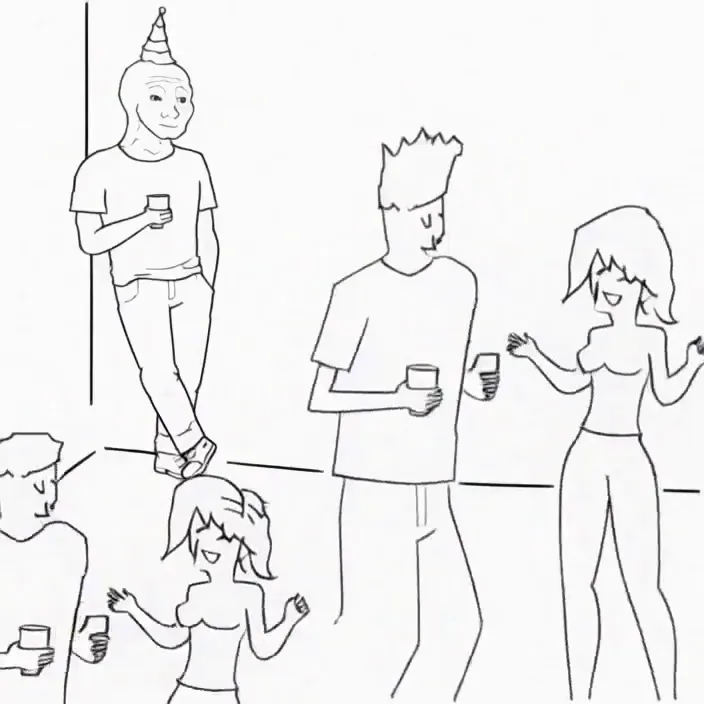
Minimax H3 Singularity 4 Step Generation Prompt: Use the provided image as the starting frame. Preserve the exact minimalist black-and-white Wojak meme drawing style, characters, and party setting. Static camera, no cuts, no zooms, no dialogue, no text. 0–3s: The man leans casually against the wall in the corner, legs crossed, one hand in his pocket, holding his drink. He has a faint, peaceful smile. Across the room, three extremely attractive adult women dancing at the party notice him. They exchange excited glances. 3–7s: The first woman confidently approaches him, flips her hair, gives h...
@cocktailpeanut·9d ago
#cool-project
Image
@ky13k0d3·12d ago
#guide
Using GPT Images 2.6 Animated GIF to Prototype an AI Video
@cocktailpeanut·2d ago
#testers-wanted
For those of you brave enough to install... Thanks for trying it out. I am adding a bug report feature and fixing the workflows for objects/creatures/vehicles. I am also adding a coding agent driven headless Blender node. I will be looking to optimizes for low memory systems soon. There is alot to do on the Roadmap. Thanks for your interest.
@mumblebox·5d ago