

Pinokio
FeedAppsRemote
Author@morpheus
Download Pinokio
Sign inCreate accountJoin

Morpheus

@morpheus

404 Error not found Don't hesitate to ask if you have questions. I'm here to help. Tag me if you can.

GitHubHugging FaceXDiscord

Joined January 2026

16 Following625 Followers75 Apps
PostsRepliesApps
More
ActivityCheckpointsFollowed appsGitHub creations

Published apps

  • Wan2GP - AMD[AMD ONLY] Super Optimized Gradio UI for AI video creation for GPU poor machines (6GB+ VRAM). Supports Wan 2.1/2.2, Qwen, Hunyuan Video, LTX Video, Flux and more. (On Windows supported by all dedicated AMD GPUs from RDNA 2 - RDNA 4)
  • Forge Neo[NVIDIA ONLY] Stable Diffusion WebUI Forge supporting Flux, Qwen, wan, nunchaku and more in a lightweight WebUI. https://github.com/Haoming02/sd-webui-forge-classic/tree/neo
  • Onetrainer[NVIDIA, ROCM] One app to train them all. LORA training and Model finetuning for Z-Image, Qwen Image, FLUX.1, Flux.2 Dev and Klein, Chroma, SD 1.5 - 3.5, SDXL, Würstchen-v2, Stable Cascade, PixArt-Alpha, PixArt-Sigma, Sana, Hunyuan Video and inpainting models.
  • Wan2GPSuper Optimized Gradio UI for AI video creation for GPU poor machines (6GB+ VRAM). Supports Wan 2.1/2.2, Qwen, Hunyuan Video, LTX Video and Flux. https://github.com/deepbeepmeep/Wan2GP
  • SongGeneration StudioAI Song Generation with Full Style Control - Generate complete songs with lyrics, vocals, and instrumental tracks using Tencent AI Lab's SongGeneration (LeVo) model. [NVIDIA ONLY]
  • FooocusPlusAn enhanced version of Fooocus giving you access to all of the latest AI image generation models
View all apps
Posts · 31
Pinned
Morpheus@morpheus·6mo ago

Wan2GP - AMD now compatible on all dedicated AMD GPUs on Windows

I wanted to make this work for a long time now. And with the help of andrea68707 I was able to modify this installer to make it compatible with all dedicated AMD GPUs on Windows. From RDNA 2 until RDNA 4 all dedicated GPUs are included. Without any exception. wan2gp-amd will NOT work on IGPUs! You need a dedicated AMD GPU to run it. So if you'd like to generate videos or use the frontier image generation models, this installer might be the solution. It's tested working on RDNA 2 so far. But since I don't have an AMD GPU I rely on your feedback. If you give it a try and it's working, please com


Wan2GP - AMD6Morpheus6/wan2gp-amd4.6K followers
#amd#image-generation#tts#video-generation
31
Morpheus@morpheus·6dEdited

Create games with wan2gp

With Deepy Prime, you can now create games in Wan2GP. Start with an idea and build upon it with Deepy. From the Announcements: Deepy Prime Can Now Build Apps: turn an idea into a game, an interactive story, a music toy or an explorable 3D scene, with images, video, sound and 3D assets made by WanGP's generative models. Play in the chat, keep your creations in the new Apps gallery, save progress and share them as .wgpapp files. Deepy can keep improving an app in later conversations, including one someone else shared with you. This development preview is off by default: under Configuration → Pro

Wan2GPpinokiofactory/wan
Morpheus@morpheus·6d
Checked in to Cropper.
CropperCheck-inWindows · nvidia geforce rtx 5080 · 64 GB RAM
Morpheus@morpheus·6d

New wan2gp update

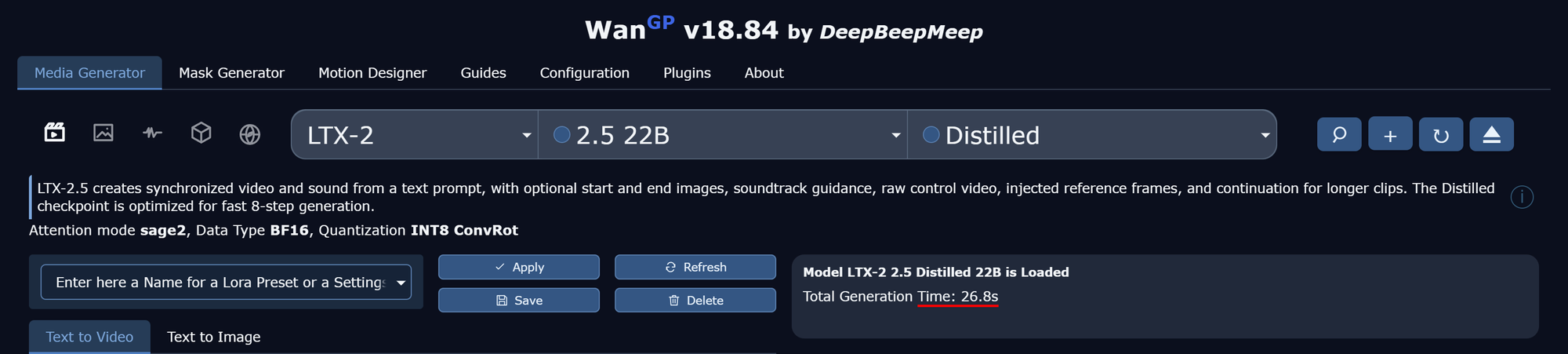
I updated the wan2gp launcher to install the new wgp kernels and updated the llama.cpp kernels to version 1.0.29 like announced in Deep Beep Meep's latest Update News. I did a comparison with and without the new wgp kernels. On an RTX 5080 using sage2 and the wgp kernels with the default workflow and the LTX 2.5 distilled model the total generation time dropped from 30.8 sec to 26.8 sec. That's a speed boost of around 13%. The model was preloaded to get the actual generation time. 26.8 seconds for a 10 sec video is just crazy! Both wan2gp launcher are updated using the new kernels. To get them

Wan2GPpinokiofactory/wan
Morpheus@morpheus·7d

Free disk space in pinokio

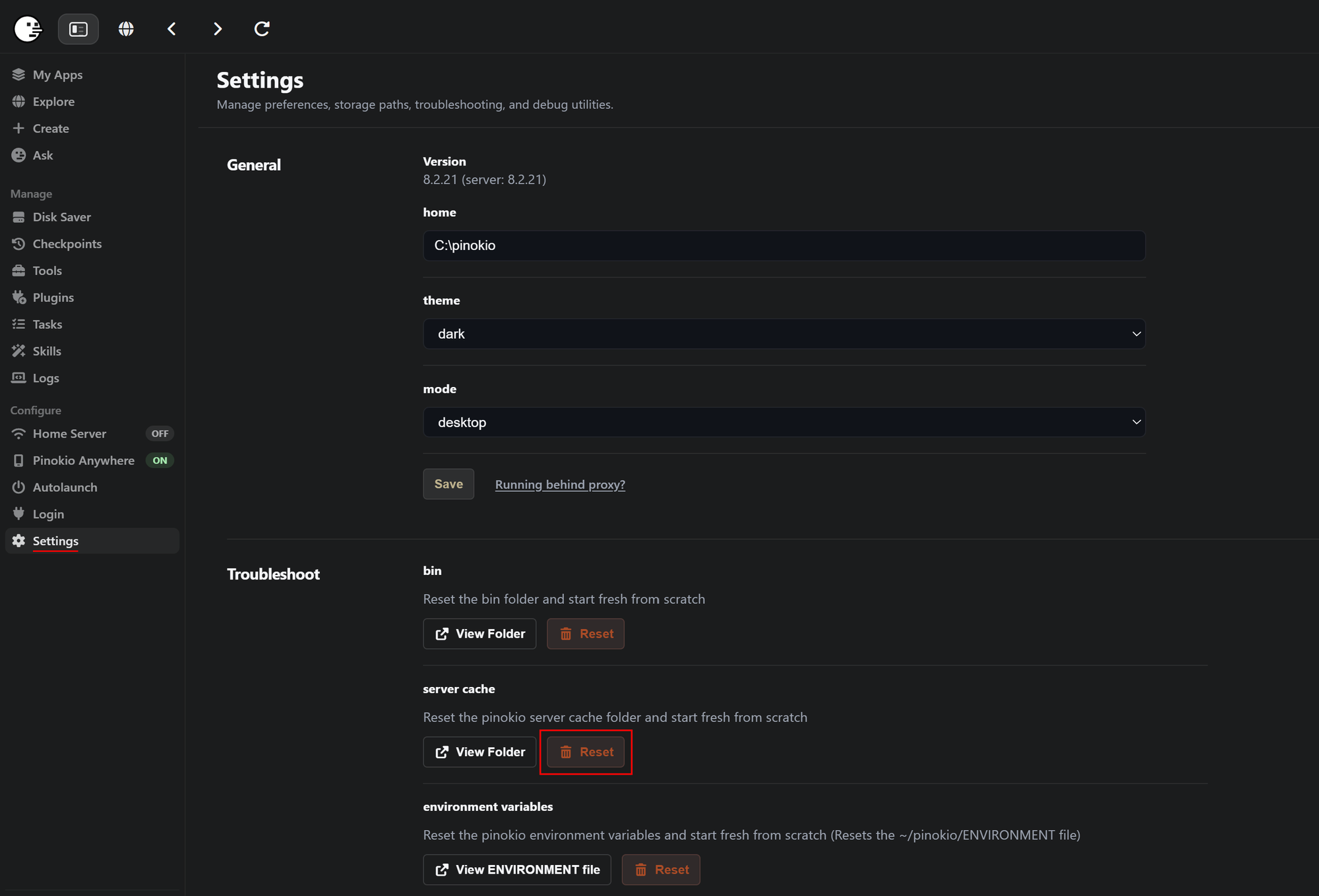
If you installed lots of apps you probably run out of disk space over time. There are different ways to regain a lot of space without needing to delete your favorite apps. Let's walk through all of them. The "radical" way: UV, the python package manager, uses its own cache and stores all the dependencies you downlaod for your apps in there. The advantage is, that installations are super quick. The downside is, it occupies a lot of space. Especially if you install lots of different apps with different dependencies. There are 2 ways to get rid of it. Future installations will be slower for some

#guide
Morpheus@morpheus·13d
Checked in to Maestro v2.6
MaestroCheck-inWindows · nvidia geforce rtx 5080 · 64 GB RAM
Morpheus@morpheus·14d
Checked in to FooocusPlus.
FooocusPlusCheck-inWindows · nvidia geforce rtx 5080 · 64 GB RAM
Morpheus@morpheus·14dEdited

FooocusPlus - Simplicity on a new level

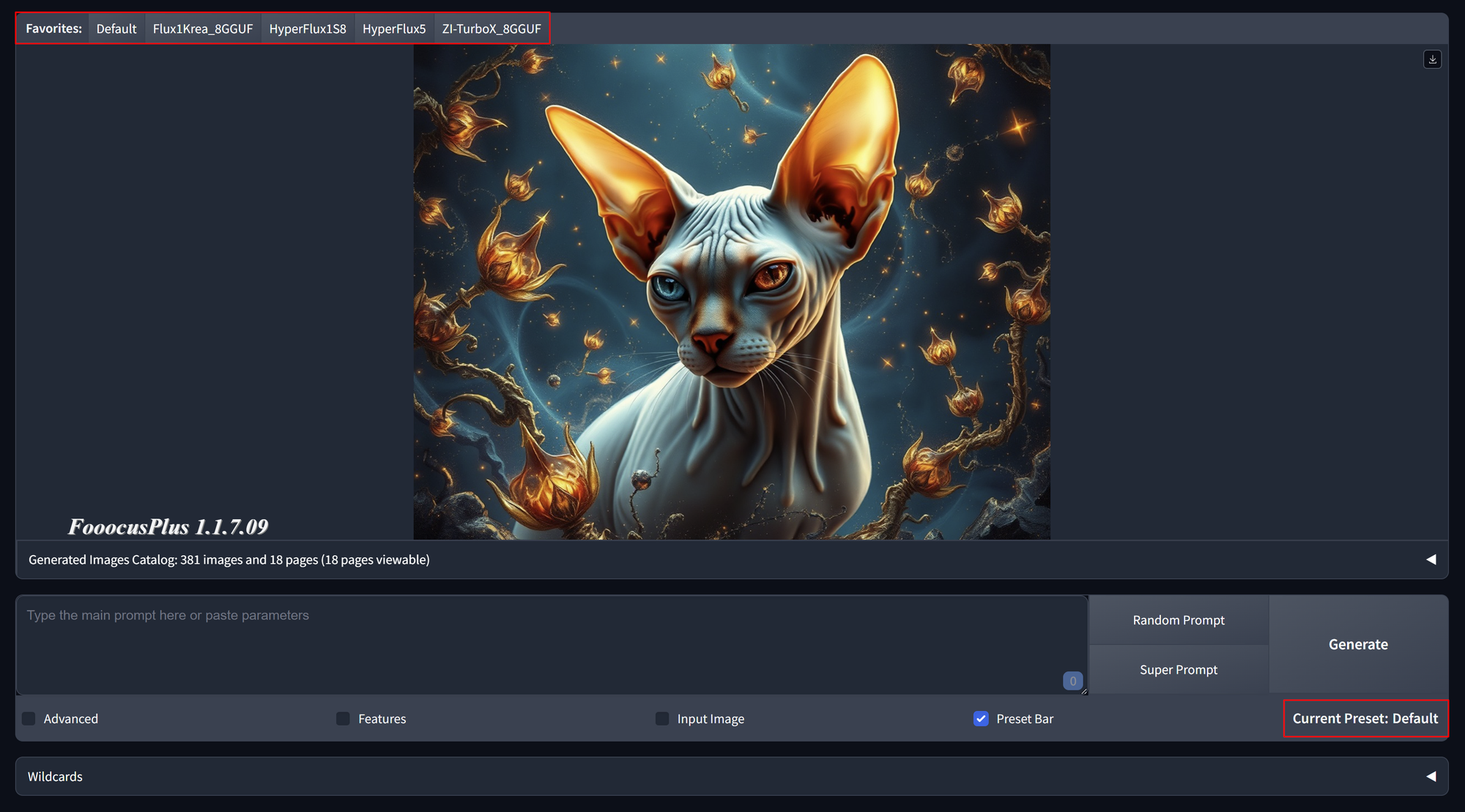
If you like the simplicity of Fooocus but want to use newer models like Flux or Z-Image, FooocusPlus might be the right tool for you. Unlike other image generation apps like Comfyui or Forge, FooocusPlus focuses on pure image generation. You don't need to bother about downloading model, where to get them, where to put them. You can just start generating and all models you need will be automatically downloaded on first generation. FooocusPlus comes with different presets. Each of them is using a specific model ddesigned for speed and creativity. In Advanced - Extras you can create new presets w

FooocusPlus6Morpheus6/FooocusPlus
Morpheus@morpheus·17d
Checked in to Drama 3 Offload Studio. Works on Windows as well.
Drama 3 Offload StudioCheck-inWindows · nvidia geforce rtx 5080 · 64 GB RAM
Morpheus@morpheus·28dEdited

Use frontier models as agents in pinokio for free

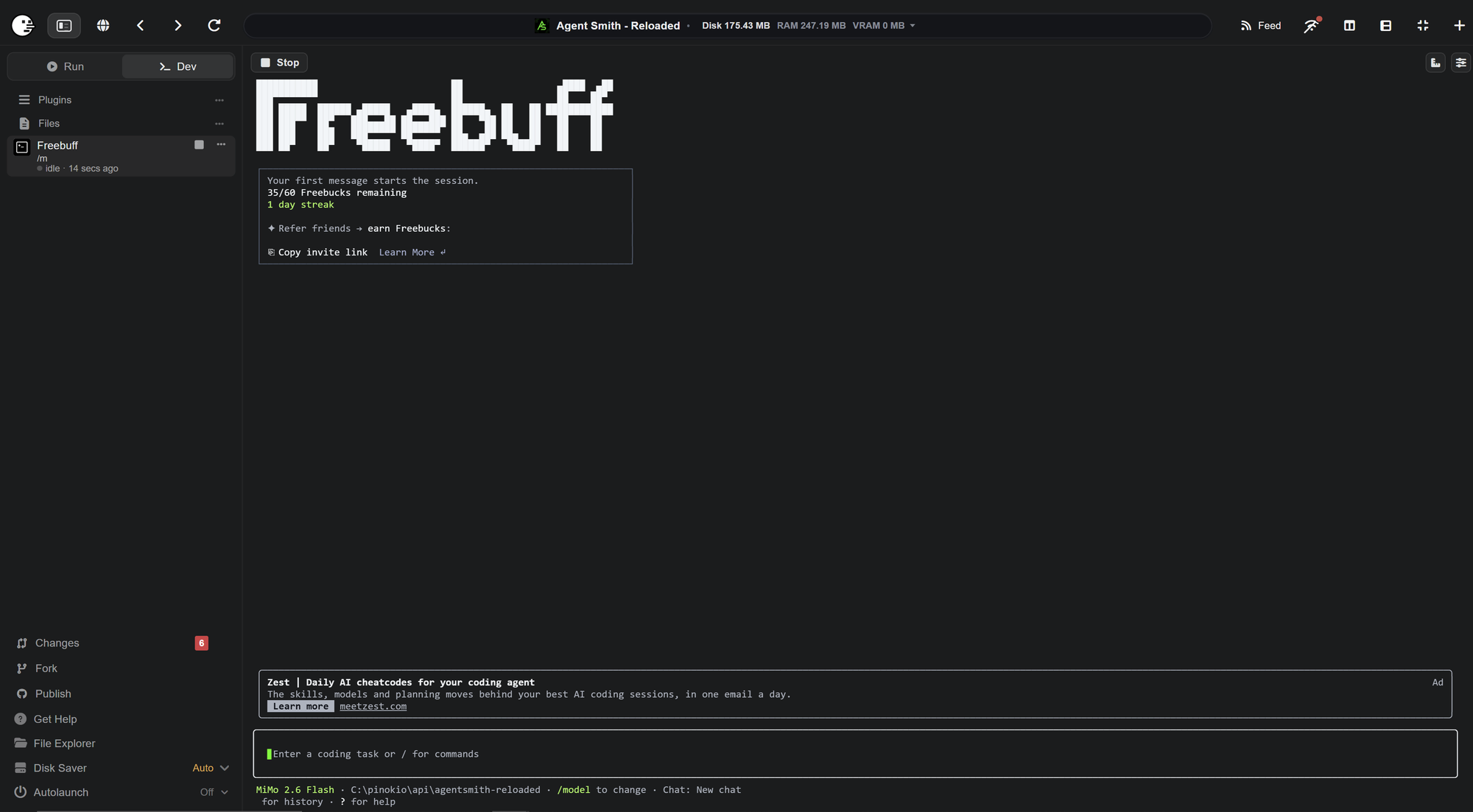
Freebuff is a plugin you can use in pinokio. Unlike other plugins like Codex, Claude Code or Antigravity, you can use it for free. No payed subscription needed. Freebuff also has no token limit. Instead it has a time limit. How does it work? Depending on your country you have a limited amount of Freebucks. It gets refilled every day. Each model uses a certain amount of Freebucks / hour. If you used all your Freebucks, you have to wait until the next day. You can switch the model anytime during your session. These "prices" will vary from time to time. Some models can be used without any limit!

Freebuff6Morpheus6/Freebuff-pinokio
Morpheus@morpheus·1mo ago
Checked in to Hermes Agent.
Hermes AgentCheck-inWindows · nvidia geforce rtx 5080 · 64 GB RAM
Morpheus@morpheus·1mo ago

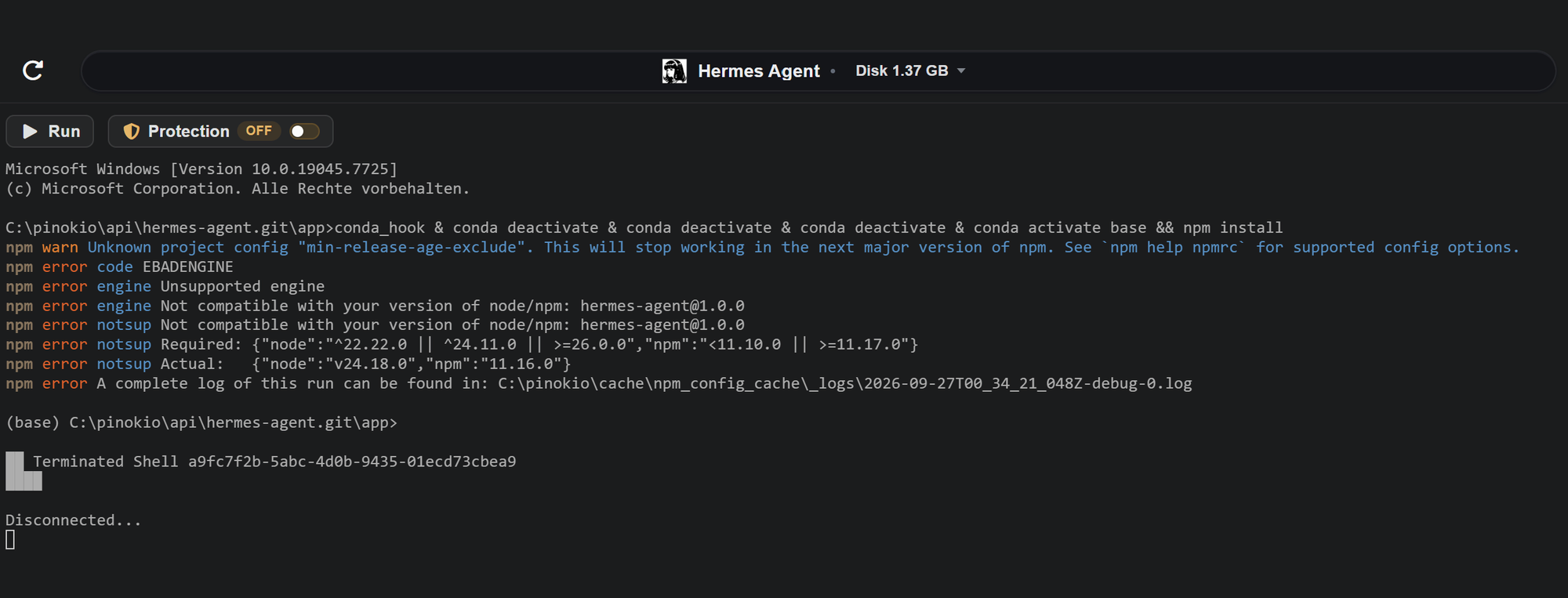
Hermes Agent: npm error engine Not compatible with your version of node/npm: hermes-agent@1.0.0

node version and npm version no longer compatible with hermes -agent Required: node 22.22.0, node 24.11.0 or node >= 26.0.0 Installed: node 22.1.1 Required: npm <11.10.0 or npm >=11.17.0 Installed: npm 11.16.0 A conda environmnet with custom node and npm versions might be the easiest fix. App: Hermes Agent (hermes-agent.git) Repo: Generated: 2026-09-27T00:45:25.890Z Pinokio: 8.2.0 Platform: win32 x64 Node: v22.21.1 Summary System { "pinokio": { "version": "8.2.0", "node": "v22.21.1", "platform": "win32", "arch": "x64" }, "hardware": { "gpu": "nvidia", "gpu_model": "nvidia geforce rtx 5080", "r

Hermes Agentcocktailpeanut/hermes-agent.pinokio
#bug#logs
1
Morpheus@morpheus·1mo ago
Pinokio activity

New on Pinokio

Automatically discovered via GitHub

Freebuff6Morpheus6/Freebuff-pinokio
Morpheus@morpheus·1mo ago

Checked in to Wan2GP.

Wan2GPCheck-inWindows · nvidia geforce rtx 5080 · 64 GB RAM
Morpheus@morpheus·1mo ago

Checked in to Vibe Player.

Vibe PlayerCheck-inWindows · nvidia geforce rtx 5080 · 64 GB RAM
Morpheus@morpheus·1mo agoEdited

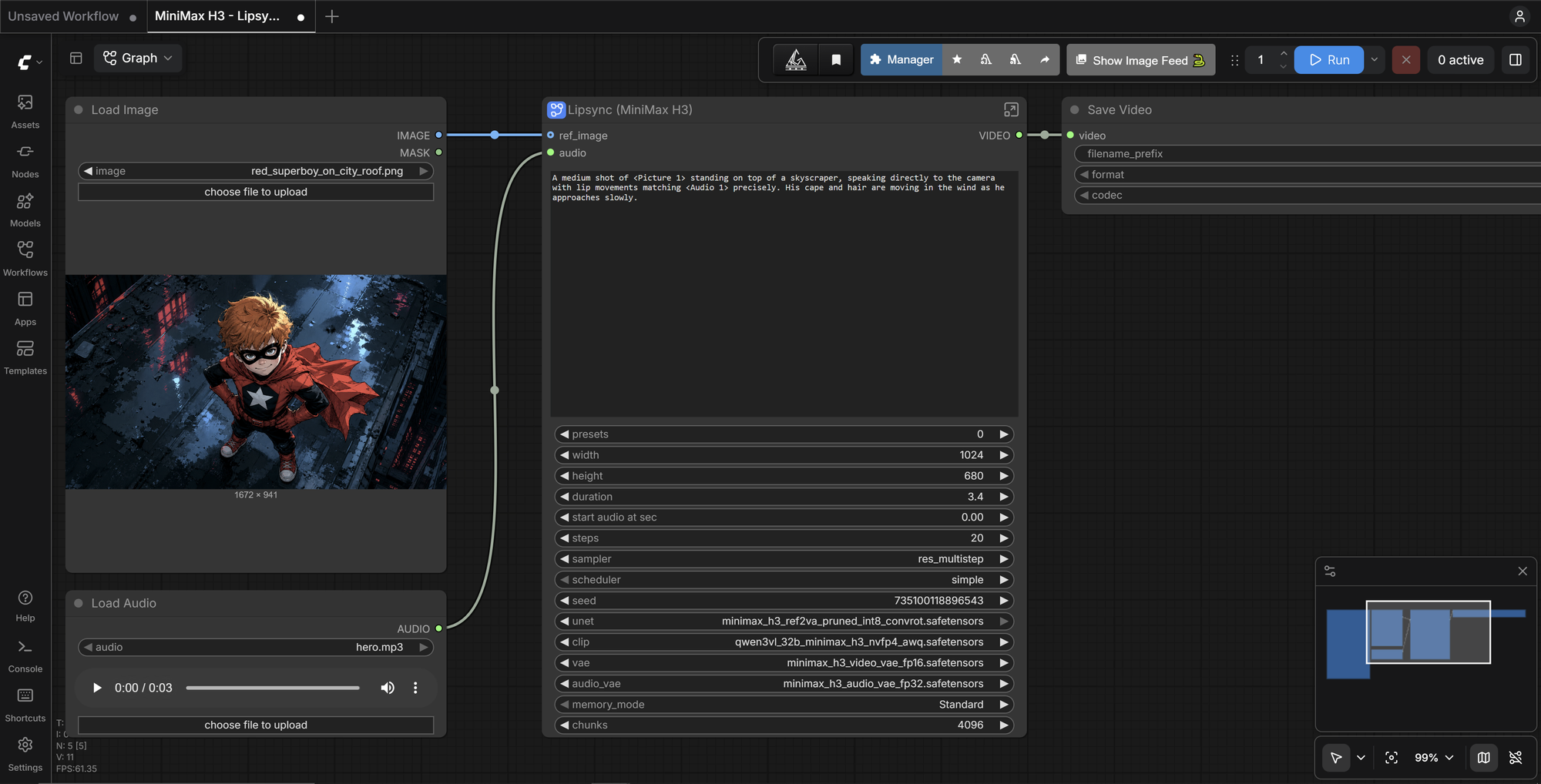
Minimax H3 Comfyui got an update

  • Additionally to the Turbo Lora the new FastVideo model was added which doesn't give a speed boost but improves the quality of the output.
  • A new Lipsync workflow was added
  • Now Minimax H3 Comfyui should also work on smaller GPUs thanks the the H3 Optimization nodes that will limit the memory consumption on smaller systems to only 8GB VRAM.
  • Example images were added so the default workflows work out of the box and can be used right away. No more red frames because of missing images.

Speaking of Red Frames: By default, comfyui starts with an example workflow. This workflow is NOT part of Minimax H3 Comfyui. Therefore it HAS red frames. Just open a minimax workflow on the left side menu. This workflow will work.
Like always te design stays as simple as it was.

MiniMax H3 ComfyUIThomasEricB/minimax-h3-pinokio
Morpheus@morpheus·2mo ago

torch cpu gets installed although torch cuda was installed successfully and could be imported

What happened? The torch installation fails. torch cuda fails, then it tries to install torch for cpu. The problem is, that torch actually was installed correctly. The way torch.js tries to import torch fails and so torch.js "thinks" it couldn't be imported. A user reported this and I want to forward it to you. Steps to reproduce install transcribix from scratch Your system (OS / GPU / RAM / VRAM / etc.) OS: Windows 10 GPU: RTX 4070 RAM: 64 GB Logs / full error output Microsoft Windows [Versión 10.0.19045.6466] (c) Microsoft Corporation. Todos los derechos reservados. D:\pinokio\api\Transcribi

TranscribixC0m3b4ck/Transcribix-Pinokio
#bug
3
Morpheus@morpheus·3mo ago

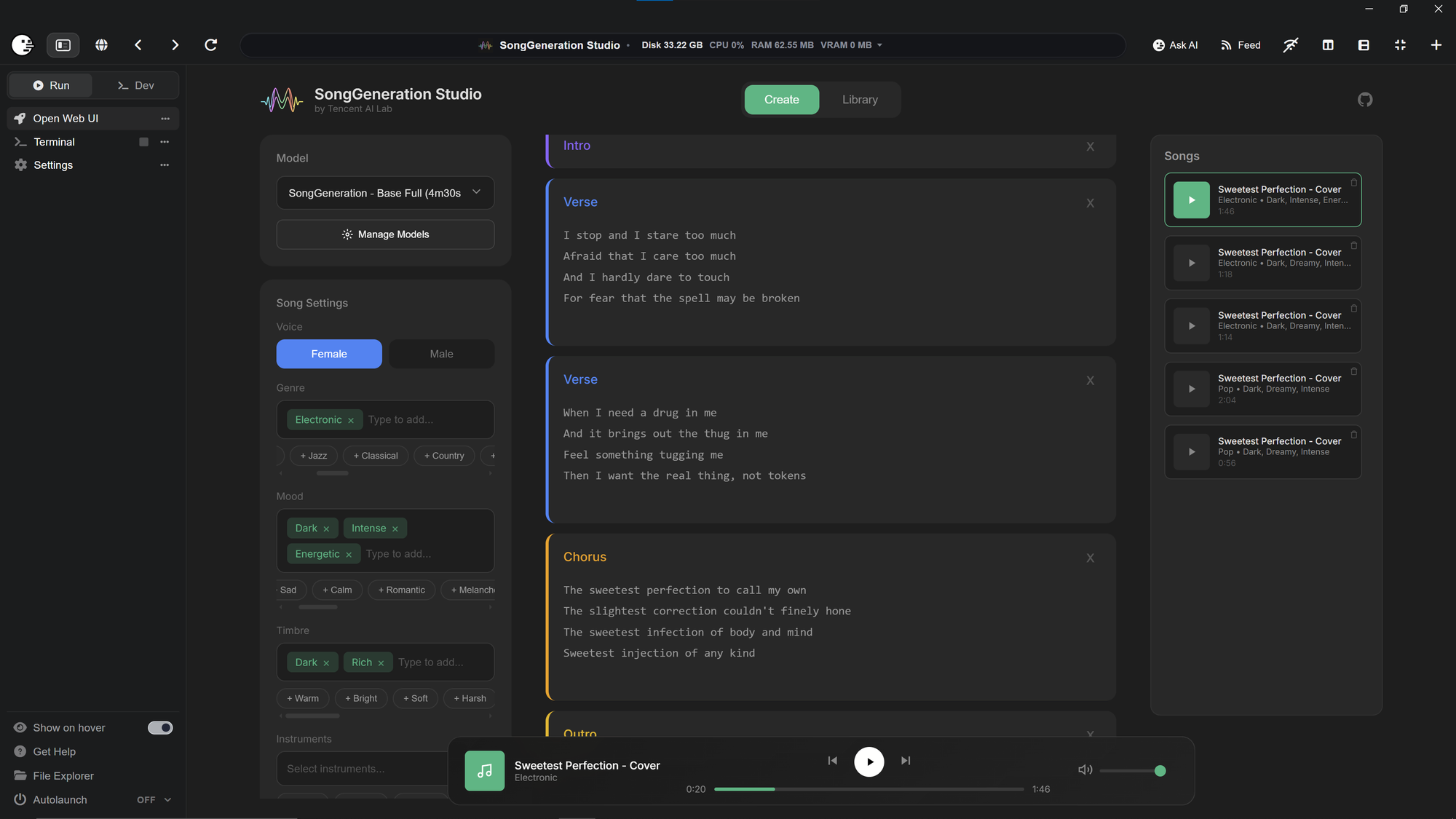
Songgeneration - Fixed

You may have noticed that all Pinokio installer of SongGeneration-Studio and SongGeneration stopped working. This happened because Tencent-ailabs removed SongGeneration from github. So it can't be cloned anymore. I found an unmodified fork of the original project and forked it to preserve it. I also found an unmodified version of new_prompt.pt and reuploaded it on huggingface. This file is the dictionary of SongGeneration. It vanished together with the project, but is too big for github. Also the Songgeneration models were preserved by cloning them on huggingface. I modified my SongGeneneratio

SongGeneration Studio6Morpheus6/SongGeneration-Studio
9
Morpheus@morpheus·3mo ago

Song generation fails - Error: EBUSY: resource busy or locked

What happened? AceStep UI aborts with a critical error when generating a song. Error: EBUSY: resource busy or locked, watch 'G:\pinokio\api\ace-step-ui.git\app\server\public\audio\job_1784311346631_0m7mpxa_0.mp3' The backend returns the Audio and the job was successfully created. But Acestep is not able to access it because it is in use. Additionally there is a non critical error because no sampler is selected. message: "Value: is not in the list of choices: ['euler', 'heun']", The song / job is playable. Steps to reproduce Install Ace Step UI Start Ace Step UI Use simple or custom Mode and de

ACE-Step UIcocktailpeanut/ace-step-ui.pinokio
#bug
0
Morpheus@morpheus·3mo ago

Improved GPU detection

Formerly, if someone had an IGPU and a dedicated GPU from AMD, the GPU detection failed. Pinokio 8 allows us now to safely detect all GPUs even in a multi GPU system. I implemented that new method in my Wan2GP-AMD installer. So if you ever had problems that your dedicated GPU got ignored because pinokio only found your IGPU and you ended up with the wrong torch version and messages like "No HIP GPUs are available" or "HIP error: invalid device function" please update Wan2GP-AMD or install from scratch. You will need Pinokio 8 to use that new function, so please update pinokio to the latest ver

Wan2GP - AMD6Morpheus6/wan2gp-amd
9
Morpheus@morpheus·4mo ago

Recommendations

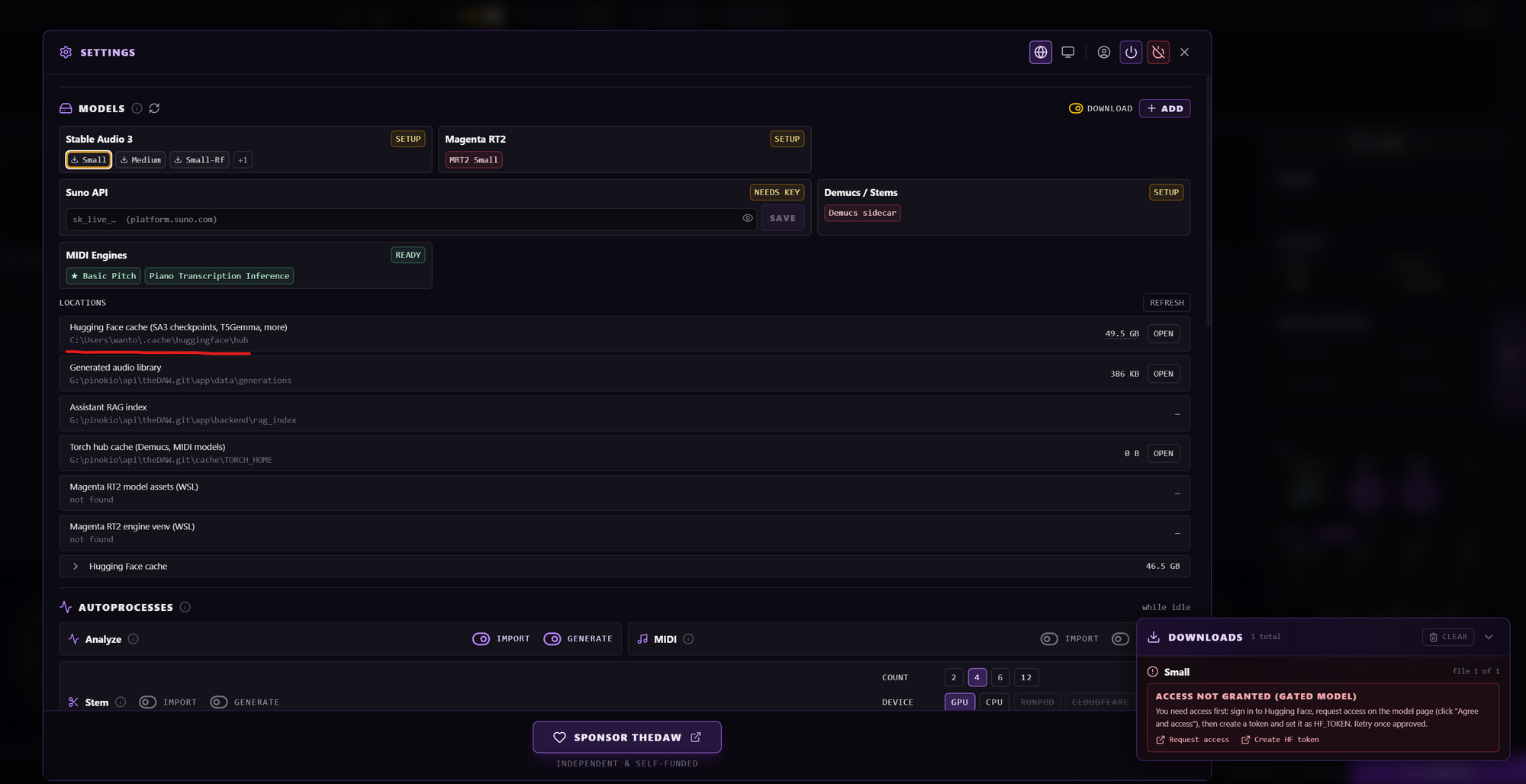
Hi :) The app installs fine. But there are a few problems in the details... ffmpeg is installed by default for all pinokio users. The installation step for ffmpeg isn't needed. (that's just a side note) The "problem" comes with the models and the HF_HOME location. In pinokio HF_HOME is always in the project folder. In case of theDAW it would be here .\theDAW.pinokio.git\cache\HF_HOME But theDAW is searching the models by default in HF_HOME of the user folder. Pinokio tries to keep everything separated from the rest of the PC. And if the app gets deleted also the models get deleted together wit

theDAWgantasmo/theDAW-Pinokio
#tip
5
Pinokio
PrivacyTerms
FeedAppsRemote