Apps
Announcements

crispz: a local hi-res fix, Real-ESRGAN plus a Z-Image Turbo refine, 1-clickcrispz does one thing: it enlarges an image and puts real detail back into it, 100% local, no ComfyUI, no SwarmUI, no cloud. Two stages: Real-ESRGAN (through spandrel) for the true pixel enlargement, with overlap-add tiling and linear feathering: no visible seams, whole images up to 2048 px on a 5090, tiled above. Z-Image Turbo img2img at a low denoise, the pass that reinjects texture, skin, fabric and foliage without touching the composition. You get a Gradio UI, a scriptable CLI and an interactive CLI with saved preferences, for one image or a whole folder. It is the upscaler that every crispz studio embeds; on its own it is the lightest way to finish renders made elsewhere. Hardware: an NVIDIA GPU with 8 GB of VRAM or more. Z-Image Turbo is Apache 2.0, public on Hugging Face: no token. Pinokio launcher: https://github.com/mikecastrodemaria/crispz.pinokio Source: https://github.com/mikecastrodemaria/crispz Install (Pinokio) In Pinokio, open Discover and paste https://github.com/mikecastrodemaria/crispz.pinokio. Click Install: the launcher clones the app, creates the venv, installs the requirements and PyTorch for your GPU. Click Start, then Open Web UI. Drop an image, pick the ESRGAN model and the denoise, Upscale.
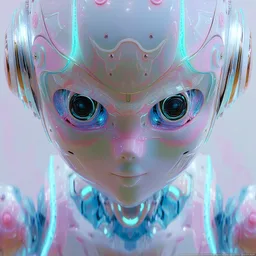
Phosphene 5.0 - a new design, a Mac app installer, Speech and faster picturesA new design The model picker comes first. Pick a model and only its options show. A Mac app that installs itself Download it, open it, done. It reuses the models you already have in Pinokio. Pinokio keeps working as before. New: Speech and lip-sync Type a line, get a voice, and sync a face to it. New: pictures with real text P-H3-Image spells the words you put in quotes. Much faster A picture took about 5 minutes in 4.19. In 5.0 it takes 48 seconds, or 21 with Pro. Pro, if you want to support us Pro gets new speed-ups first. Everything in Pro comes to Free later. Free stays the full app. In Pinokio: press Update, then restart Phosphene. Mac app: https://phosphene.video/download/

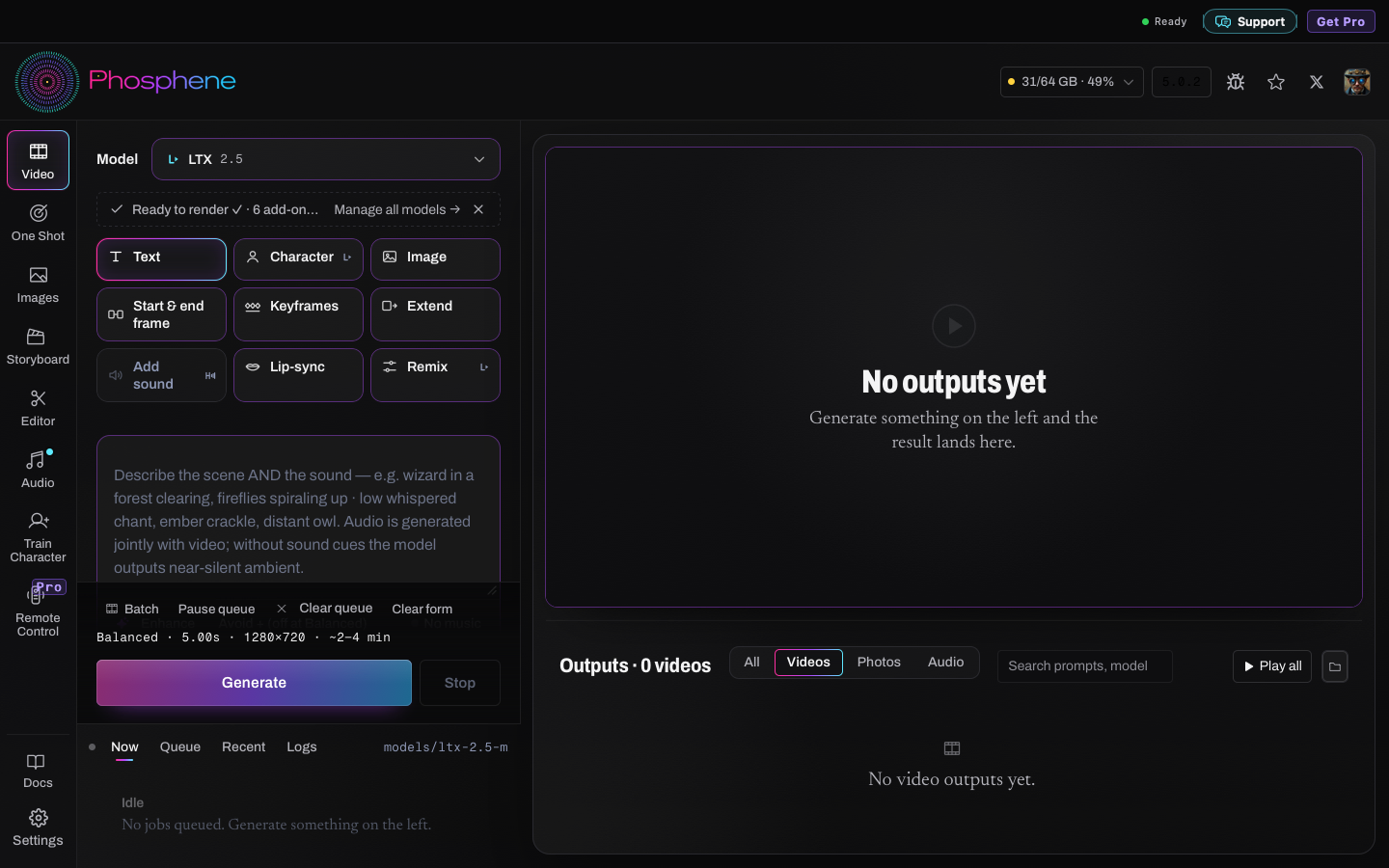

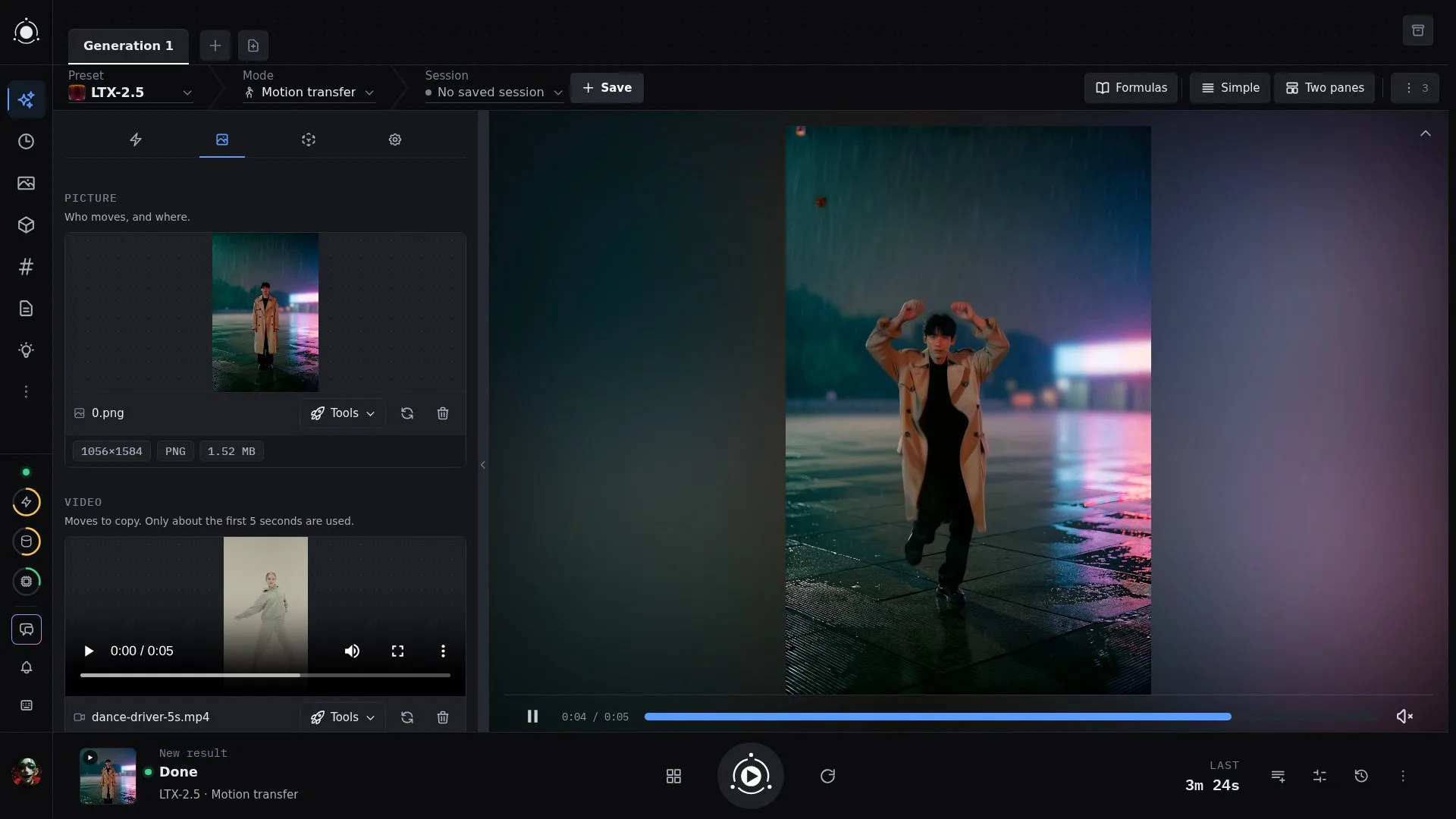
PotionUI 0.1.0 (beta) - LTX 2.5 Motion Transfer; MOSS-Image Inpaint; Exlirs and Editors in tabsPotionUI 0.1.0 is out, and it's our first beta. Click Update in Pinokio to get it. !! Video on Reddit: https://www.reddit.com/r/PotionUI/comments/1xpmtb4/potionui_010_our_first_beta_editors_as_tabs/ This is the biggest update so far: pictures that dance, inpainting on three image models, editors that live in tabs, and Elixirs, a way to chain models together and run the whole chain again with one click. Make a picture move Motion transfer: give LTX-2.5, LTX-2 or MiniMax-H3 a picture and a dance video, and the person in the picture performs the moves. Follow motion copies a video's camera and layout onto a brand new scene. LTX-2.5 can make a transition between a first and a last picture, and turn a clip into a transparent video. MiniMax-H3 gets Long video, which joins several parts into one seamless clip, and Flex, a fast six-step profile for quick drafts. While a video renders, you now see a short live preview of it, in real colour. Repaint and improve pictures Inpaint on Z-Image, Qwen-Image 2.1 and MOSS-Image: paint over the part you want to change and say what goes there. Z-Image Enhance rebuilds a picture at twice the size with sharper detail. Krea-2 gets Edit, where you describe the change in plain words, and Upscale. SDXL gets restyle, pose and sketch control, face and hand fixing, and upscaling. Qwen-Image 2.1 gets a Turbo profile (8 steps), and Qwen-Image can turn the camera around a picture. Z-Image, MOSS-Image and Qwen-Image 2.1 get a full set of styles, each with a preview picture. Editors in tabs The Image editor and the Video editor now open as tabs next to Generate instead of pop-up windows. Every edit is a step you can undo, hide or reorder, and your work survives a page reload. New tools: colour fixes, film grain, vignette, fades, LUTs, live effects and audio replacement for video; slicing a sheet into separate pictures; scene-cut detection. Elixirs Chain steps together: pick pictures from your Library or History, let a language model write a prompt for each one, and run a preset on every result. Build it once and brew it again whenever you like. Brew history keeps every run. A chat assistant can change an elixir for you, and nothing changes until you approve it. Easier setup Install modes: an admin ticks the modes they want and sees the download size and time before starting. Downloads run in parallel, survive a restart and can be cancelled. A mode that isn't installed yet says so right in the mode picker. Also new Chat has a Conversation mode for plain talk with the model, with no tools and nothing from the page. A session open in two windows stays in sync instead of overwriting itself. nvfp4 models run much faster on RTX 50 cards, and long videos are less likely to run out of memory. Before you update This update changes the database in a way that can't be undone, so back up your storage folder first. Full release notes: https://github.com/PotionUI/PotionUI


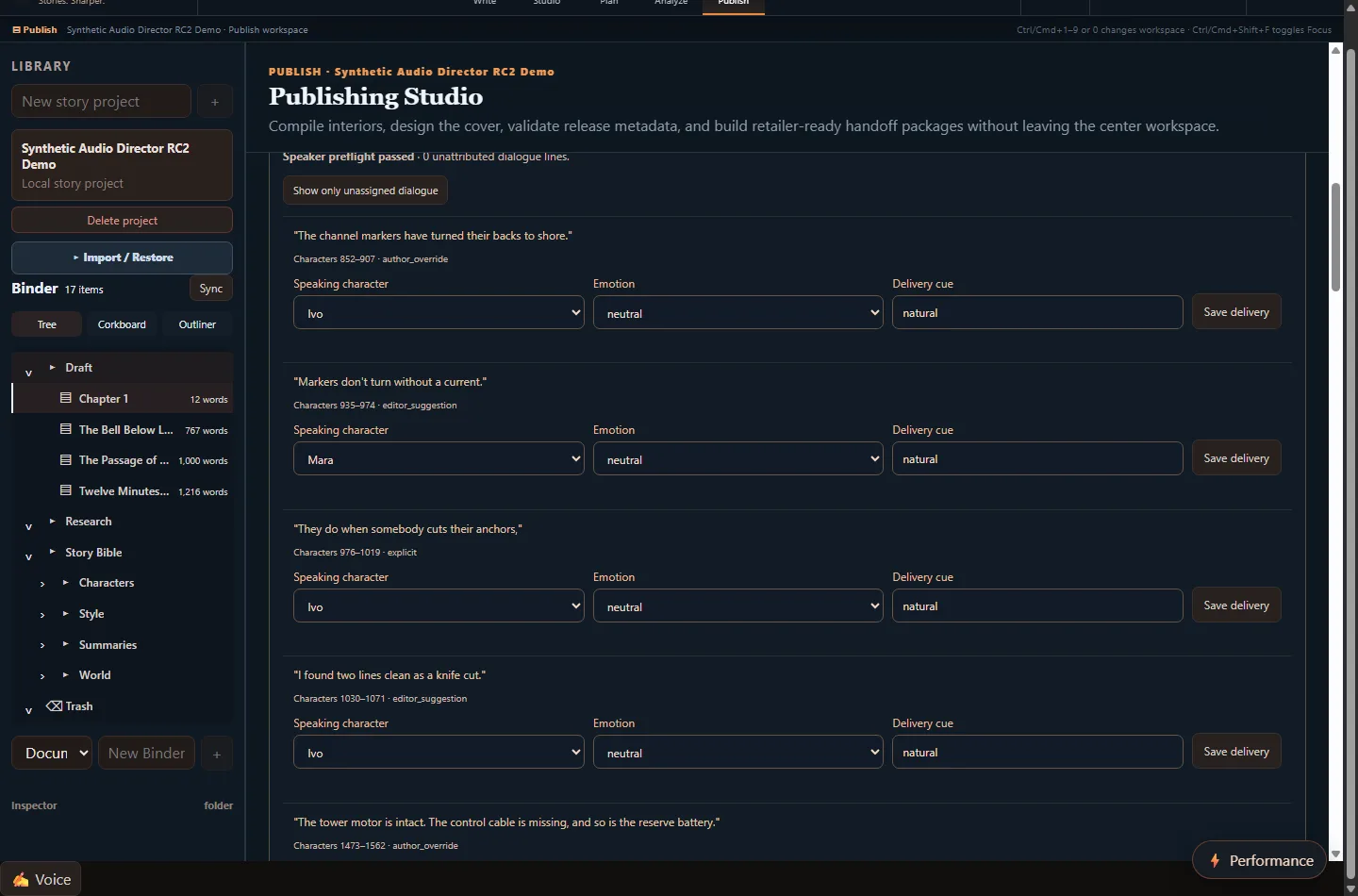
EmberWriter RC2 Is Here — Introducing Audio Director 🎙️📚One of the things that bothered me while testing EmberWriter's audiobook generation was hearing a character's dialogue suddenly switch back to the narrator's voice. The words were correct, but the performance wasn't. A conversation between two characters could lose its rhythm because the system didn't always understand who was speaking. That sent me back into the audiobook production pipeline, and it led to one of the bigger improvements we've made to EmberWriter so far. EmberWriter RC2 introduces Audio Director, a new approach to turning novels into narrated audiobooks. Instead of sending the original manuscript directly to the speech engine, EmberWriter now creates a separate Audiobook Performance Manuscript. It preserves the author's original writing while adding the information needed to produce a better performance: character assignments, emotional direction, delivery cues, and pronunciation instructions. 🎭 What's New in RC2? Character-aware narration: EmberWriter identifies dialogue and assigns it to the appropriate character voice. When it cannot confidently identify who's speaking, it flags the passage for review rather than automatically giving it to the narrator. Emotional performance direction: Authors can review and adjust cues such as fear, sadness, joy, urgency, relief, and restraint. These instructions become part of the audiobook manuscript without changing the novel itself. Audio Director interface: Review dialogue, correct character assignments, and adjust delivery instructions directly inside EmberWriter's Audiobook Workshop. Improved pronunciation: We've retained our CMU/IPA pronunciation improvements, including corrections for words such as buoy and buoys. Better pacing: Chapter headings now have a deliberate 1.35-second pause before narration begins. Smarter regeneration: Unchanged audio segments can be reused, so correcting one character's dialogue doesn't require regenerating the entire audiobook. 🎧 Hear the Results I regenerated our original three-chapter demonstration, The Bell Below Low Water, using Kokoro ONNX. The audiobook features five distinct voices: the narrator, Mara, Ivo, Nessa, and Sal. Across three chapters, we identified and assigned speakers to 70 dialogue passages, including 30 additional assignments prepared for author review. Here are three short samples from the actual recordings: 🎧 Mara and Ivo — Character Dialogue (20 seconds) https://raw.githubusercontent.com/grumpystrongman/EmberWriter-Pinokio/main/media/rc2/sample-01-mara-ivo-dialogue.mp3 🎧 The Rescue Decision (22 seconds) https://raw.githubusercontent.com/grumpystrongman/EmberWriter-Pinokio/main/media/rc2/sample-02-rescue-decision.mp3 🎧 Multiple Character Voices (26 seconds) https://raw.githubusercontent.com/grumpystrongman/EmberWriter-Pinokio/main/media/rc2/sample-03-multiple-character-voices.mp3 📸 Screenshots Audio Director — Dialogue and Speaker Validation Character Voice Assignment and Performance Controls 🔥 What About Fish Audio? Fish Speech's approach to expressive narration helped inspire this architecture. EmberWriter now has an engine-independent performance manuscript and a Fish-compatible rehearsal workflow. The idea is to let different speech engines interpret the same performance instructions according to their capabilities. Kokoro currently handles distinct character voices and pronunciation, but its emotional expressiveness is limited. Fish integration is still experimental, and we haven't completed live expressive-performance validation yet. I'm particularly interested in where we can take this next: an audiobook system that understands not just what a character says, but what they've experienced in the story and how that should influence their performance. ✅ Release Candidate Status RC2 has passed 559 backend tests, and the frontend production build completed successfully. The new three-chapter audiobook has also passed automated checks for character assignments, pronunciation rules, and chapter pacing. We're keeping this labeled as a release candidate while we finish listening reviews, clean-install testing, and further Fish integration. 🚀 Install or Update Through Pinokio New users: https://github.com/grumpystrongman/EmberWriter-Pinokio Existing users: Open EmberWriter in Pinokio and select Update. Once updated, navigate to: Publish → Audiobook → Audio Director You can find the full RC2 update, screenshots, and audio demonstrations here: https://github.com/grumpystrongman/EmberWriter-Pinokio/issues/1 EmberWriter remains a local-first writing and book-production environment. The goal is to give independent authors more control over the entire process, from their first chapter to a finished book and, eventually, an audiobook that genuinely sounds performed rather than simply read aloud. If you're testing EmberWriter through Pinokio, I'd appreciate hearing how the new dialogue attribution works with your stories, particularly conversations with several characters or dialogue where the speaker isn't explicitly identified. Those are the situations that exposed the problems in the first place, and they're exactly where I want Audio Director to keep improving.


FooocusPlusFeatured
An enhanced version of Fooocus giving you access to all of the latest AI image generation models
 @morpheus

 7 check-ins

Drama 3 Offload StudioFeatured
Fish Audio Drama 3 (expressive TTS, voice cloning, voice design, directing notes) from the fishaudio/Drama-3 Space. Models: the full model for 24+ GB NVIDIA GPUs, the Small GGUF (drama3-small, Japanese and English) for 16 GB, and MLX 4-bit / 3-bit conversions of the full model for Apple Silicon (64 / 48 GB, untested on a Mac).
 @thomas_eric
 8 check-ins
YUE2 // GROOVEFeatured
YUE2 // GROOVE is the latest music studio built on the open-source Yue2 model and its inference stack. Generate high-quality full songs from style and lyrics with an editable score plan — powered by the latest YuE model — cover from audio with SheetSage2 and MERT2, refine and compare edits, and keep your works in a reusable, easy-to-manage library. You get high-quality creation with real creative control. Hardware: an NVIDIA GPU with 24 GB VRAM on Linux (YuE2's recommended setup, validated end-to-end on NVIDIA L4 hosts; a 16 GB memory budget runs everything the app can produce, and 12 GB runs the unquantized model at CFG 1.0 or for shorter songs) or an Apple Silicon Mac with 32 GB+ unified memory (where this app is developed and tested). Windows is best effort: install, launch, Cover and a full-length song verified on Windows 11 (RTX 2070, 8 GB); song generation there runs through the GGUF engine. Cards under 16 GB (and Windows) get the optional GGUF engine: the same model through yue2.cpp with an 8-bit backbone, 8.2 GB peak for a full song, measured indistinguishable from the reference rendering in a blind ABX, a different take for the same seed; the reference PyTorch configuration stays the default wherever it fits.
 @bearbone
 12 check-ins

SeedVR2-7B MLXFeatured
One-step SeedVR2-7B diffusion super-resolution upscaler, running natively on Apple Silicon via MLX. Choose between fp16 / int8 / sharp model variants, tune scale, softness, and seed, and compare before/after with a slider.
 @rdx_ai5 check-ins
PulseForgeFeatured
A fully local, cross-platform audio visualizer editor. Create reactive music videos with layered graphics, AI-transcribed lyrics, and frame-perfect MP4 exports — all running in your browser
 @theawakenone
 5 check-ins

theDAWFeatured
Full-featured DAW, DJ, and VJ app interoperable w/Ableton, Reaper, Resolume & more. Stable Audio 3, Magenta RT2, Lyria 3 Pro, Suno API, Chimera track fusion, Demucs stems, MIDI generate/notate, rule-based composer (harmony, counterpoint, fugue), orchestra sound bank w/concert-hall reverb, VST3 instruments, MPE, native Audima Labs Sway support, img > spectrogram > music, drawing > music, VST3 & .gan plugins, automix & key-lock, GLSL shaders, volumetric video, Quest 3 XR interface, MIDI auto-map, RAG assistant, asset library with example projects
 @gantasmo
 11 check-ins





MiniJamFeatured
Describe any song in plain English, compose a structured caption and lyrics locally, and generate it with MiniMax Music 3.
@cocktailpeanut1 check-in
MiniMax H3 ComfyUIFeatured
MiniMax H3 omni-modal video generation in ComfyUI. Text/image/video/audio in, video with native 32kHz stereo audio out (768p default, 1080p+ supported). Disk-optimized: pruned INT8 + NVFP4 weights (~63GB instead of ~290GB). NVIDIA only.
@thomas_eric

 62 check-ins
SongGeneration StudioFeatured
AI Song Generation with Full Style Control - Generate complete songs with lyrics, vocals, and instrumental tracks using Tencent AI Lab's SongGeneration (LeVo) model. [NVIDIA ONLY]
@morpheus
 25 check-ins



AgentsViewFeatured
Browse, search, and analyze sessions from Claude Code, Codex, and other coding agents locally.
@cocktailpeanut5 check-ins
GeoLibreFeatured
A free, open-source GIS for visualizing, exploring, and analyzing geospatial data locally in your browser.
@cocktailpeanut4 check-ins
Uncensored Local StudioFeatured
Run image generation, GGUF language models, Whisper speech recognition, and Kokoro speech synthesis locally from one offline studio.
@cocktailpeanut

 35 check-ins

MuScriptorFeatured
Local multi-instrument audio-to-MIDI transcription from Kyutai and Mirelo.
@cocktailpeanut

 28 check-ins





StableDAWFeatured
Browser-based AI audio DAW for Stable Audio 3 with text-to-audio, inpainting, LoRA training, FFmpeg effects, waveform editing, sequencer, piano roll, and persistent library. https://github.com/gantasmo/stabledaw
@cocktailpeanut
 26 check-ins

Image to PromptFeatured
Generate editable Ideogram JSON prompts from uploaded images.
@cocktailpeanut
 10 check-ins
IdeopromptFeatured
Describe an image, get a 100% schema-valid Ideogram 4 JSON prompt — generated fully locally with an embedded llama.cpp (no Ollama or LM Studio required).