Used the default model. Prompt:
Photorealistic found-footage horror image captured on a cheap handheld camcorder in 2001: inside an ordinary suburban kitchen at night, the entire ceiling has split open into a perfectly still black ocean suspended upside down, with dim moonlight rippling through the water above the room, strands of seaweed hanging down like wet curtains, and dozens of pale human-sized anglerfish drifting silently just beyond the surface as if watching the room from above. The kitchen itself remains mundane and intact—fridge covered in magnets, dirty dishes in the sink, a half-eaten sandwich on the table, a clock reading 2:14 AM—but seawater is beginning to drip onto the linoleum floor, forming reflective puddles. One large anglerfish is pressing halfway through the impossible watery ceiling, its glowing lure illuminating the cabinets and its glassy eye reflecting the camera light. The shot is awkward and accidental, taken from the dark hallway entrance as if the person filming stopped in shock, with slightly crooked framing and the edge of the doorway visible in the foreground. Authentic early-2000s camcorder aesthetic only, MiniDV look, low resolution, interlacing artifacts, heavy low-light grain, muddy blacks, washed-out colors, slight motion blur, imperfect autofocus, overexposed camcorder light, subtle tape degradation, and a timestamp in the corner reading “JUN 03 2001 02:14:09 AM.” Disturbingly realistic, no cinematic lighting, no polished CGI look, no stylized horror, just an impossible scene recorded by accident.
#showcase
Browse tags
Most posts · Last 30 days
No recent tagged posts yet.


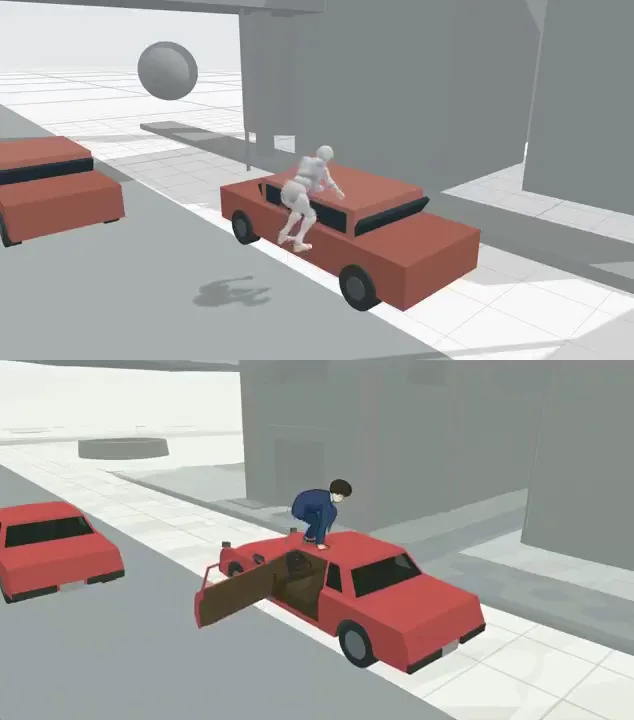
Generate 3D animation with CozyClay, and generate full video with Maestro
Here's a quick example workflow of generating 3d animation keyframes in CozyClay, and then using it to generate a full video: First used the CozyClay app to generate the top animation video, and then exported the keyframe pack (zip): Then, I just took the generated video (clip.mp4) and dropped it into Maestro's "Control Video" dropzone and prompted I think I will need to experiment a bit more with the full workflow. The demo here still preserves a lot of the existing skeleton video, but hopefully there's a way to make it completely transform into a scene from anime or a movie.

Finally got it to work on Windows after the latest update. Prompt:
[with bright eager excitement] We won! We actually won! [laughs] I can't believe it!

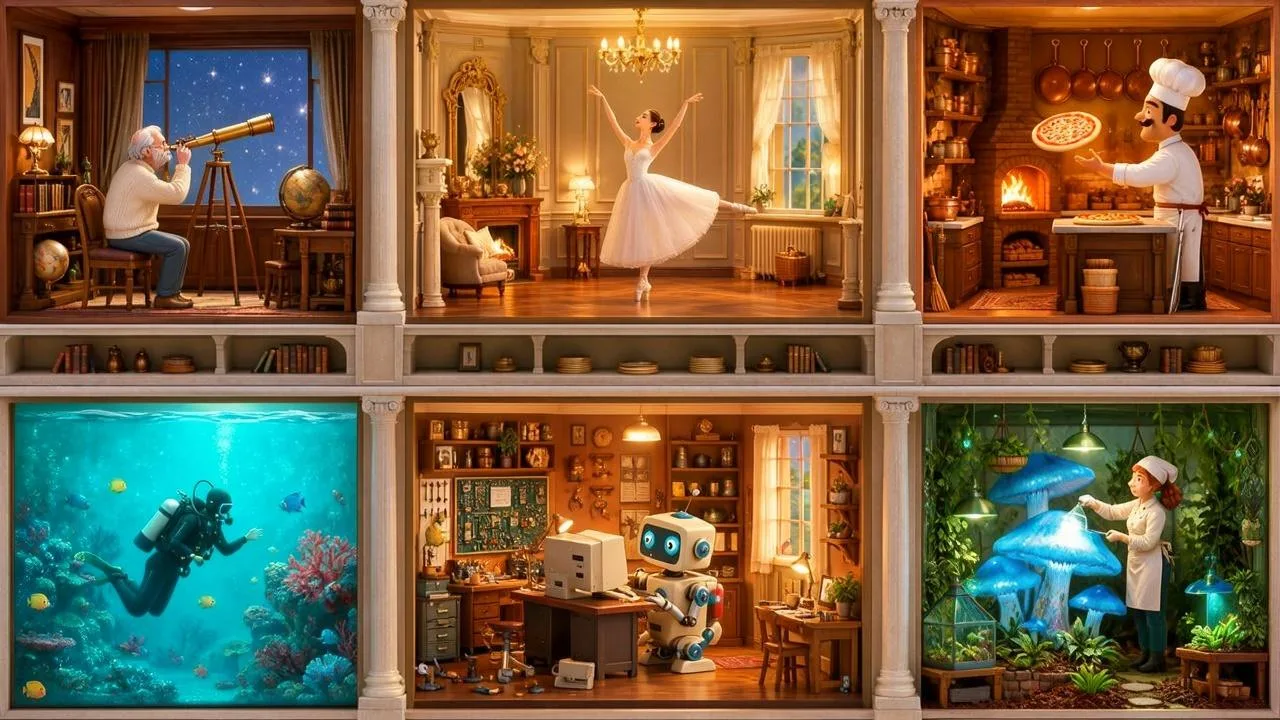
JSON Prompting with MOSS Image 5B
Looks like MOSS Image lets you prompt in JSON. Here's the JSON prompt: { "summary": { "meta": ["architectural cutaway", "fantasy diorama"], "canvas": "single", "caption": "A breathtaking highly detailed architectural cross-section of a magical six-room apartment building, with exactly three columns and two rows of equally sized rooms. Every room has a completely different inhabitant and activity. Perfectly aligned rectangular rooms separated by clearly visible walls and floors. Beautiful miniature diorama aesthetics, warm cinematic lighting, sophisticated 3D rendering, intricate furnishings, n

Join the community
Follow people and apps for updates. Explore Announcements and All for more.
Discover people →