Pinokio
FeedAppsRemoteCreate
Download Pinokio
Sign inCreate accountJoin

New apps

Apps

FeaturedAnnouncedUpdatedNew

One-click launchers that install and run apps on your computer.

System:Windows
AnymacOSWindowsLinux
GPU:NVIDIA
AnyNVIDIAAMDApple
#tts64#image-generation51#video-generation42#music35#utility35#agent28#video28#próba27
FaceFusion 3.1.1
Industry leading face manipulation platform
funnn123/ff-pinokiov1.5added 10mo ago
7 check-insNVIDIAAMDApple
UVR5-UI
Eddycrack864/UVR5-UI-pinokiov3.2added 10mo ago
6 check-insNVIDIAAMDApple
LatentSync
Deepfake-Zatylkin/LatentSync-Pinokiov3.2added 10mo ago
1 check-inNVIDIAAMDApple
Coqui TTS - توليد صوت عربي
karam1977/coqui-tts-pinokioadded 10mo ago
7 check-insNVIDIAAMDApple
Gepeto-improved
Deathdadev/Gepeto-improvedv3.7added 10mo ago
@death1 check-inNVIDIAAMDApple
StreamSnap
A powerful, AI-powered Gradio application for downloading, transcribing, and analyzing YouTube videos and audio.

TheAwaken1/StreamSnap-Pinokiov3.7added 10mo ago
@theawakenone3 check-insNVIDIAAMDApple
n8nFeatured
Secure Workflow Automation for Technical Teams
SUP3RMASS1VE/N8N-Pinokiov3.7added 10mo ago
#n8n#automation#node-interface
@sup3rmass1ve11 check-insNVIDIAAMDApple
Wav2Lip Auto Installer
One-click install and run Wav2Lip with preloaded models
lepontdrive-dev/pinokio-wav2lip-autov1.0.0added 10mo ago
11 check-insNVIDIAAMDApple
Setup Ollama + DeepSeek
Installe Ollama (si pas déjà) et ajoute DeepSeek-Coder au sein de Pinokio.

karim-embarek/pinokiov1.0.0added 10mo ago
3 check-insNVIDIAAMDApple
OrpheusTTS
Standalone Text-to-Speech using Orpheus TTS with a Gradio UI
PierrunoYT/OrpheusTTS-Pinokiov7.0added 10mo ago
@pierrunoyt1 check-inNVIDIAAMDApple
KittenTTS 😻
Ultra-lightweight text-to-speech (15M-80M params) — CPU optimized, 8 voices, ONNX-powered
PierrunoYT/KittenTTS-Pinokiov7.0added 10mo ago
@pierrunoyt2 check-insNVIDIAAMDApple
InfiniteTalk (Pinokio)
One-click install & launcher for MeiGen-AI/InfiniteTalk

gregor-chronos-games-com/infinitetalk.pinokioadded 10mo ago
7 check-insNVIDIAAMDApple
YuE-UI
Gradio UI for YuE music generation model

liinlin88888-bot/YuE-UIadded 10mo ago
5 check-insNVIDIAAMDApple
Music Video Cutter
Automatically create music videos. Synchronize the cuts to the music's beat.
6Morpheus6/mvcv3.7added 10mo ago
@morpheus2 check-insNVIDIAAMDApple
Kokoro-FastAPI
A FastAPI wrapper for KokoroTTS. Integrates with Open-WebUI and other API-driven AI applications.
6Morpheus6/Kokoro-FastAPIv3.7added 10mo ago
@morpheus1 check-inNVIDIAAMDApple
SoraWatermarkCleaner
Automatically remove watermarks from videos generated by Sora AI.
6Morpheus6/SoraWatermarkCleanerv3.7added 10mo ago
@morpheus3 check-insNVIDIAAMDApple
SillyTavern Character Generator
# SillyTavern Character Generator A pinokio script for https://github.com/Tremontaine/character-card-generator When used with KoboldCPP use http://localhost:5001/v1 Where 5001 is the port reported by KoboldCPP when starting Text API Key needs to be filled with anything. (If left empty will give a error so just add anything to it)
drago87/SillyTavern-Character-Generatorv4.0added 10mo ago
@drago871 check-inNVIDIAAMDApple
SadTalker
Fast Lipsync application for smaller GPU's.
6Morpheus6/SadTalkerv3.7added 10mo ago
@morpheus7 check-insNVIDIAAMDApple
VoxCPM 2
Tokenizer-free TTS for context-aware speech, voice cloning, and voice design. 2B params, 48kHz, 30 languages (Gradio UI).
PierrunoYT/VoxCPM-1.5-Pinokiov5.0added 10mo ago
@pierrunoyt1 check-inNVIDIAAMDApple
Whisper-WebUI
A Web UI for easy subtitle using whisper model.
6Morpheus6/whisper-webuiv3.7added 10mo ago
@morpheus3 check-insNVIDIAAMDApple
Previous
1...131415...23
NextPage 14 of 23

Get project updates

Pulse

View all

The latest posts from across Pinokio.

Darkroom is now on Pinokio: 1-click install Darkroom is a local image generation studio: a dark Gradi...
@pierrunoyt · Darkroom
New on Pinokio
@pierrunoyt · Darkroom
Automatically discovered via GitHub
Checked into Ruach Studio. In Linux Ubuntu, a hard rock/thrash-style track was successfully created a...
@arkinou · Community
Checked in to OS Studio.
@arkinou · Community
pdf de perguntas terapia adolecente
@carla · OpenClaude

Radar

View all

Projects getting attention.

Followed·just now
PotionUI
PotionUI: self-hosted AI image and video generation with a preset-driven interface, a native diffusers engine and ComfyUI support. Requires Windows or Linux with an NVIDIA GPU (driver 580 or newer, 8 GB VRAM and 16 GB RAM minimum). Other machines get a remote-only install.
Installable
Followed·2 min
Wan2GP - AMD
[AMD ONLY] Super Optimized Gradio UI for AI video creation for GPU poor machines (6GB+ VRAM). Supports Wan 2.1/2.2, Qwen, Hunyuan Video, LTX Video, Flux and more. (On Windows supported by all dedicated AMD GPUs from RDNA 2 - RDNA 4)
Installable
Followed·3 min
Darkroom
Local image generation studio: a dark Gradio UI on top of a bundled ComfyUI backend. https://github.com/PierrunoYT/darkroom-studio
Installable
Followed·11 min
Open WebUI
User-friendly WebUI for LLMs, supported LLM runners include Ollama and OpenAI-compatible APIs https://github.com/open-webui/open-webui
Installable
Followed·12 min
Cline Kanban
1-click launcher for Cline Kanban, a local orchestration board for coding agents.
Installable
Pinokio
PrivacyTerms
FeedAppsCreateRemote

Explore the community

#showcase
Darkroom is now on Pinokio: 1-click install Darkroom is a local image generation studio: a dark Gradio UI on top of a ComfyUI backend. Write a prompt, pick a model, and watch the image develop step by step. The launcher installs Darkroom and its own ComfyUI with the right PyTorch for your GPU, and can download every supported model for you. 🎞️ What it does 🖼️ Text-to-image and img2img with SD 1.5, SDXL, SD 3.5, Z-Image, FLUX 3 Klein, Qwen-Image 2.1, MOSS-Image, Krea 2, Ideogram 4, HiDream O1, ERNIE-Image, Lens, Chroma, Ovis-Image, Anima and more. ✏️ Instruction editing: drop an image in t...
@pierrunoyt·17 min ago
#cool-project
Darkroom is now on Pinokio: 1-click install Darkroom is a local image generation studio: a dark Gradio UI on top of a ComfyUI backend. Write a prompt, pick a model, and watch the image develop step by step. The launcher installs Darkroom and its own ComfyUI with the right PyTorch for your GPU, and can download every supported model for you. 🎞️ What it does 🖼️ Text-to-image and img2img with SD 1.5, SDXL, SD 3.5, Z-Image, FLUX 3 Klein, Qwen-Image 2.1, MOSS-Image, Krea 2, Ideogram 4, HiDream O1, ERNIE-Image, Lens, Chroma, Ovis-Image, Anima and more. ✏️ Instruction editing: drop an image in t...
@pierrunoyt·17 min ago
#guide
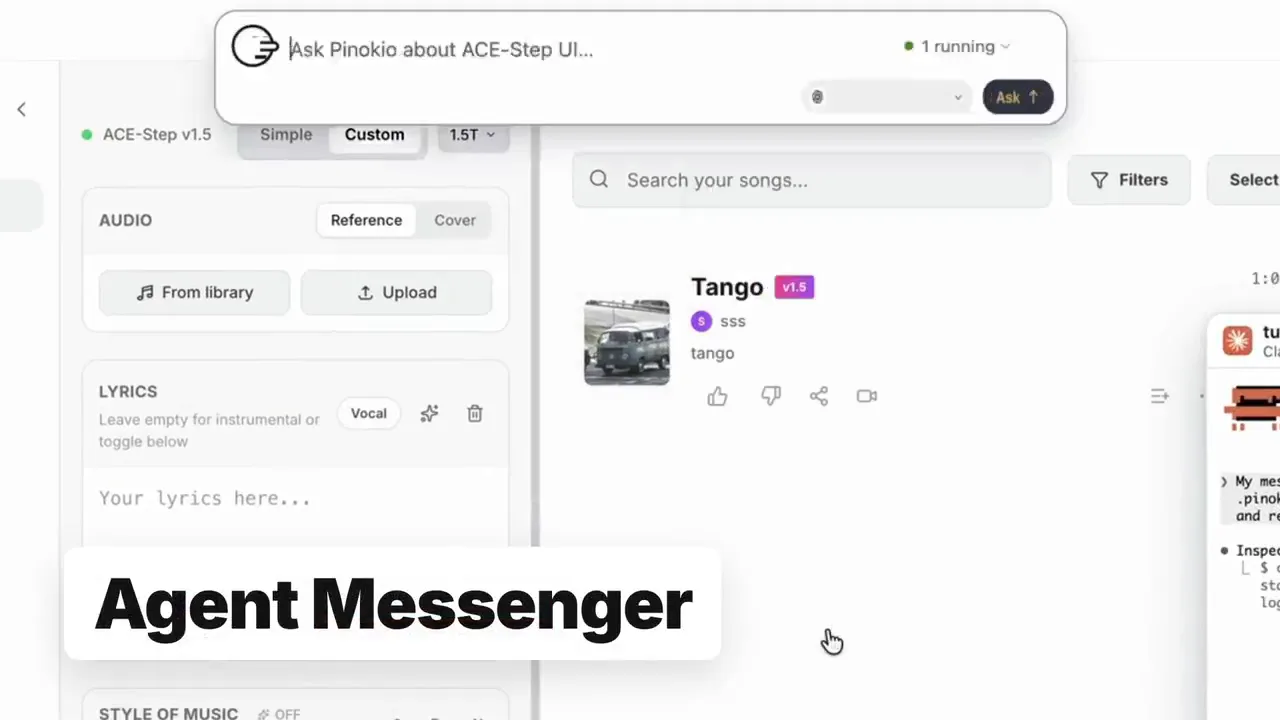
Agent Messenger: Chat with All Local Apps
@cocktailpeanut·20h ago
#testers-wanted
Darkroom is now on Pinokio: 1-click install Darkroom is a local image generation studio: a dark Gradio UI on top of a ComfyUI backend. Write a prompt, pick a model, and watch the image develop step by step. The launcher installs Darkroom and its own ComfyUI with the right PyTorch for your GPU, and can download every supported model for you. 🎞️ What it does 🖼️ Text-to-image and img2img with SD 1.5, SDXL, SD 3.5, Z-Image, FLUX 3 Klein, Qwen-Image 2.1, MOSS-Image, Krea 2, Ideogram 4, HiDream O1, ERNIE-Image, Lens, Chroma, Ovis-Image, Anima and more. ✏️ Instruction editing: drop an image in t...
@pierrunoyt·17 min ago