Pinokio
FeedAppsRemoteCreate
Download Pinokio
Sign inCreate accountJoin

Apps

Announcements

View all

Official updates.

Pinned announcement from Pinokio
pinokio
@cocktailpeanut•4d ago
Pinokio Create: Turn Anything into a 1-Click Launcher, Automatically.Pinokio now talks to your AI agent to package anything into a 1-click launcher, publish to github, and list on pinokio, automatically. Just click the "Create" button at the top, select a template, enter what you want, and open in pinokio. Pinokio will hand off all the instructions needed to your own AI agent, and your agent will take it from there, taking care of everything automatically: Build a new app: Build a new app with 1-click launcher built-in, publish to github, and list to pinokio Publish your own app: Take your existing project, package it as a 1-click launcher, publish to github, and list to pinokio 1-Click Launcher for any existing project you want to try: Take any existing project you want to try out, package it as a 1-click launcher, publish to github and list on pinokio, all automatically.
Phosphene
@bizarro•17h ago
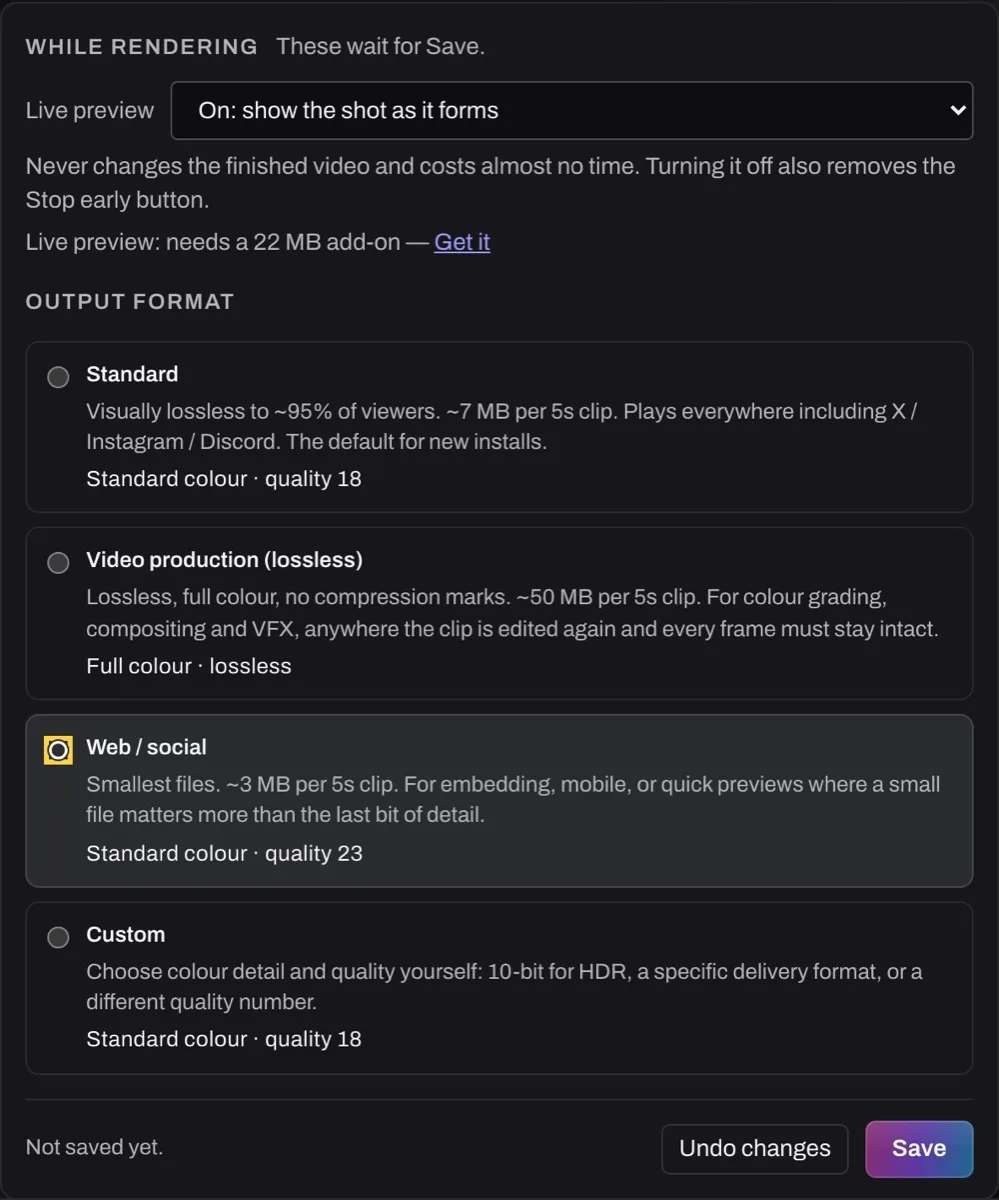
Phosphene 5.0.51: Settings in plain words, and a calm Finish setup cardSettings in plain words (free for everyone): Output format and Live preview now share a "While rendering" box with Save and Undo changes. It says "Not saved yet" until you save; everything else saves as you change it. Finish setup (free for everyone): if setup stopped, a calm card helps you finish in a few minutes and keeps your models. After "All set.", press Retry on any video that failed meanwhile. If setup stops again, it explains the connection or disk space problem and offers Try again. Both changes are in all ten languages the Studio speaks. In Pinokio, press Update, then restart. Release notes: https://phosphene.video/changelog/ https://phosphene.video/
Mumblebox 3D Asset Foundry
@mumblebox•22h ago
Foundry rigging is growing. I'd love your feedback.Quick update on the experimental rigging in Mumblebox Foundry Preview 36. Local AI auto rigging is available, along with tools for refining joints, testing movement and exporting to Blender. But the rigging system and interface are still very basic, and I'm working hard on fleshing them out. Sorry for the rough edges. I'm learning what makes a good rigging experience, and feedback from people who actually rig and animate characters is helping me see where it needs to improve. Wood Man and the acorn from the latest demo. The assets were made in Foundry, Wood Man's rig was refined through its MCP, and the animation and rendering were done in Blender. The acorn's leaf was rigged in Blender too. The interface and user experience are a big focus. I want familiar visual controls that an experienced rigger can pick up, with an approachable starting point for someone doing this for the first time. Go as deep as you want, without having every advanced setting in your face. Some of the improvements I'm planning: Clearer bones and joints, better selection feedback and a more organized workspace. More complete inverse kinematics (IK) and forward kinematics (FK) controls, including switching between them. Better hand and palm controls, with clearer ways to check how the mesh bends. Useful sliders, dials and toggles, grouped around the part you're working on, with immediate visual feedback. Matching MCP tools so your agent can inspect, adjust and help refine the rig while you stay in control. These are development goals, not features I'm claiming are all in the current release. The current experimental editor in Preview 36. This is the starting point I'm working to improve. The MCP side already gives agents tools for inspecting views, probing depth and making precise joint edits. I want the human interface to become just as useful and understandable. If you use Maya, Houdini, Blender, Daz Studio or other rigging tools, I'd really appreciate your perspective: What is the biggest frustration you wish a rigging tool would solve? Which controls or visual cues would you expect to find immediately? Have you tried Foundry's rigging, or connected it to your agent? Where did it feel confusing or fall short? I'm studying what works in those tools and where the experience can be better. Specific examples and screenshots would be especially helpful. Honest criticism is welcome. Try Foundry through Pinokio · GitHub and setup instructions Thank you for the patience, support and feedback. I want to make this a useful community tool, and hearing where it fails is part of getting it there.
EmberWriter
@grumpystrongman•2d ago
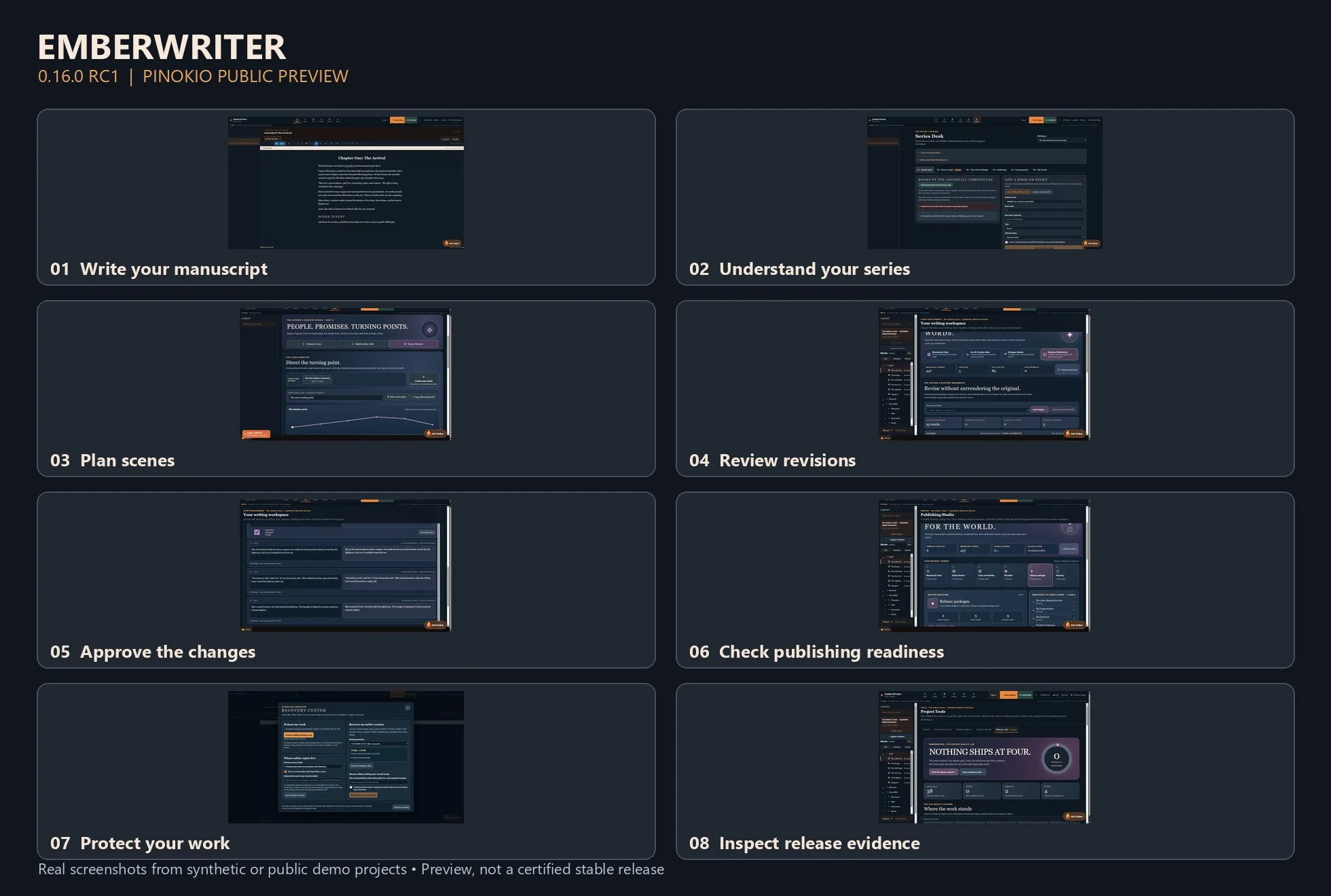
EmberWriter 0.16.0 RC1 — A Local AI Writing Studio for PinokioWriting a novel is more than generating paragraphs. It's keeping track of who knows what, what happened three chapters ago, which relationships have changed, and whether a new scene still makes sense in the larger story. I've been building EmberWriter around that challenge. It's a local-first fiction writing studio designed to help authors move from an idea to a complete manuscript while keeping creative decisions in their own hands. Version 0.16.0 RC1 is now available as a public preview through Pinokio. The writing desk is only one part of the experience. EmberWriter also includes series intelligence for tracking characters and continuity across books, a Scene Director for planning and structuring scenes, a Revision Workbench for examining proposed changes, and publishing tools for preparing exports. One principle has guided the development: AI should assist the author without silently rewriting their work or deciding what becomes canon. A suggested revision remains a suggestion. A planned scene doesn't overwrite a chapter just because a model generated something. The application includes local recovery tools, source-linked story evidence, and a Release Lab that makes technical readiness and outstanding issues visible. What's been tested? The latest engineering work includes backend and Windows recovery checks, an isolated end-to-end storyboard-to-writer test, and automated accessibility checks across desktop, tablet, and mobile layouts. RC1 is still a developer preview, not a fully certified production release. Security hardening, fresh-device installation testing, and additional real-model quality evaluation are continuing. I'd recommend starting with the isolated DEMO workspace and keeping backups of any important writing. Try EmberWriter with Pinokio: Open Pinokio on Windows x64. Choose Download from URL. Enter https://github.com/grumpystrongman/EmberWriter-Pinokio Select branch release/0.16.0-rc.1. Install and launch DEMO to explore the application. Application release: https://github.com/grumpystrongman/EmberWriter/releases/tag/preview-0.16.0-rc.1 Pinokio preview release: https://github.com/grumpystrongman/EmberWriter-Pinokio/releases/tag/preview-0.16.0-rc.1 I'd be interested in feedback from people actually writing longer fiction—particularly whether the transition from scene planning to drafting and reviewing changes feels natural. That's where I want the experience to improve most.
MiniMax H3 Studio
@mvrdvk•2d ago
Momo has a message for you!!! https://www.youtube.com/watch?v=0bFra725El4
Forge Studio
@shai7net•2d ago
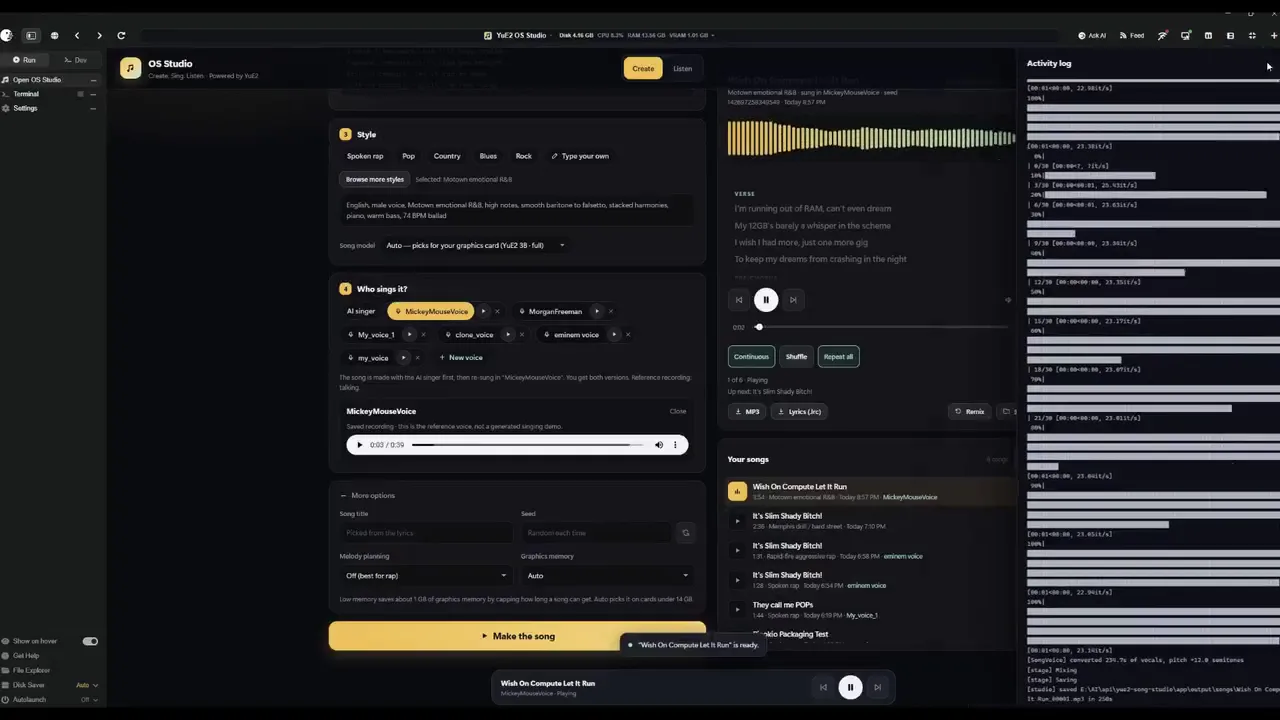
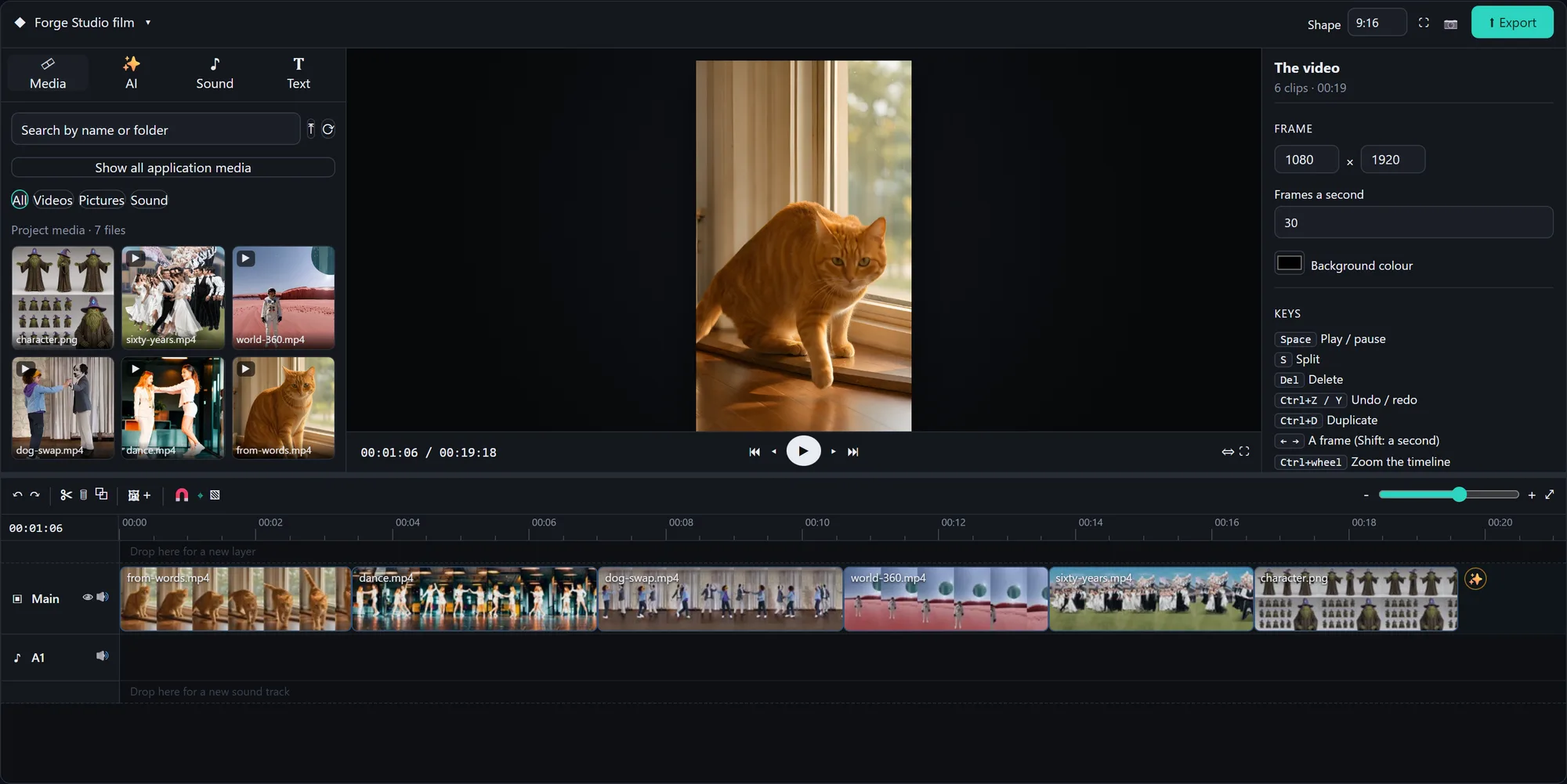
Forge Studio: a whole AI creative studio on one PC with an 8 GB card, now 1-click in Pinokio 🎬 Built on Stable Diffusion WebUI Forge: • Pictures: FLUX 3 Klein, FIBO 2.0, SDXL and SD 1.5 • Video Studio: Wan 2.2 video from text, a picture, first + last frame, "ingredients", or replacing a character in a video • AnimateDiff dance transfer, Deforum with music keyframes • Simulation 360 worlds, Time Strata, Characters (consistent character sheets → video → 3D) • Forge Studio: a timeline video editor that every tab can drop its results onto • A prompt writer that takes your idea in any language • UI skins: hold any button to restyle it, save and share skins Every shot in the video was made in it, and so was the music. Launcher: https://github.com/Shai7net/forge-studio-pinokio Project: https://github.com/Shai7net/forge-studio Windows + NVIDIA (8 GB or more). First versions, experimental: feedback is very welcome!
FeaturedAnnouncedUpdatedNew
Runs on:Any
System
AnymacOSWindowsLinux
GPU
AnyNVIDIAAMDApple
Show:All projects
LaunchersPluginsAll projects
#tts64#image-generation51#video-generation42#music35#utility35#video28#próba27#3d26
Nekochu/Wav2Lip · Hugging Face
We’re on a journey to advance and democratize artificial intelligence through open source and open science.
huggingface.co/nekochu/wav2lipadded 5mo ago
0 check-insNVIDIAAMDApple
oMLX
LLM inference server for Apple Silicon Mac, powered by MLX https://github.com/jundot/omlx
cocktailpeanut/omlx.pinokiov7.0added 5mo ago
@cocktailpeanut0 check-insNVIDIAAMDApple
omlx
LLM inference server with continuous batching & SSD caching for Apple Silicon — managed from the macOS menu bar
jundot/omlxadded 5mo ago
0 check-insNVIDIAAMDApple
NeoQuasar/Kronos-base · Hugging Face
We’re on a journey to advance and democratize artificial intelligence through open source and open science.
huggingface.co/neoquasar/kronos-baseadded 5mo ago
0 check-insNVIDIAAMDApple
Orpheus-TTS
Towards Human-Sounding Speech
canopyai/orpheus-ttsadded 5mo ago
0 check-insNVIDIAAMDApple
ideogram-ai/ideogram-4-fp8 · Hugging Face
We’re on a journey to advance and democratize artificial intelligence through open source and open science.
huggingface.co/ideogram-ai/ideogram-4-fp8added 5mo ago
0 check-insNVIDIAAMDApple
hexstrike-ai
HexStrike AI MCP Agents is an advanced MCP server that lets AI agents (Claude, GPT, Copilot, etc.) autonomously run 150+ cybersecurity tools for automated pentesting, vulnerability discovery, bug bounty automation, and security research. Seamlessly bridge LLMs with real-world offensive security capabilities.
0x4m4/hexstrike-aiadded 5mo ago
0 check-insNVIDIAAMDApple
calcuis/wan-gguf · Hugging Face
We’re on a journey to advance and democratize artificial intelligence through open source and open science.
huggingface.co/calcuis/wan-ggufadded 5mo ago
0 check-insNVIDIAAMDApple
Omni-Video-Factory-API-iframe - a Hugging Face Space by Saravutw
This app opens a web page that embeds the Omni‑Video‑Factory site in an iframe, letting you use its video‑generation features without leaving the interface. Simply launch the app and interact with ...
huggingface.co/spaces/saravutw/omni-video-factory-iframe-apiadded 5mo ago
0 check-insNVIDIAAMDApple
ComfyFS
Browse ComfyUI workflow templates and manage missing model files in the folders exposed by a running local ComfyUI server.
cocktailpeanut/comfyfsv7.0added 5mo ago
@cocktailpeanut1 check-inNVIDIAAMDApple
phoma-releases
Contribute to igdev116/phoma-releases development by creating an account on GitHub.
igdev116/phoma-releasesadded 5mo ago
0 check-insNVIDIAAMDApple
Aquiles-ai/FLUX.2-dev · Hugging Face
We’re on a journey to advance and democratize artificial intelligence through open source and open science.
huggingface.co/aquiles-ai/flux.2-devadded 5mo ago
0 check-insNVIDIAAMDApple
MisoTTS
Miso TTS is an 8 billion, highly emotive text-to-speech model
misolabsai/misottsadded 5mo ago
0 check-insNVIDIAAMDApple
TripoSplat
Convert a single 2D image into high-quality 3D Gaussian Splats (.ply / .splat), by TripoAI. NVIDIA GPU required.
hoodtronik/TripoSplat-pinokiov7.0added 5mo ago
@hoodtronik0 check-insNVIDIAAMDApple
guozinan/PuLID · Hugging Face
We’re on a journey to advance and democratize artificial intelligence through open source and open science.
huggingface.co/guozinan/pulidadded 5mo ago
0 check-insNVIDIAAMDApple
subforge
Rust CLI for AI subtitle workflows: transcribe, segment, translate, evaluate, and burn or mux subtitles.
deusjin/subforgeadded 5mo ago
0 check-insNVIDIAAMDApple
financial-team-ashare
金融团队(A股版):多Agent投研决策系统,深度改造自 virattt/ai-hedge-fund。
vango-do/financial-team-ashareadded 5mo ago
0 check-insNVIDIAAMDApple
google/magenta-realtime-2 · Hugging Face
We’re on a journey to advance and democratize artificial intelligence through open source and open science.
huggingface.co/google/magenta-realtime-2added 5mo ago
0 check-insNVIDIAAMDApple
AICoverGen-Enhanced
A WebUI to create song covers with any RVC v2 trained AI voice from YouTube videos or audio files.
mrshorrid/aicovergen-enhancedadded 5mo ago
0 check-insNVIDIAAMDApple
dograh
Open source voice AI platform. Self-hosted alternative to Vapi and Retell. On Prem, BYOK across Speech to Speech or LLM/STT/TTS, with a visual workflow builder, MCP native and telephony support.

dograh-hq/dograhadded 5mo ago
0 check-insNVIDIAAMDApple
Previous
1...137138139...308
NextPage 138 of 308

Get project updates

Pulse

View all

The latest posts from across Pinokio.

This app is a masterpiece. It has everything you want. Auto detect firmware for best settings. NSFW c...
@zachman · Maestro
New on Pinokio
@agentmasonxx · Autonomous Multi-Agent Task Fleet
Automatically discovered via GitHub
New on Pinokio
@agentmasonxx · Memory Recall Memory Palace
Automatically discovered via GitHub
New on Pinokio
@agentmasonxx · Jarvis AI Assistant
Automatically discovered via GitHub
New on Pinokio
@agentmasonxx · Real Estate Auction Pipeline
Automatically discovered via GitHub

Radar

View all

Projects getting attention.

Followed·4 min
EmberWriter
Author-led fiction studio: write complete books, review every chapter, publish and narrate locally
Installable
Followed·5 min
Fooocus
Minimal Stable Diffusion UI
Installable
Followed·11 min
PotionUI
PotionUI: self-hosted AI image and video generation with a preset-driven interface, a native diffusers engine and ComfyUI support. Requires Windows or Linux with an NVIDIA GPU (driver 580 or newer, 8 GB VRAM and 16 GB RAM minimum). Other machines get a remote-only install.
Installable
Followed·13 min
Ultimate-TTS-Studio
Kokoro, KittenTTS, Higgs audio, Chatterbox/Multi, Fish-Speech, F5 & index-tts & indextts2, VoxCPM and VibeVoice in one app
Installable
Followed·22 min
[NVIDIA GPU ONLY] LGM
LGM: Large Multi-View Gaussian Model for High-Resolution 3D Content Creation https://huggingface.co/spaces/ashawkey/LGM
Installable
Pinokio
PrivacyTerms
FeedAppsCreateRemote

Explore the community

#showcase
I want to learn graphic designing
@abhimanyu123·19h ago
#cool-project
Preview of my next project!
@theawakenone·6d ago
#guide
Pinokio Create: Turn Anything into a 1-Click Launcher, Automatically.
@cocktailpeanut·4d ago
#testers-wanted
For those of you brave enough to install... Thanks for trying it out. I am adding a bug report feature and fixing the workflows for objects/creatures/vehicles. I am also adding a coding agent driven headless Blender node. I will be looking to optimizes for low memory systems soon. There is alot to do on the Roadmap. Thanks for your interest.
@mumblebox·15d ago