If you installed lots of apps you probably run out of disk space over time. There are different ways to regain a lot of space without needing to delete your favorite apps. Let's walk through all of them.
The "radical" way:
UV, the python package manager, uses its own cache and stores all the dependencies you downlaod for your apps in there.
The advantage is, that installations are super quick. The downside is, it occupies a lot of space. Especially if you install lots of different apps with different dependencies.
There are 2 ways to get rid of it. Future installations will be slower for some time because the dependencies need to be downloaded again before they can be installed. So only do it if you have fast internet and need the space.
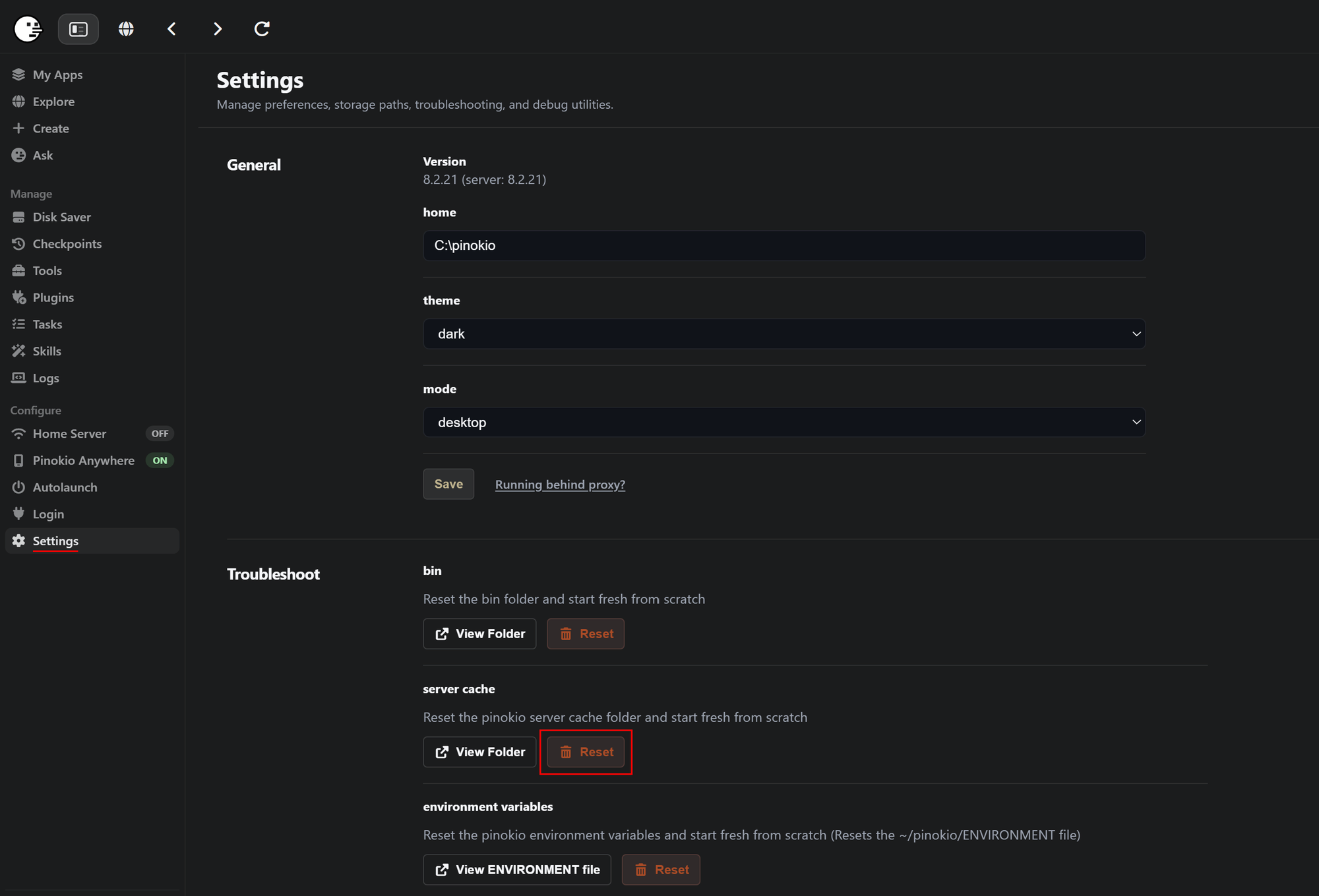
- Reset Server cache in pinokio:
The server cache in pinokio doesn't contain any essential files. You can delete it anytime without affecting the functionality of your installed applications. You find it on the Settings page.
Resetting the server cache is the same like deleting the folder .\pinokio\cache
- Only delete the uv cache
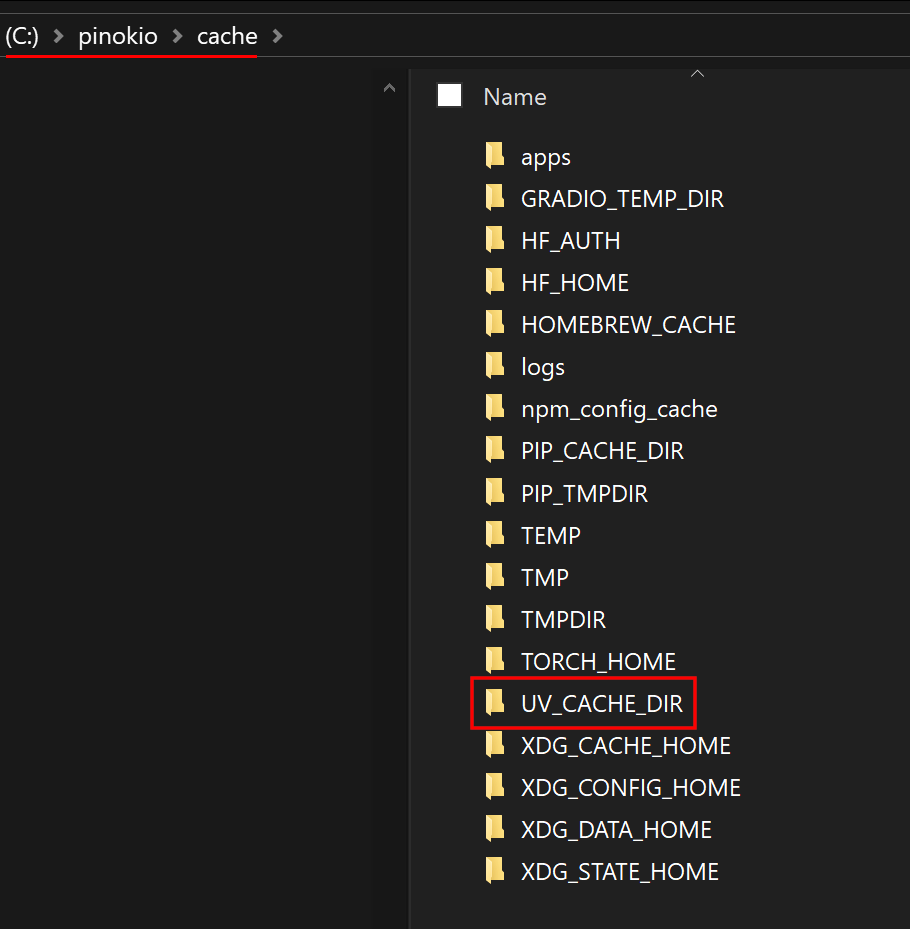
If you want to keep pinokio's cache for some reason you can also only delete the uv cache.
Therefore just delete the folder .\pinokio\cache\UV_CACHE_DIR
Save space with the Disk Saver:
Pinokio has a built in deduplication tool. This means, each file you have more than one time can be deduplicated. It still exists at all the different locations, but it only occupis space one time. This is possible because of hard links.
To use the Disk Saver, click it on the left side menu of the main page of pinokio.
In the Disk Saver select the minimum file size of the files you want to deduplicate beside the Scan button. 10MB+ is useful to also deduplicate all the smaller libraries across the different environments installed by your applications.
Now click the Scan button. The first scan can need quite a while, especially on huge drives. So please be patient. Follow up scans are much faster.
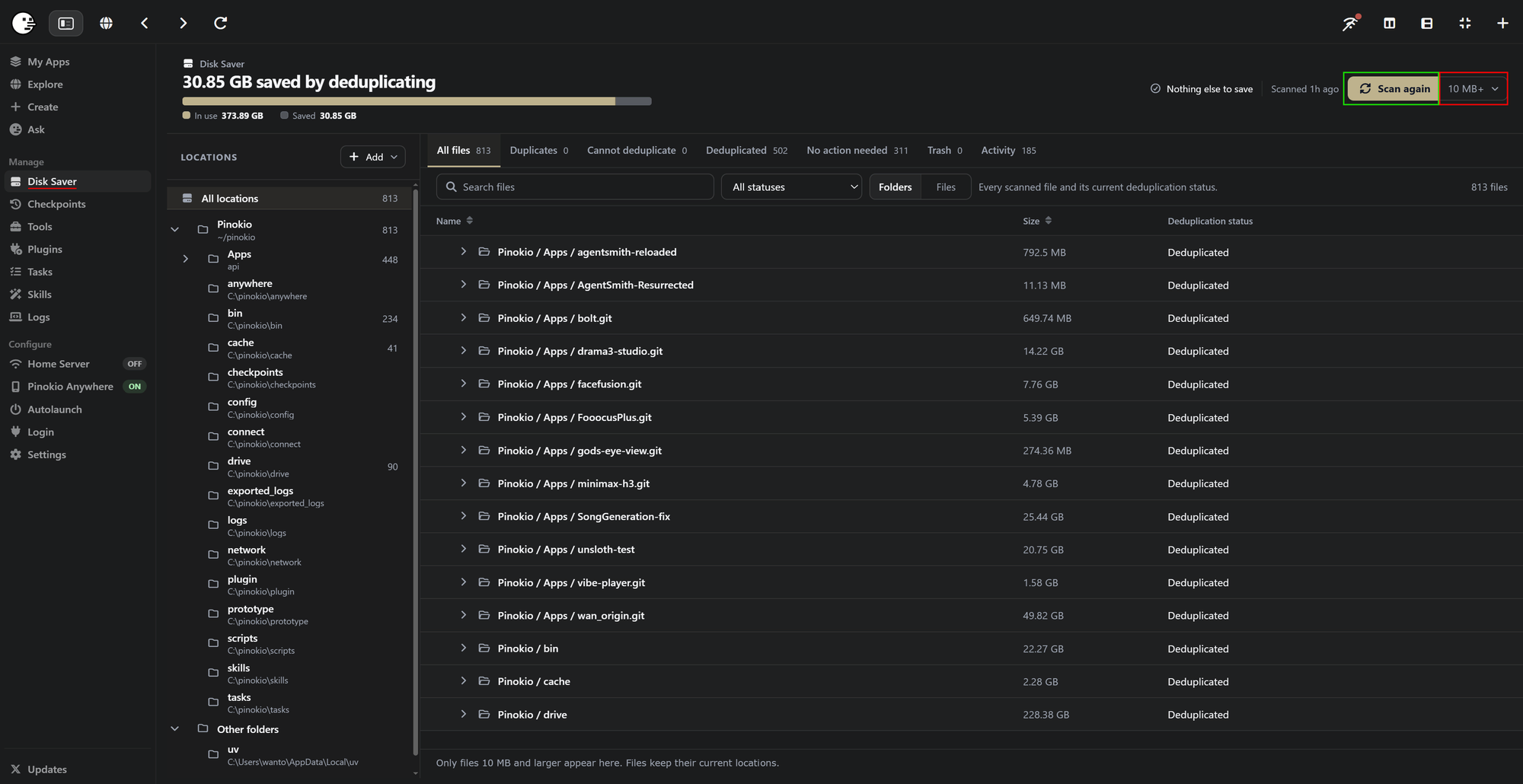
After the scan is completed click the Review duplicates button.
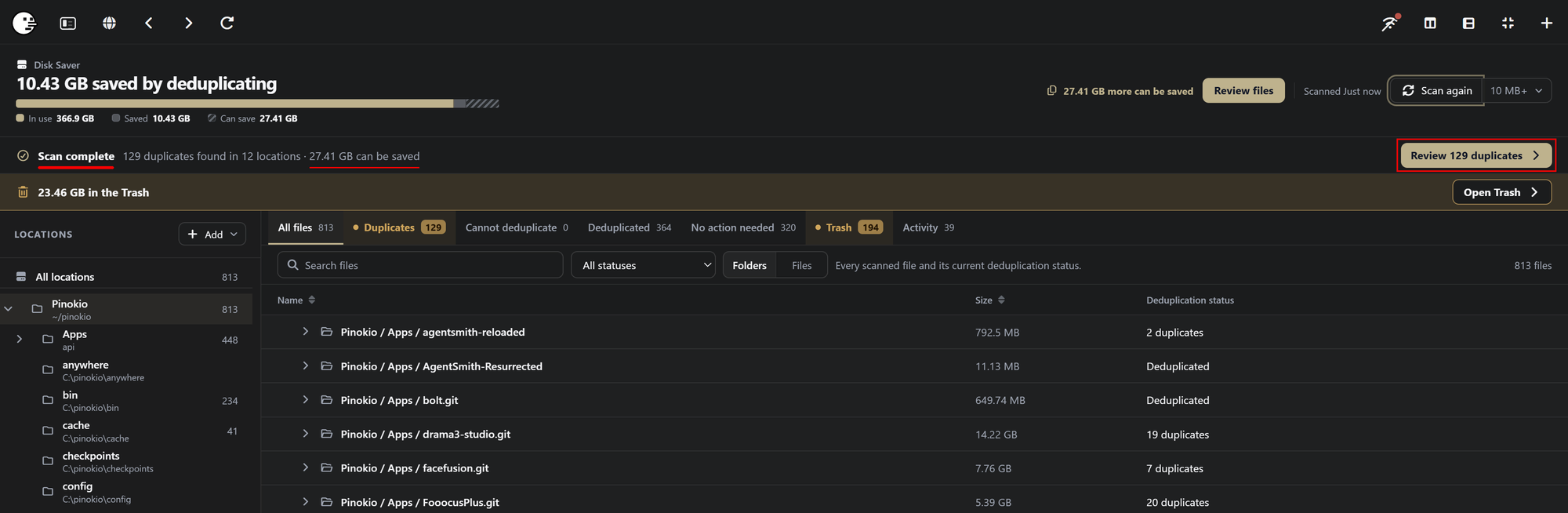
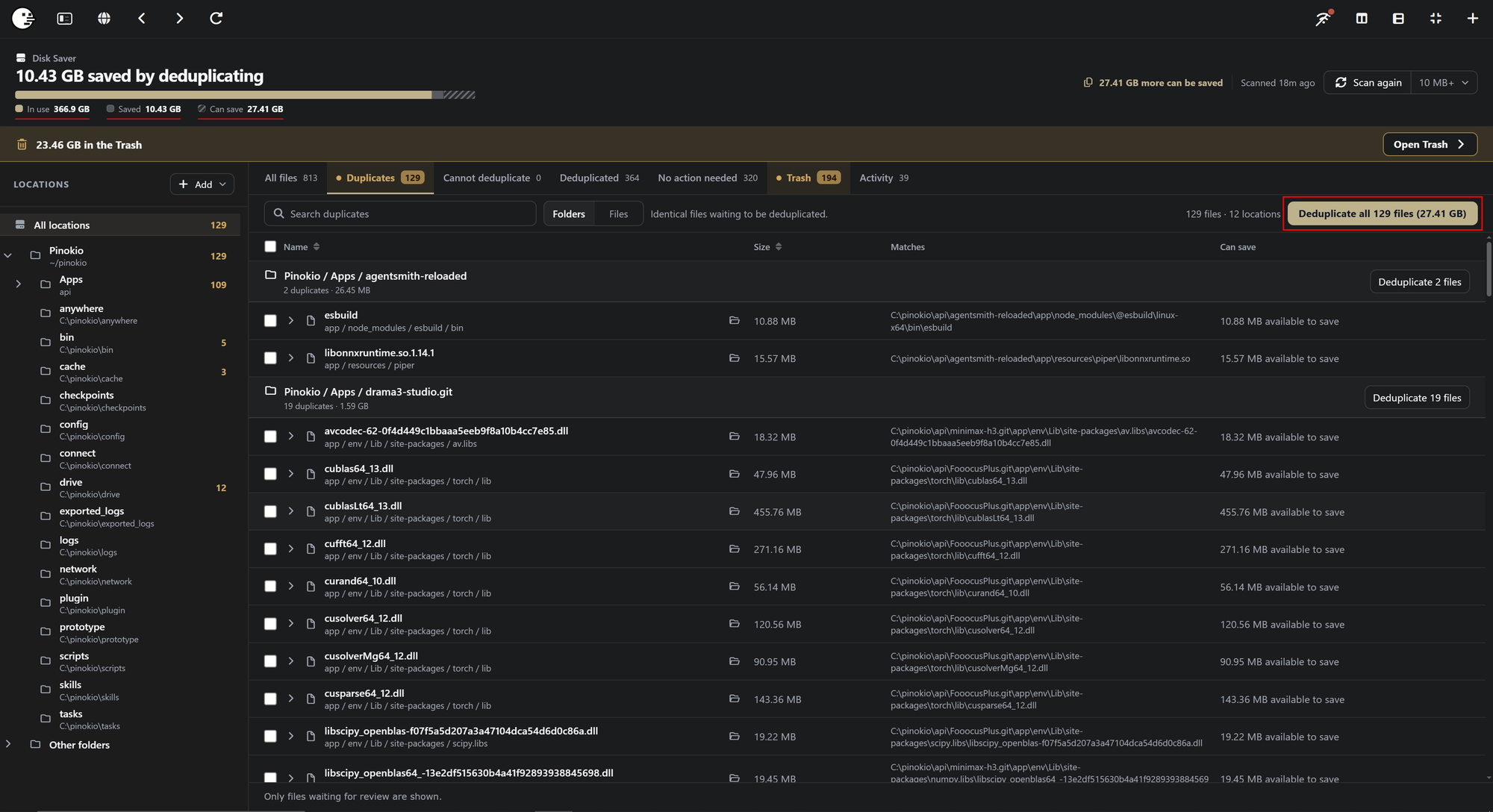
On the top left pinokio shows a statistic of the files in use by pinokio (In use), the files still deduplicated by pinokio (Saved) and the files that can be deduplicated this time (Can save), along with a list of all duplicates Pinokio found in the main window.
Here just click Deduplicate all.
If you, like me, used this tool in the past and deleted Apps afterwards, you might have leftovers in your Trash.
Leftovers appear if you deduplicated files and deleted all these files afterwards. You see these leftovers in your Trash.
But don't bother with the details. All you find in Trash can be deleted since it isn't needed anymore.
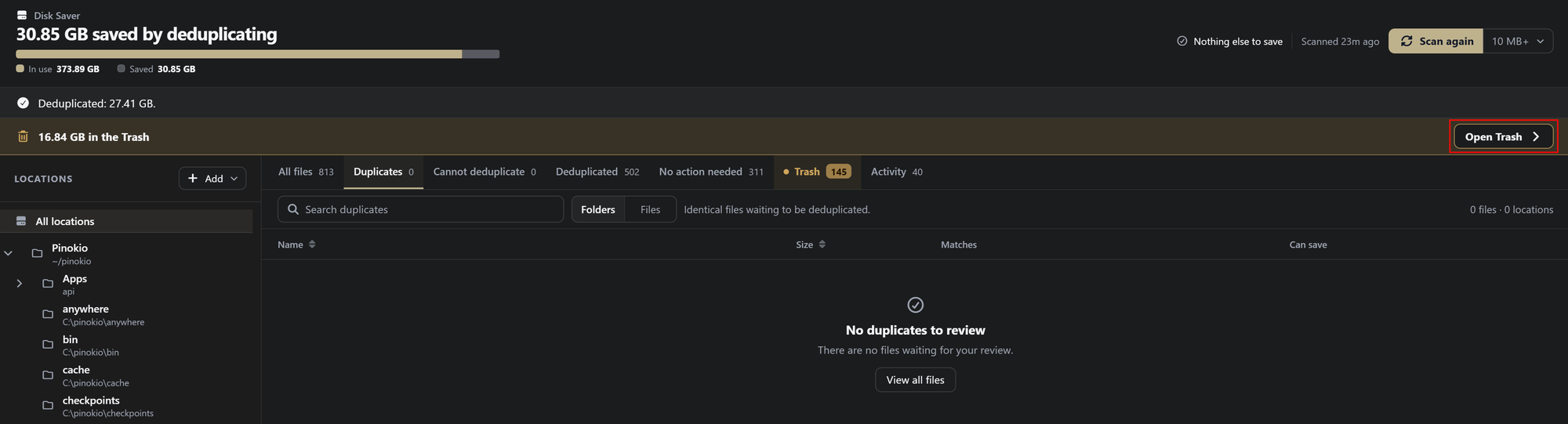
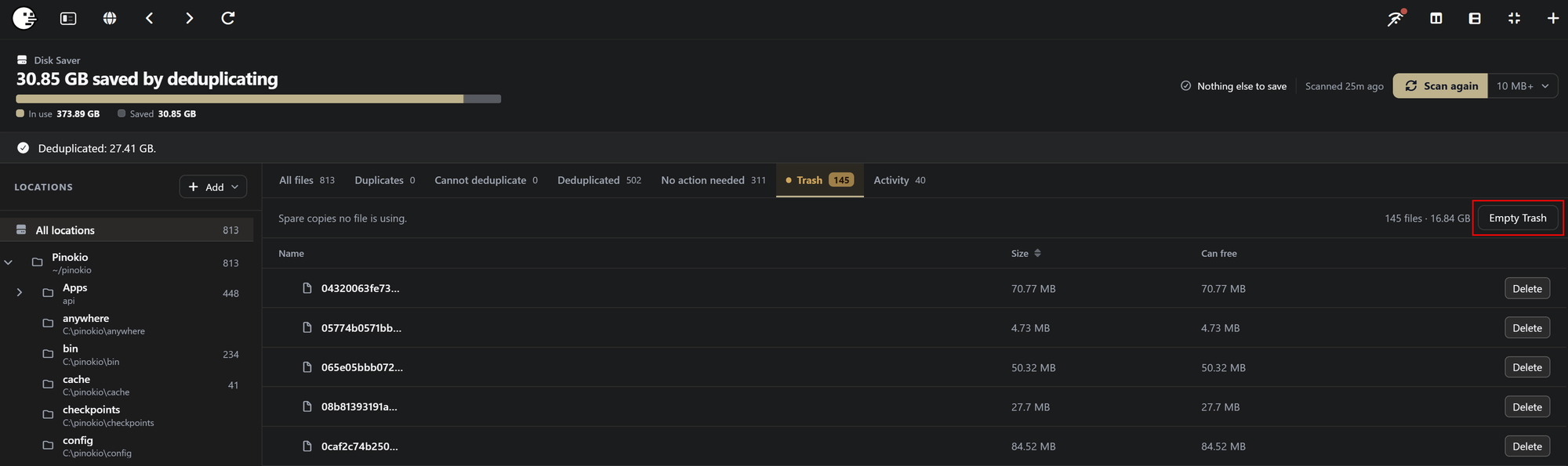
Just click Open Trash and on the following page Empty Trash.
Important notice for long time user:
Older Pinokio versions didn't set the uv cache in the pinokio home folder. If you come from Pinokio 3.7 or an even older pinokio version you will have an additional uv cache in your AppData folder that is obsolete now but still occupies a lot of space.
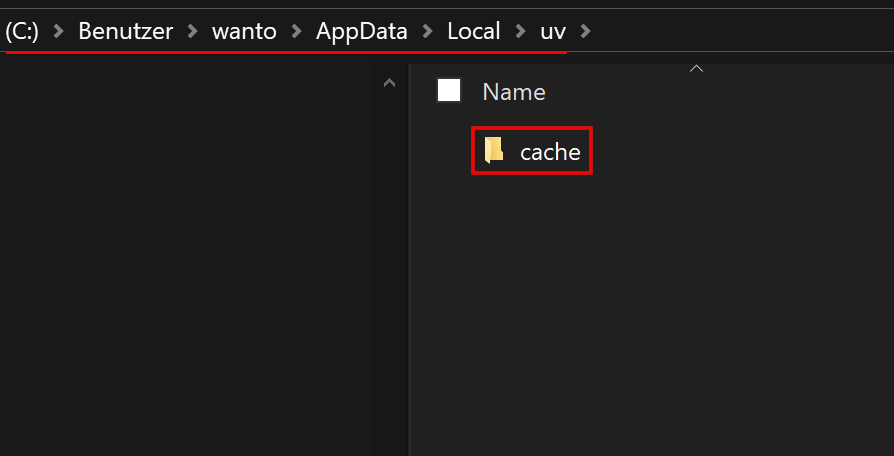
To get rid of it delete the folder C:\user\user name\AppData\Local\uv\cache
Important: Never delete the folder C:\user\user name\AppData\Roaming\uv It contains the python versions needed for your environments. If this folder gets deleted, all apps with a uv environment will stop working!
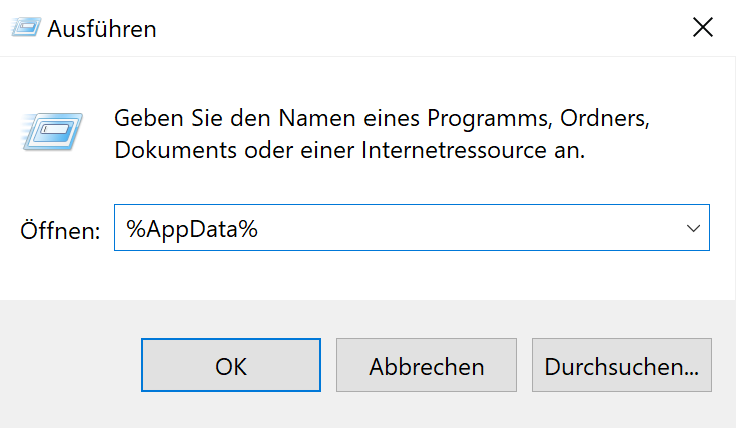
Side note: If you can't find the AppData folder you have to make hidden folders visible in your Explorer settings. Or right click The windows icon on your task bar and select Run. In the poup window that appears enter %AppData% and click OK.


If you installed lots of apps you probably run out of disk space over time. There are different ways to regain a lot of space without needing to delete your favorite apps. Let's walk through all of them.
The "radical" way:
UV, the python package manager, uses its own cache and stores all the dependencies you downlaod for your apps in there.
The advantage is, that installations are super quick. The downside is, it occupies a lot of space. Especially if you install lots of different apps with different dependencies.
There are 2 ways to get rid of it. Future installations will be slower for some time because the dependencies need to be downloaded again before they can be installed. So only do it if you have fast internet and need the space.
The server cache in pinokio doesn't contain any essential files. You can delete it anytime without affecting the functionality of your installed applications. You find it on the Settings page.
Resetting the server cache is the same like deleting the folder
.\pinokio\cacheIf you want to keep pinokio's cache for some reason you can also only delete the uv cache.
Therefore just delete the folder
.\pinokio\cache\UV_CACHE_DIRSave space with the Disk Saver:
Pinokio has a built in deduplication tool. This means, each file you have more than one time can be deduplicated. It still exists at all the different locations, but it only occupis space one time. This is possible because of hard links.
To use the Disk Saver, click it on the left side menu of the main page of pinokio.
In the Disk Saver select the minimum file size of the files you want to deduplicate beside the Scan button. 10MB+ is useful to also deduplicate all the smaller libraries across the different environments installed by your applications.
Now click the Scan button. The first scan can need quite a while, especially on huge drives. So please be patient. Follow up scans are much faster.
After the scan is completed click the Review duplicates button.
On the top left pinokio shows a statistic of the files in use by pinokio (In use), the files still deduplicated by pinokio (Saved) and the files that can be deduplicated this time (Can save), along with a list of all duplicates Pinokio found in the main window.
Here just click Deduplicate all.
If you, like me, used this tool in the past and deleted Apps afterwards, you might have leftovers in your Trash.
Leftovers appear if you deduplicated files and deleted all these files afterwards. You see these leftovers in your Trash.
But don't bother with the details. All you find in Trash can be deleted since it isn't needed anymore.
Just click Open Trash and on the following page Empty Trash.
Important notice for long time user:
Older Pinokio versions didn't set the uv cache in the pinokio home folder. If you come from Pinokio 3.7 or an even older pinokio version you will have an additional uv cache in your AppData folder that is obsolete now but still occupies a lot of space.
To get rid of it delete the folder
C:\user\user name\AppData\Local\uv\cacheImportant: Never delete the folder
C:\user\user name\AppData\Roaming\uvIt contains the python versions needed for your environments. If this folder gets deleted, all apps with a uv environment will stop working!Side note: If you can't find the AppData folder you have to make hidden folders visible in your Explorer settings. Or right click The windows icon on your task bar and select Run. In the poup window that appears enter %AppData% and click OK.