

Hi :) The app installs fine. But there are a few problems in the details...
ffmpeg is installed by default for all pinokio users. The installation step for ffmpeg isn't needed. (that's just a side note)
The "problem" comes with the models and the HF_HOME location.
In pinokio HF_HOME is always in the project folder. In case of theDAW it would be here .\theDAW.pinokio.git\cache\HF_HOME But theDAW is searching the models by default in HF_HOME of the user folder.
Pinokio tries to keep everything separated from the rest of the PC. And if the app gets deleted also the models get deleted together with it to free space automatically. (While only resetting hte app would keep the models)
If the models get downloaded into HF_HOME of the user folder, they needed to be deleted manually.
So I wanted to ask you if there's a way to let theDAW look for an environment varaible according to HF_HOME, and if one is set, using this location. If not set, using HF_HOME from the user folder. That way theDAW would work in both worlds. Installed manually and with pinokio.
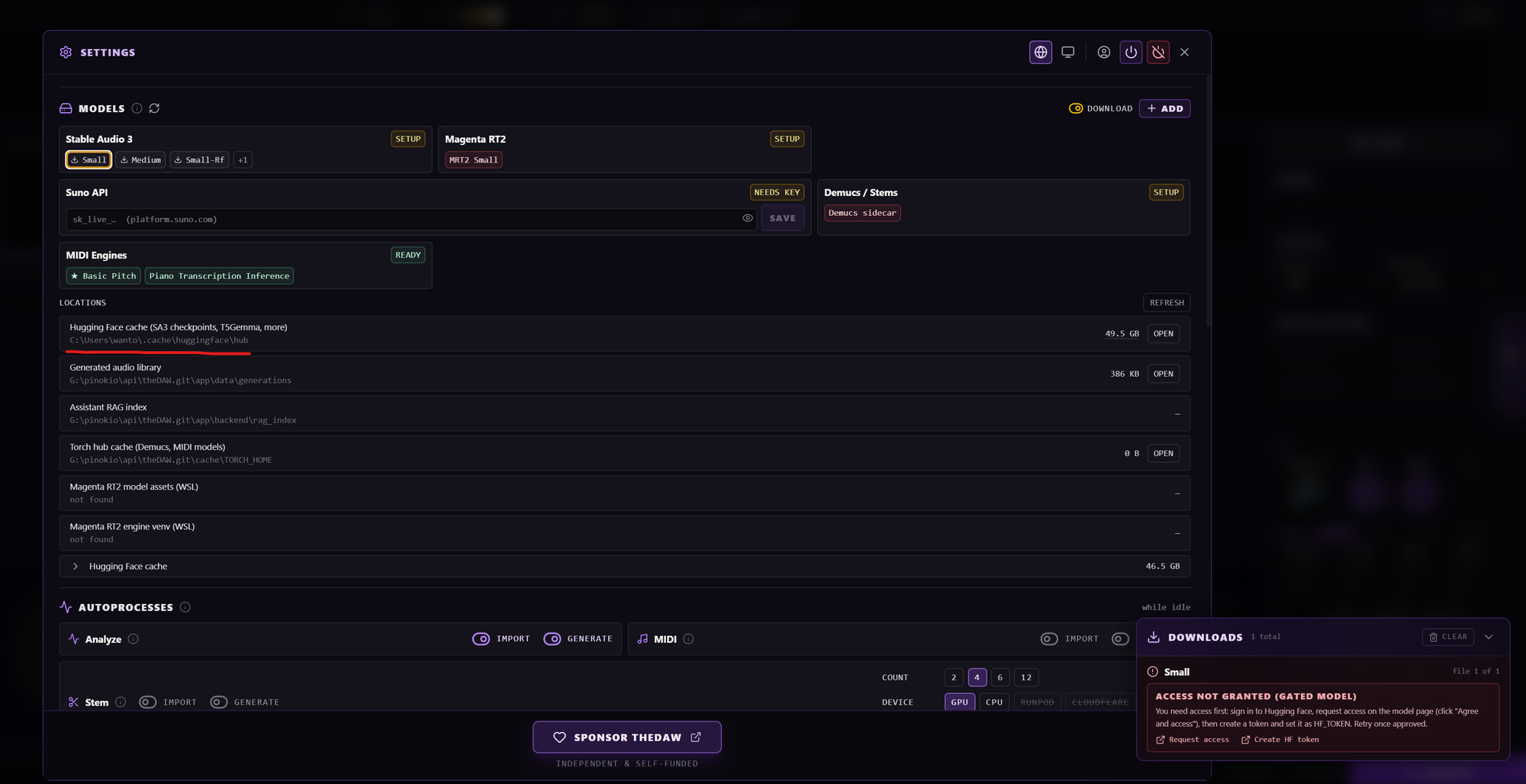
The maybe main "problem" is the gated repo for the model on huggingface. If I see that right, there's no way to set and pass a hf token in theDAW. So even if someone gets access to the repo, they still had to download the models manually?
To fix the gated repo problem, Cocktailpeanut reuploaded the small model on his repo on huggingface. From that location it can be downloaded without hf token or any approval. During the installation the small model gets renamed to the name StableDAW (or theDAW) expects. So when starting the app, the model is still present and can be used right away. I wanted to ask you if you could implement this in your installer. Otherwise people wouldn't need to figure out how to get the model or create a huggingface account if they don't have one yet, only to use theDAW. Everything would just work, after the intsallation is finished (taking in count there is no connection problem on their computer).
If you wanted to, I could implement that method in your installer and send a PR. Or you can have a look at these install steps of the StableDAW installer.
https://github.com/cocktailpeanut/stabledaw.pinokio/blob/2dfce4550dc500b652285358614f540b9bc221d8/install.js#L69-L109
An automatic download into the HF_HOME folder in the project folder would make theDAW 100% pinokio conform and ease the first start a lot. :)