Pinokio
FeedAppsRemoteCreate
Download Pinokio
Sign inCreate accountJoin

Apps

Announcements

View all

Official updates.

Pinned announcement from Pinokio
pinokio
@cocktailpeanut•4d ago
Pinokio Create: Turn Anything into a 1-Click Launcher, Automatically.Pinokio now talks to your AI agent to package anything into a 1-click launcher, publish to github, and list on pinokio, automatically. Just click the "Create" button at the top, select a template, enter what you want, and open in pinokio. Pinokio will hand off all the instructions needed to your own AI agent, and your agent will take it from there, taking care of everything automatically: Build a new app: Build a new app with 1-click launcher built-in, publish to github, and list to pinokio Publish your own app: Take your existing project, package it as a 1-click launcher, publish to github, and list to pinokio 1-Click Launcher for any existing project you want to try: Take any existing project you want to try out, package it as a 1-click launcher, publish to github and list on pinokio, all automatically.
Phosphene
@bizarro•13h ago
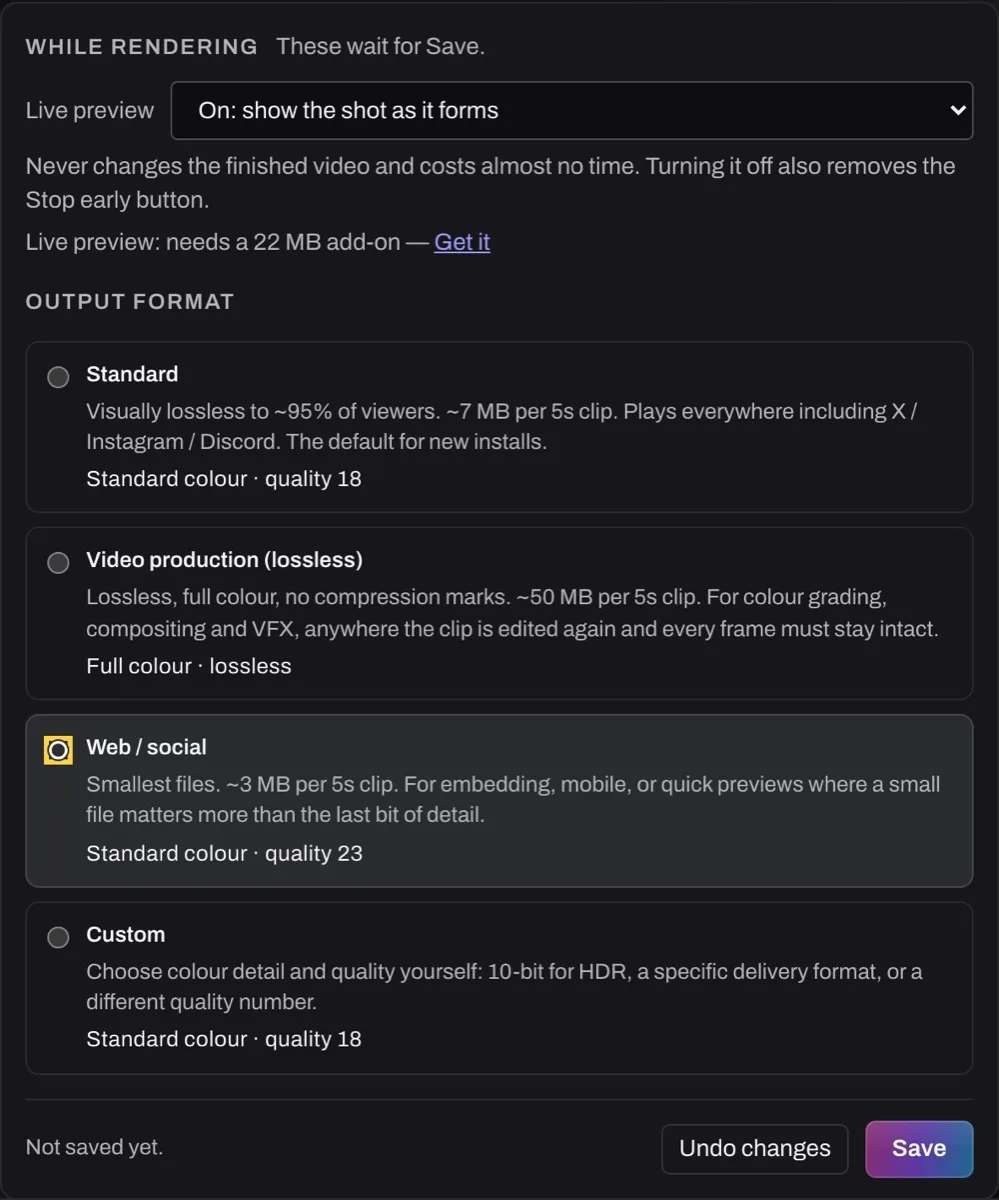
Phosphene 5.0.51: Settings in plain words, and a calm Finish setup cardSettings in plain words (free for everyone): Output format and Live preview now share a "While rendering" box with Save and Undo changes. It says "Not saved yet" until you save; everything else saves as you change it. Finish setup (free for everyone): if setup stopped, a calm card helps you finish in a few minutes and keeps your models. After "All set.", press Retry on any video that failed meanwhile. If setup stops again, it explains the connection or disk space problem and offers Try again. Both changes are in all ten languages the Studio speaks. In Pinokio, press Update, then restart. Release notes: https://phosphene.video/changelog/ https://phosphene.video/
Mumblebox 3D Asset Foundry
@mumblebox•18h ago
Foundry rigging is growing. I'd love your feedback.Quick update on the experimental rigging in Mumblebox Foundry Preview 36. Local AI auto rigging is available, along with tools for refining joints, testing movement and exporting to Blender. But the rigging system and interface are still very basic, and I'm working hard on fleshing them out. Sorry for the rough edges. I'm learning what makes a good rigging experience, and feedback from people who actually rig and animate characters is helping me see where it needs to improve. Wood Man and the acorn from the latest demo. The assets were made in Foundry, Wood Man's rig was refined through its MCP, and the animation and rendering were done in Blender. The acorn's leaf was rigged in Blender too. The interface and user experience are a big focus. I want familiar visual controls that an experienced rigger can pick up, with an approachable starting point for someone doing this for the first time. Go as deep as you want, without having every advanced setting in your face. Some of the improvements I'm planning: Clearer bones and joints, better selection feedback and a more organized workspace. More complete inverse kinematics (IK) and forward kinematics (FK) controls, including switching between them. Better hand and palm controls, with clearer ways to check how the mesh bends. Useful sliders, dials and toggles, grouped around the part you're working on, with immediate visual feedback. Matching MCP tools so your agent can inspect, adjust and help refine the rig while you stay in control. These are development goals, not features I'm claiming are all in the current release. The current experimental editor in Preview 36. This is the starting point I'm working to improve. The MCP side already gives agents tools for inspecting views, probing depth and making precise joint edits. I want the human interface to become just as useful and understandable. If you use Maya, Houdini, Blender, Daz Studio or other rigging tools, I'd really appreciate your perspective: What is the biggest frustration you wish a rigging tool would solve? Which controls or visual cues would you expect to find immediately? Have you tried Foundry's rigging, or connected it to your agent? Where did it feel confusing or fall short? I'm studying what works in those tools and where the experience can be better. Specific examples and screenshots would be especially helpful. Honest criticism is welcome. Try Foundry through Pinokio · GitHub and setup instructions Thank you for the patience, support and feedback. I want to make this a useful community tool, and hearing where it fails is part of getting it there.
EmberWriter
@grumpystrongman•2d ago
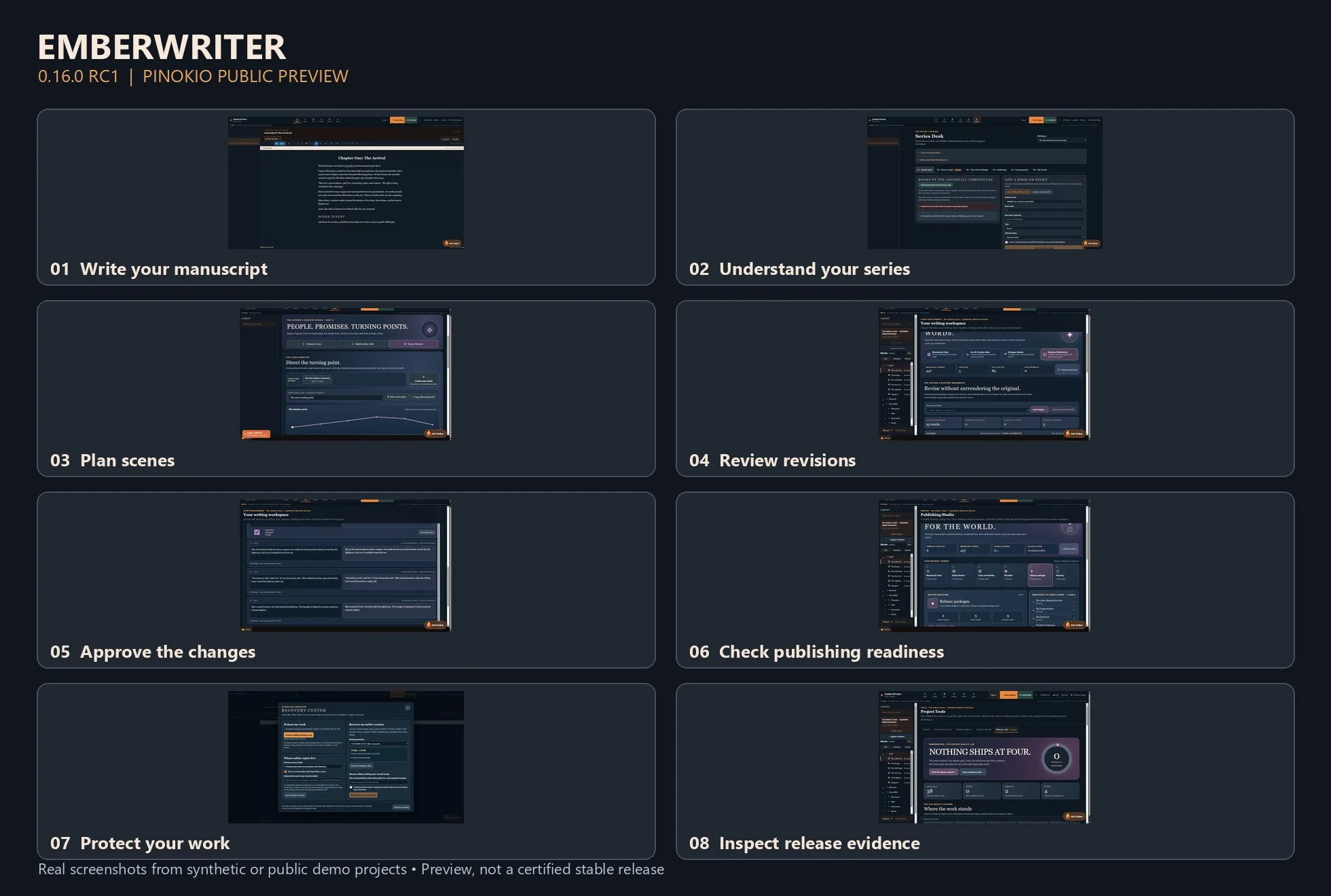
EmberWriter 0.16.0 RC1 — A Local AI Writing Studio for PinokioWriting a novel is more than generating paragraphs. It's keeping track of who knows what, what happened three chapters ago, which relationships have changed, and whether a new scene still makes sense in the larger story. I've been building EmberWriter around that challenge. It's a local-first fiction writing studio designed to help authors move from an idea to a complete manuscript while keeping creative decisions in their own hands. Version 0.16.0 RC1 is now available as a public preview through Pinokio. The writing desk is only one part of the experience. EmberWriter also includes series intelligence for tracking characters and continuity across books, a Scene Director for planning and structuring scenes, a Revision Workbench for examining proposed changes, and publishing tools for preparing exports. One principle has guided the development: AI should assist the author without silently rewriting their work or deciding what becomes canon. A suggested revision remains a suggestion. A planned scene doesn't overwrite a chapter just because a model generated something. The application includes local recovery tools, source-linked story evidence, and a Release Lab that makes technical readiness and outstanding issues visible. What's been tested? The latest engineering work includes backend and Windows recovery checks, an isolated end-to-end storyboard-to-writer test, and automated accessibility checks across desktop, tablet, and mobile layouts. RC1 is still a developer preview, not a fully certified production release. Security hardening, fresh-device installation testing, and additional real-model quality evaluation are continuing. I'd recommend starting with the isolated DEMO workspace and keeping backups of any important writing. Try EmberWriter with Pinokio: Open Pinokio on Windows x64. Choose Download from URL. Enter https://github.com/grumpystrongman/EmberWriter-Pinokio Select branch release/0.16.0-rc.1. Install and launch DEMO to explore the application. Application release: https://github.com/grumpystrongman/EmberWriter/releases/tag/preview-0.16.0-rc.1 Pinokio preview release: https://github.com/grumpystrongman/EmberWriter-Pinokio/releases/tag/preview-0.16.0-rc.1 I'd be interested in feedback from people actually writing longer fiction—particularly whether the transition from scene planning to drafting and reviewing changes feels natural. That's where I want the experience to improve most.
MiniMax H3 Studio
@mvrdvk•2d ago
Momo has a message for you!!! https://www.youtube.com/watch?v=0bFra725El4
Forge Studio
@shai7net•2d ago
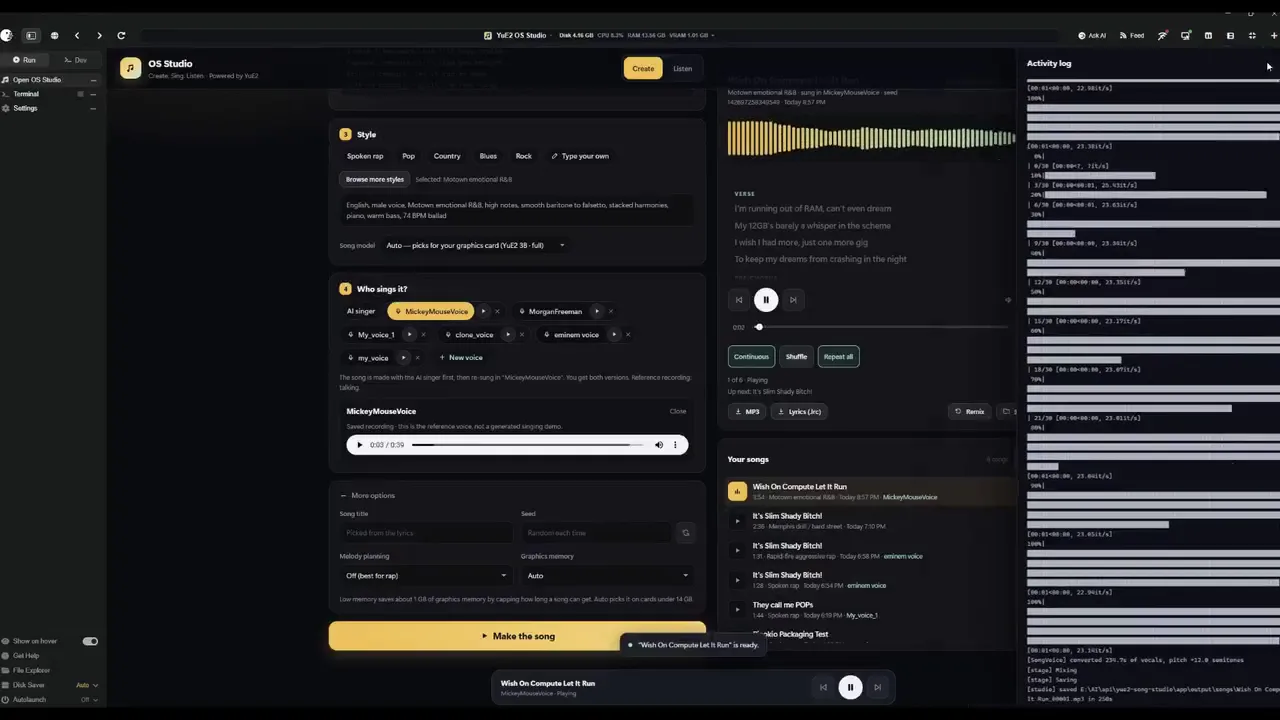
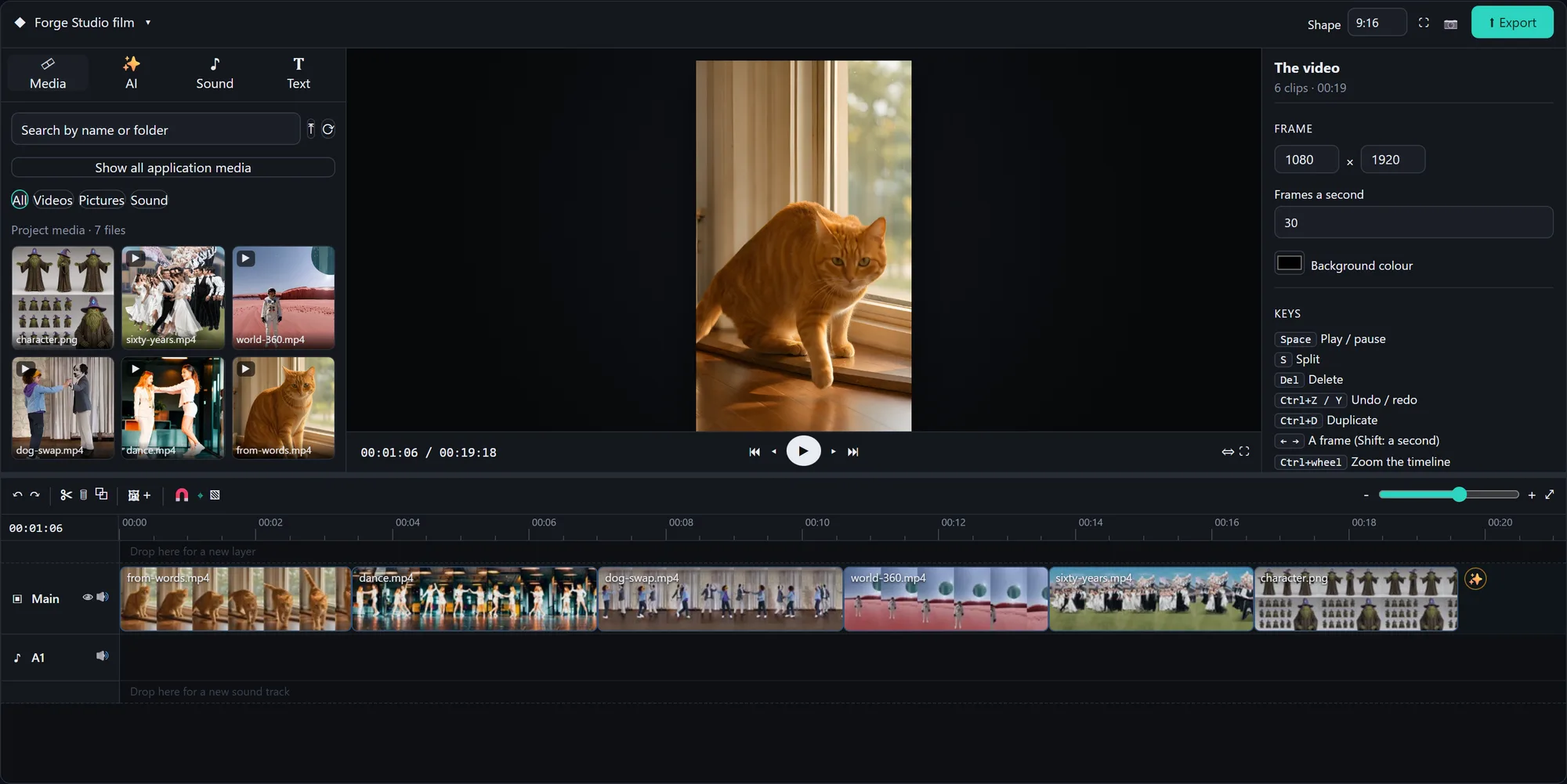
Forge Studio: a whole AI creative studio on one PC with an 8 GB card, now 1-click in Pinokio 🎬 Built on Stable Diffusion WebUI Forge: • Pictures: FLUX 3 Klein, FIBO 2.0, SDXL and SD 1.5 • Video Studio: Wan 2.2 video from text, a picture, first + last frame, "ingredients", or replacing a character in a video • AnimateDiff dance transfer, Deforum with music keyframes • Simulation 360 worlds, Time Strata, Characters (consistent character sheets → video → 3D) • Forge Studio: a timeline video editor that every tab can drop its results onto • A prompt writer that takes your idea in any language • UI skins: hold any button to restyle it, save and share skins Every shot in the video was made in it, and so was the music. Launcher: https://github.com/Shai7net/forge-studio-pinokio Project: https://github.com/Shai7net/forge-studio Windows + NVIDIA (8 GB or more). First versions, experimental: feedback is very welcome!
FeaturedAnnouncedUpdatedNew
Runs on:Any
System
AnymacOSWindowsLinux
GPU
AnyNVIDIAAMDApple
Show:All projects
LaunchersPluginsAll projects
#tts64#image-generation50#video-generation42#music35#utility35#video28#próba27#3d26
E2FGVI
Official code for "Towards An End-to-End Framework for Flow-Guided Video Inpainting" (CVPR2022)
MCG-NKU/E2FGVIadded 7mo ago
0 check-insNVIDIAAMDApple
Amphion
Amphion (/æmˈfaɪən/) is a toolkit for Audio, Music, and Speech Generation. Its purpose is to support reproducible research and help junior researchers and engineers get started in the field of audio, music, and speech generation research and development.
open-mmlab/Amphionadded 7mo ago
0 check-insNVIDIAAMDApple
openpencil
The world's first open-source AI-native vector design tool and the first to feature concurrent Agent Teams. Design-as-Code. Turn prompts into UI directly on the live canvas. A modern alternative to Pencil.
ZSeven-W/openpenciladded 7mo ago
0 check-insNVIDIAAMDApple
Gm 5 Game Mistress Roleplaying System
huggingface.co/sphiratrioth666/GM-5_Game_Mistress_Roleplaying_Systemadded 7mo ago
0 check-insNVIDIAAMDApple
Z Image Beyond Reality - a Hugging Face Space by linoyts
Enter a description of the picture you want, adjust size and optional settings, and the app quickly creates a matching image. You can let the system choose a random seed or set your own to reproduc...
huggingface.co/spaces/linoyts/Z-Image-Turbo-Realismadded 7mo ago

0 check-insNVIDIAAMDApple
MFLUX-WEBUI
Contribute to cocktailpeanut/MFLUX-WEBUI development by creating an account on GitHub.
cocktailpeanut/mflux-webuiadded 7mo ago
@cocktailpeanut0 check-insNVIDIAAMDApple
mflux
MLX native implementations of state-of-the-art generative image models
filipstrand/mfluxadded 7mo ago
0 check-insNVIDIAAMDApple
ArcReel
AI Agent 驱动的开源视频生成工作台 — 小说→角色/场景/道具设计→剧本→分镜图→视频,跨镜头角色与场景一致 | Open-source AI video workspace powered by AI Agents, Nano Banana 2 & Veo 3.1 / Grok / Seedance / OpenAI
ArcReel/ArcReeladded 7mo ago
0 check-insNVIDIAAMDApple
sd-forge-ollama
Integrate LLM into Forge Webui via Ollama
Haoming02/sd-forge-ollamaadded 7mo ago
0 check-insNVIDIAAMDApple
VoxCPM 2
Tokenizer-free TTS for context-aware speech, voice cloning, and voice design. 2B params, 48kHz, 30 languages (Gradio UI).
PierrunoYT/VoxCPM-2-Pinokiov5.0added 7mo ago
@pierrunoyt3 check-insNVIDIAAMDApple
music-source-restoration
Music Source Separation and Restoration models for MSR ICASSP Challenge.
CPJKU/music-source-restorationadded 7mo ago
0 check-insNVIDIAAMDApple
fish-speech
SOTA Open Source TTS
benjiyaya/fish-speechadded 7mo ago
0 check-insNVIDIAAMDApple
Fish Audio S2 Pro - a Hugging Face Space by artificialguybr
Zero GPU Text-to-Speech using Fish Audio S2 Pro
huggingface.co/spaces/artificialguybr/fish-s2-pro-zeroadded 7mo ago
0 check-insNVIDIAAMDApple
Era3D
Contribute to pengHTYX/Era3D development by creating an account on GitHub.
pengHTYX/Era3Dadded 7mo ago
0 check-insNVIDIAAMDApple
Create-a-porn-site-in-simple-way
Contribute to JH6588/Create-a-porn-site-in-simple-way development by creating an account on GitHub.
JH6588/Create-a-porn-site-in-simple-wayadded 7mo ago
0 check-insNVIDIAAMDApple
deepfake
DeepFake on any platform (Mac, Linux tested)
githubdingyun/deepfakeadded 7mo ago
0 check-insNVIDIAAMDApple
Wan2GP
A fast AI Video Generator for the GPU Poor. Supports Wan 2.1/2.2, Hunyuan Video, LTX Video and Flux.
fox1245/Wan2GPadded 7mo ago
0 check-insNVIDIAAMDApple
Ebook to Audiobook with OmniVoice
Turn your eBooks into audiobooks using the OmniVoice text-to-speech model
quantumlump/Ebook-to-Audiobook-with-OmniVoicev5.0added 7mo ago
@wildflower2 check-insNVIDIAAMDApple
BrowserOS
🌐 The open-source Agentic browser; alternative to ChatGPT Atlas, Perplexity Comet, Dia.
browseros-ai/BrowserOSadded 7mo ago
0 check-insNVIDIAAMDApple
OpenClaw + Nerve
One-click OpenClaw gateway + Nerve launcher with no onboarding prompts.
neviah/OpenClaw_Nerve_Pinokiov1.0added 7mo ago
@ramshi0 check-insNVIDIAAMDApple
Previous
1...198199200...308
NextPage 199 of 308

Get project updates

Pulse

View all

The latest posts from across Pinokio.

This app is a masterpiece. It has everything you want. Auto detect firmware for best settings. NSFW c...
@zachman · Maestro
New on Pinokio
@agentmasonxx · Autonomous Multi-Agent Task Fleet
Automatically discovered via GitHub
New on Pinokio
@agentmasonxx · Memory Recall Memory Palace
Automatically discovered via GitHub
New on Pinokio
@agentmasonxx · Jarvis AI Assistant
Automatically discovered via GitHub
New on Pinokio
@agentmasonxx · Real Estate Auction Pipeline
Automatically discovered via GitHub

Radar

View all

Projects getting attention.

Followed·2 min
FaceFusion 3.9.2
Industry leading face manipulation platform
Installable
Followed·7 min
God's Eye View
A live 3D intelligence console for planet Earth.
Installable
Followed·9 min
Comfyui
The most powerful and modular diffusion model GUI, api and backend with a graph/nodes interface. https://github.com/comfyanonymous/ComfyUI
Installable
Followed·12 min
Qwen3-TTS
Qwen3-TTS is an open-source series of TTS models developed by the Qwen team
Installable
Followed·13 min
Wan2GP
1-click WanGP Launcher. Super Optimized Gradio UI for AI video creation for GPU poor machines (6GB+ VRAM). Supports Wan 2.1/2.2, Qwen, Hunyuan Video, LTX Video and Flux. https://github.com/deepbeepmeep/Wan2GP
Installable
Pinokio
PrivacyTerms
FeedAppsCreateRemote

Explore the community

#showcase
I want to learn graphic designing
@abhimanyu123·14h ago
#cool-project
Preview of my next project!
@theawakenone·6d ago
#guide
Pinokio Create: Turn Anything into a 1-Click Launcher, Automatically.
@cocktailpeanut·4d ago
#testers-wanted
For those of you brave enough to install... Thanks for trying it out. I am adding a bug report feature and fixing the workflows for objects/creatures/vehicles. I am also adding a coding agent driven headless Blender node. I will be looking to optimizes for low memory systems soon. There is alot to do on the Roadmap. Thanks for your interest.
@mumblebox·15d ago