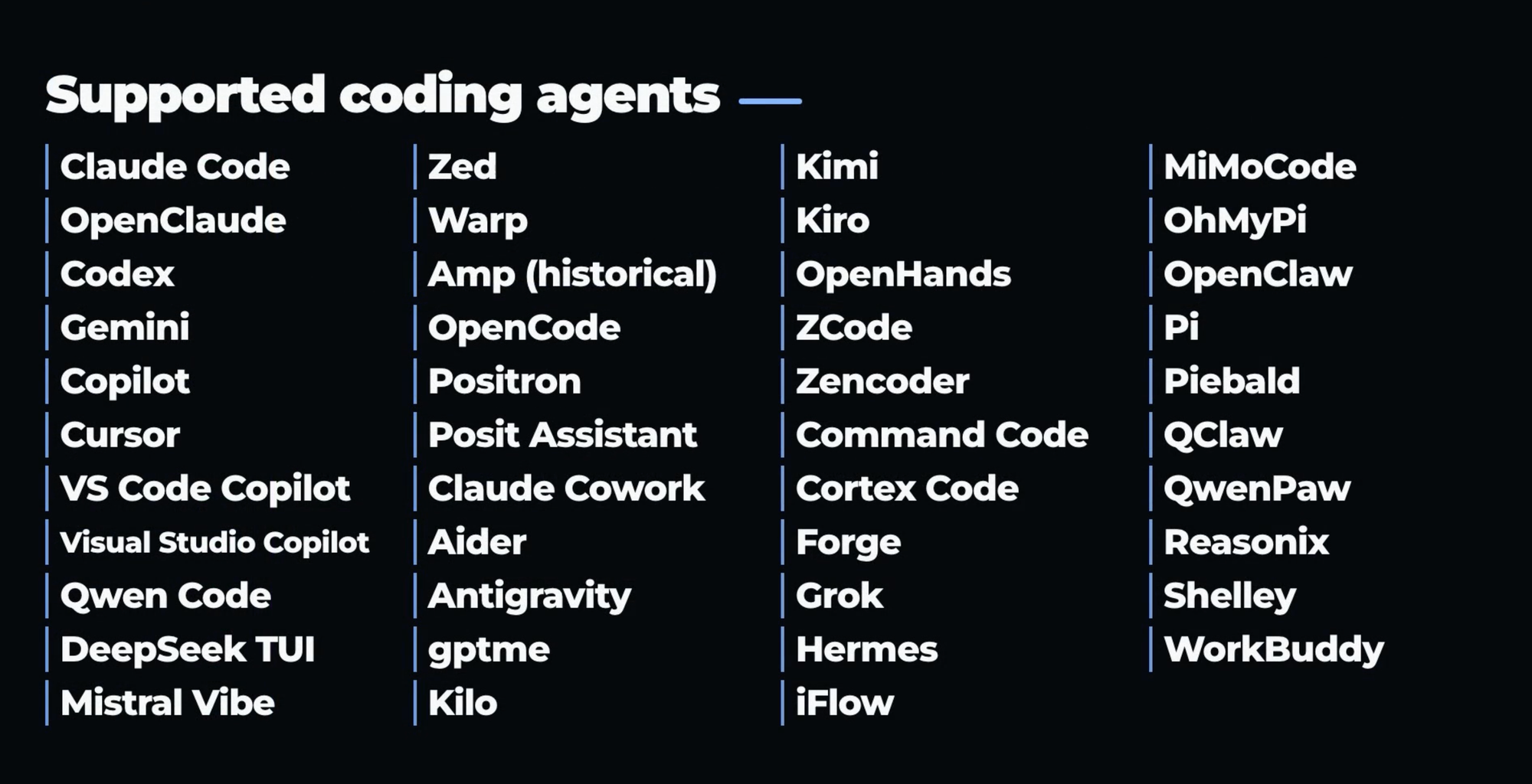
AI coding agents are great at moving work forward. Remembering where that work happened is harder. A useful fix may be buried in a Codex session, a design decision in Cursor, and the explanation you need in Claude Code or Gemini.
AgentsView brings those histories together in one local workspace. It discovers supported coding-agent sessions already on your computer, indexes them, and gives you a fast way to browse, search, and understand the work across agents and projects.
View all your agent history in one place
What becomes easier
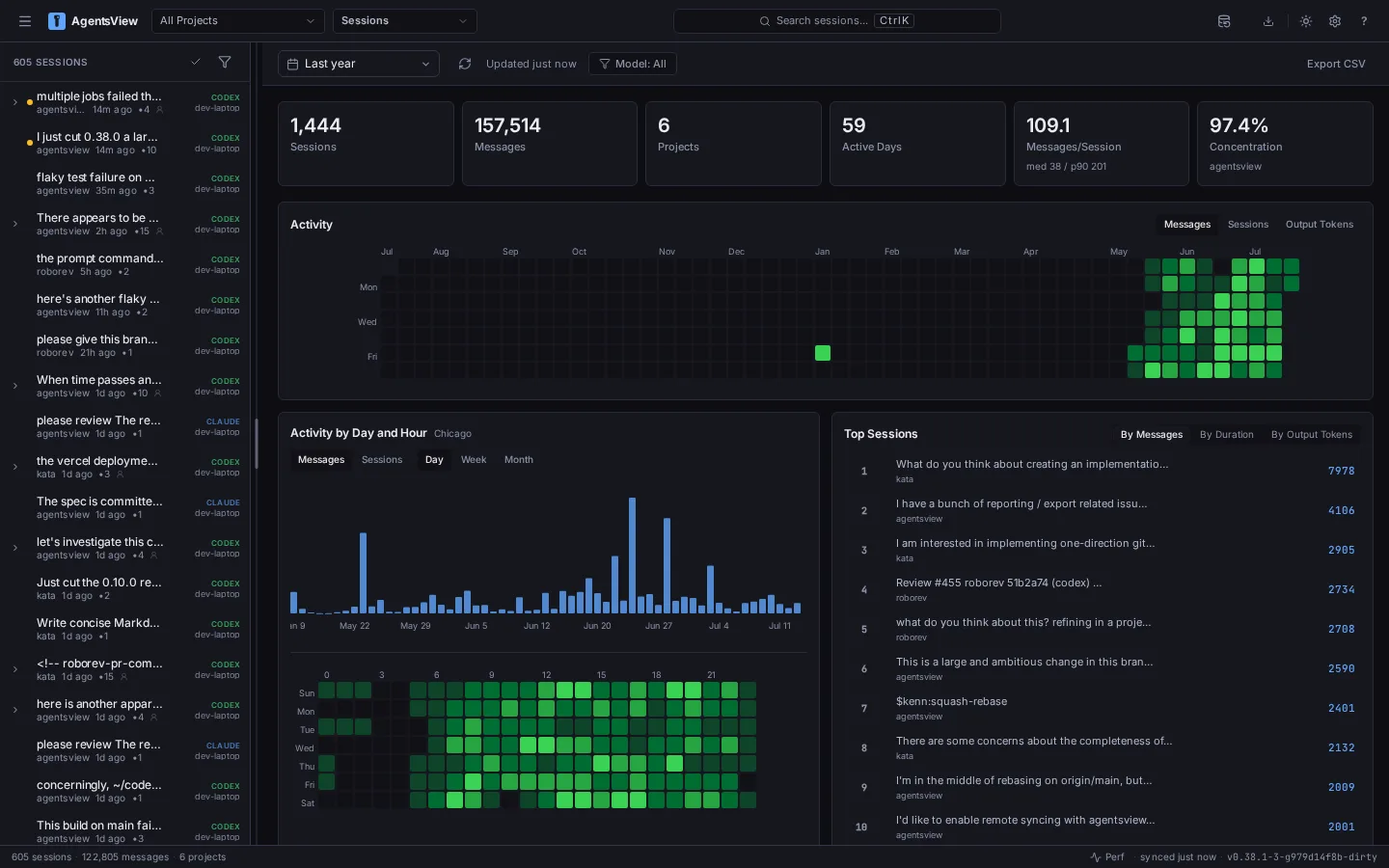
- Reopen the full story. Read a session from the first prompt through assistant responses, reasoning blocks, and tool calls instead of relying on a vague title or memory.
- Find an old answer. Search every message with full-text search, or opt into semantic search when you remember the idea but not the exact wording.
- Understand usage and cost. See tokens, estimated cost, cache efficiency, active days, and high-usage sessions across projects, models, agents, and time ranges.
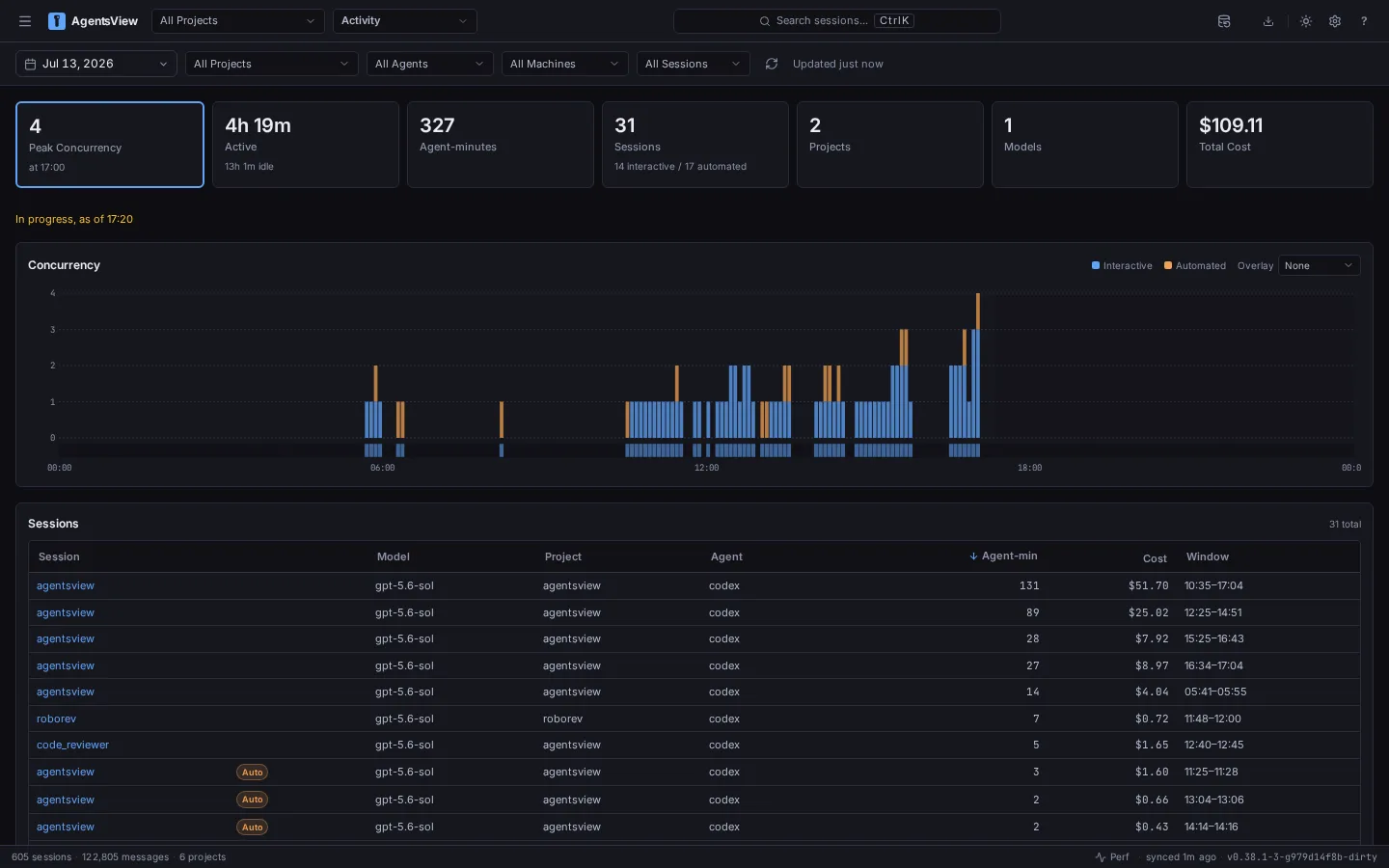
- See when work happened. The Activity view shows active and idle time, overlapping sessions, peak concurrency, agent-minutes, and cost.
- Spot patterns worth improving. Session Insights can surface prompt, context, workflow, and tool-reliability signals, with optional generated summaries and recommendations.
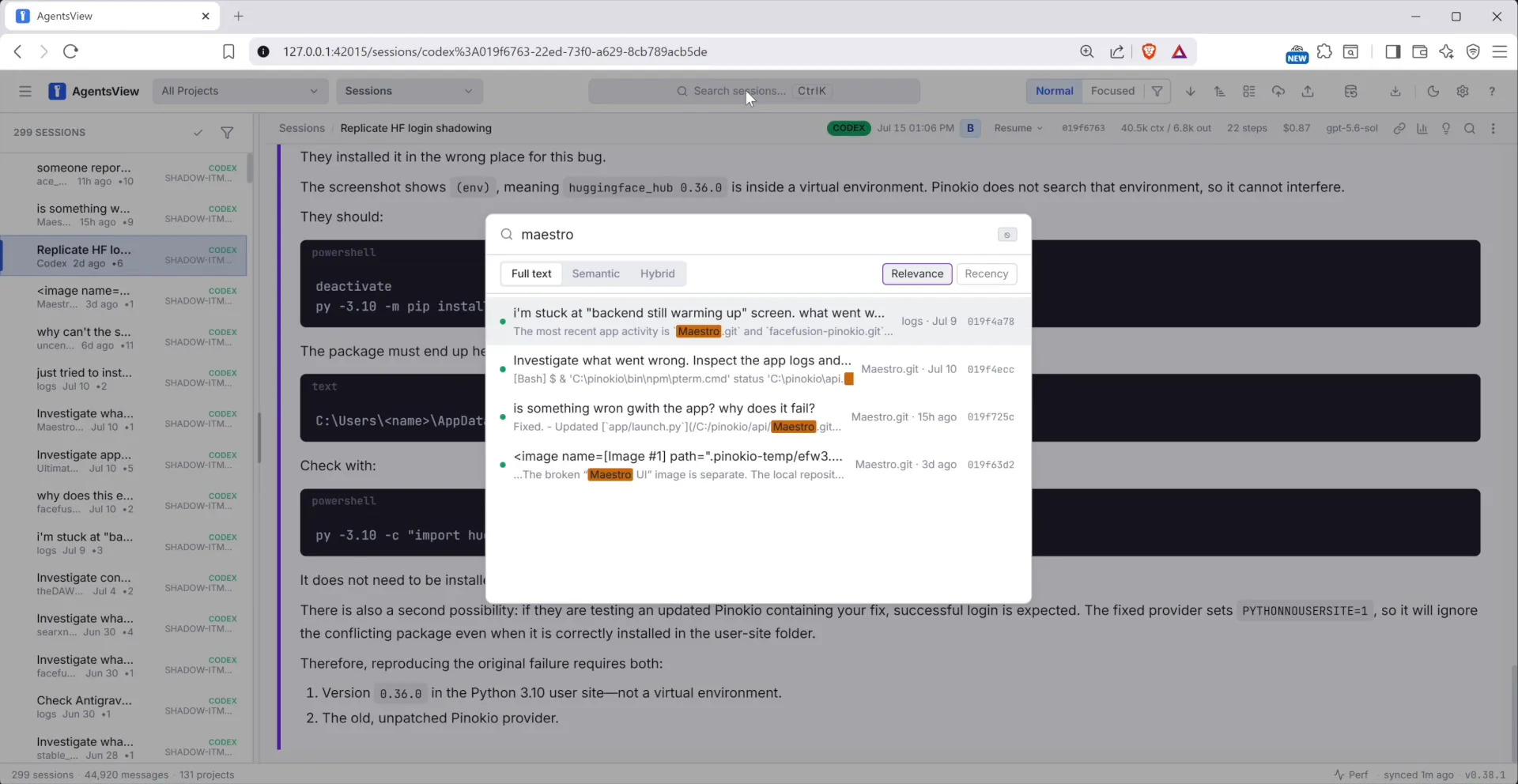
The practical payoff is simple: your old sessions stop being disposable transcripts and become a searchable working memory. When a bug returns, you can recover the earlier diagnosis. When a project feels expensive, you can see where the tokens went. When an agent workflow keeps stalling, you can inspect the sessions and compare the pattern instead of guessing.
A quick first tour
- Open Sessions and filter by project or agent.
- Open one session to see the complete conversation and tool history.
- Search for a function name, error message, or decision you remember making.
- Visit Usage, Activity, and Insights to see the bigger picture.
Local by default
AgentsView reads the session files your coding tools already leave on your machine and stores its index in a local SQLite database. The desktop and web interfaces work without a cloud account, and your source session files remain untouched. Optional sync features are available for teams and multi-machine setups, but they are not required for the core experience.
Start with Pinokio
- Open AgentsView in Pinokio and click Install.
- Click Start. AgentsView scans the supported session folders and builds its local index.
- Pinokio opens the web interface when it is ready.
If you use more than one coding agent--or simply want your past work to stay useful--AgentsView is a practical layer of memory and visibility over the tools you already use.
Explore: agentsview.io · GitHub



AI coding agents are great at moving work forward. Remembering where that work happened is harder. A useful fix may be buried in a Codex session, a design decision in Cursor, and the explanation you need in Claude Code or Gemini.
AgentsView brings those histories together in one local workspace. It discovers supported coding-agent sessions already on your computer, indexes them, and gives you a fast way to browse, search, and understand the work across agents and projects.
View all your agent history in one place
What becomes easier
The practical payoff is simple: your old sessions stop being disposable transcripts and become a searchable working memory. When a bug returns, you can recover the earlier diagnosis. When a project feels expensive, you can see where the tokens went. When an agent workflow keeps stalling, you can inspect the sessions and compare the pattern instead of guessing.
A quick first tour
Local by default
AgentsView reads the session files your coding tools already leave on your machine and stores its index in a local SQLite database. The desktop and web interfaces work without a cloud account, and your source session files remain untouched. Optional sync features are available for teams and multi-machine setups, but they are not required for the core experience.
Start with Pinokio
If you use more than one coding agent--or simply want your past work to stay useful--AgentsView is a practical layer of memory and visibility over the tools you already use.
Explore: agentsview.io · GitHub