Meanwhile I replicated it and it's working. Same settings like you. Attention mode sdpa, Data Type BF16, Quantization Int8.
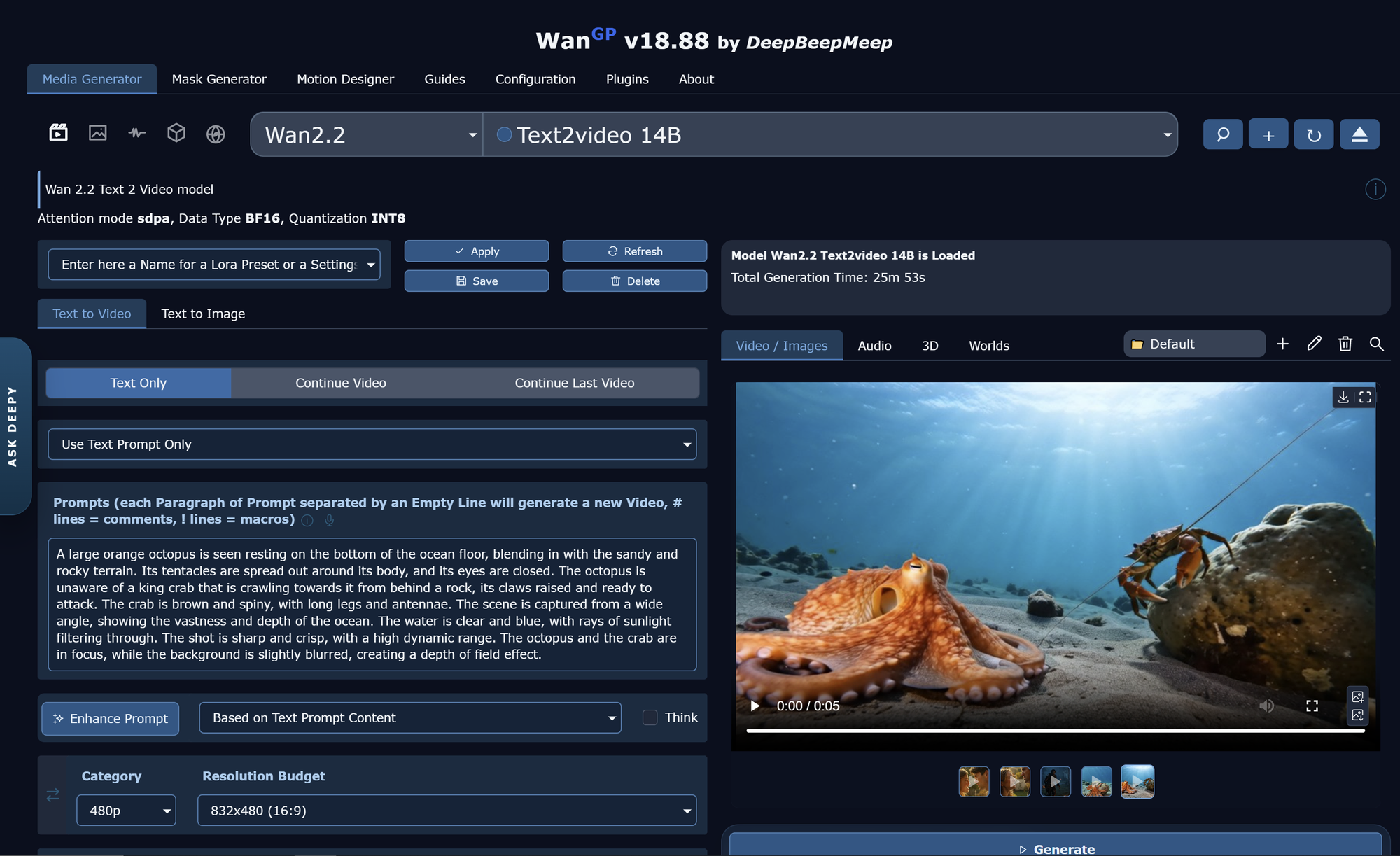
I had to use a smaller resolution though, or it would have needed more than 2 hours on my RTX 5080.
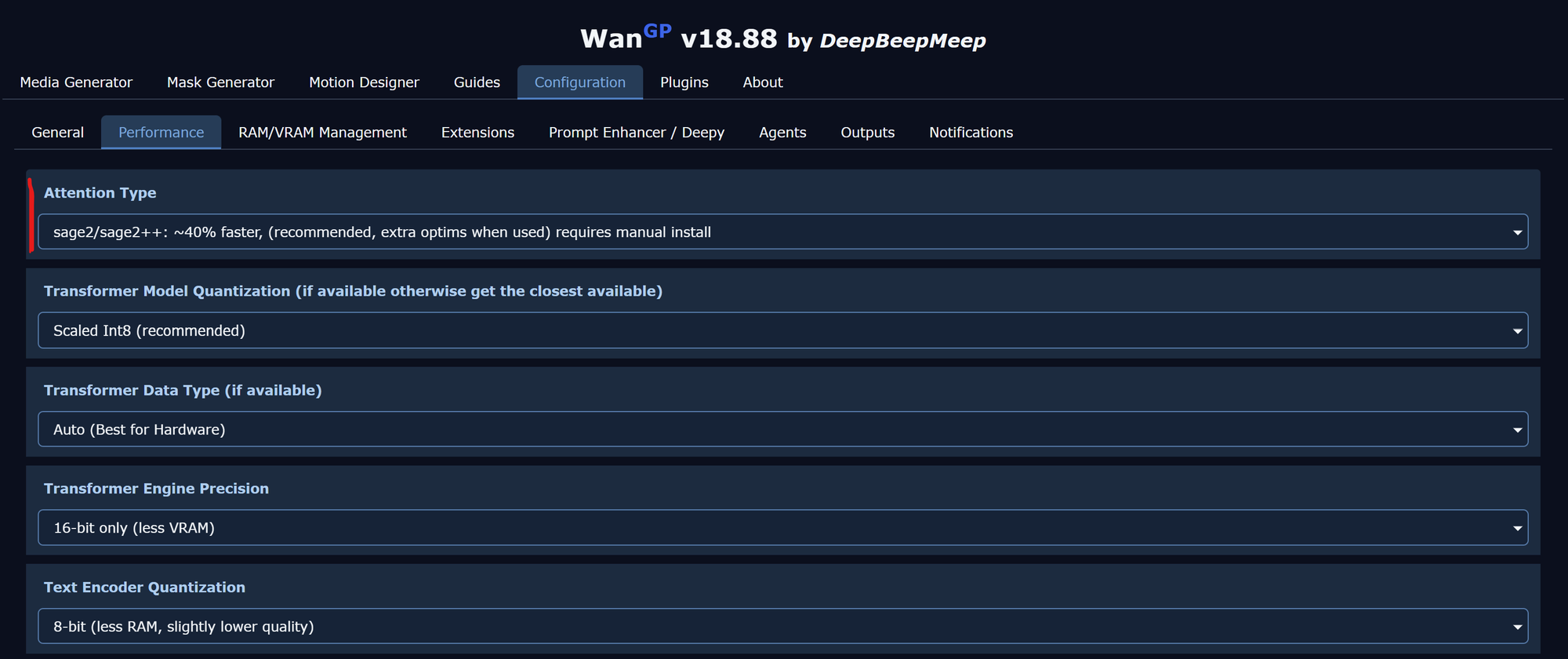
wan2.2 14B is a very slow model. Unless you don't have an RTX 3090, RTX 4090 or RTX 5090 I wouldn't recommend to use it with 720p. You should also use sage2 instead of sdpa. With sage2 it only needed 8 min.
To do so, click Configuration at the top and set Attention Type to sage2 and Save the settings at the bottom.
Meanwhile I replicated it and it's working. Same settings like you. Attention mode sdpa, Data Type BF16, Quantization Int8.

I had to use a smaller resolution though, or it would have needed more than 2 hours on my RTX 5080.
wan2.2 14B is a very slow model. Unless you don't have an RTX 3090, RTX 4090 or RTX 5090 I wouldn't recommend to use it with 720p. You should also use sage2 instead of sdpa. With sage2 it only needed 8 min.
To do so, click Configuration at the top and set Attention Type to sage2 and Save the settings at the bottom.