

SideStep had a huge update. It's not only a GUI. SideStep just became SideStep-Studio. There is nothing you can't do with it. You won't miss a single function. You are rather like "Oh, I can do that too?" Too many new features to only list them all here. But the GUI comes with an introduction guide explaining everything you need to know to get started. So I will just show some of the cool new features it provides. My favorite feature is certainly AI driven Captioning that beats the captioning of AceStep by far. It simply nails it. And you don't have to care about anything at all. But later more...
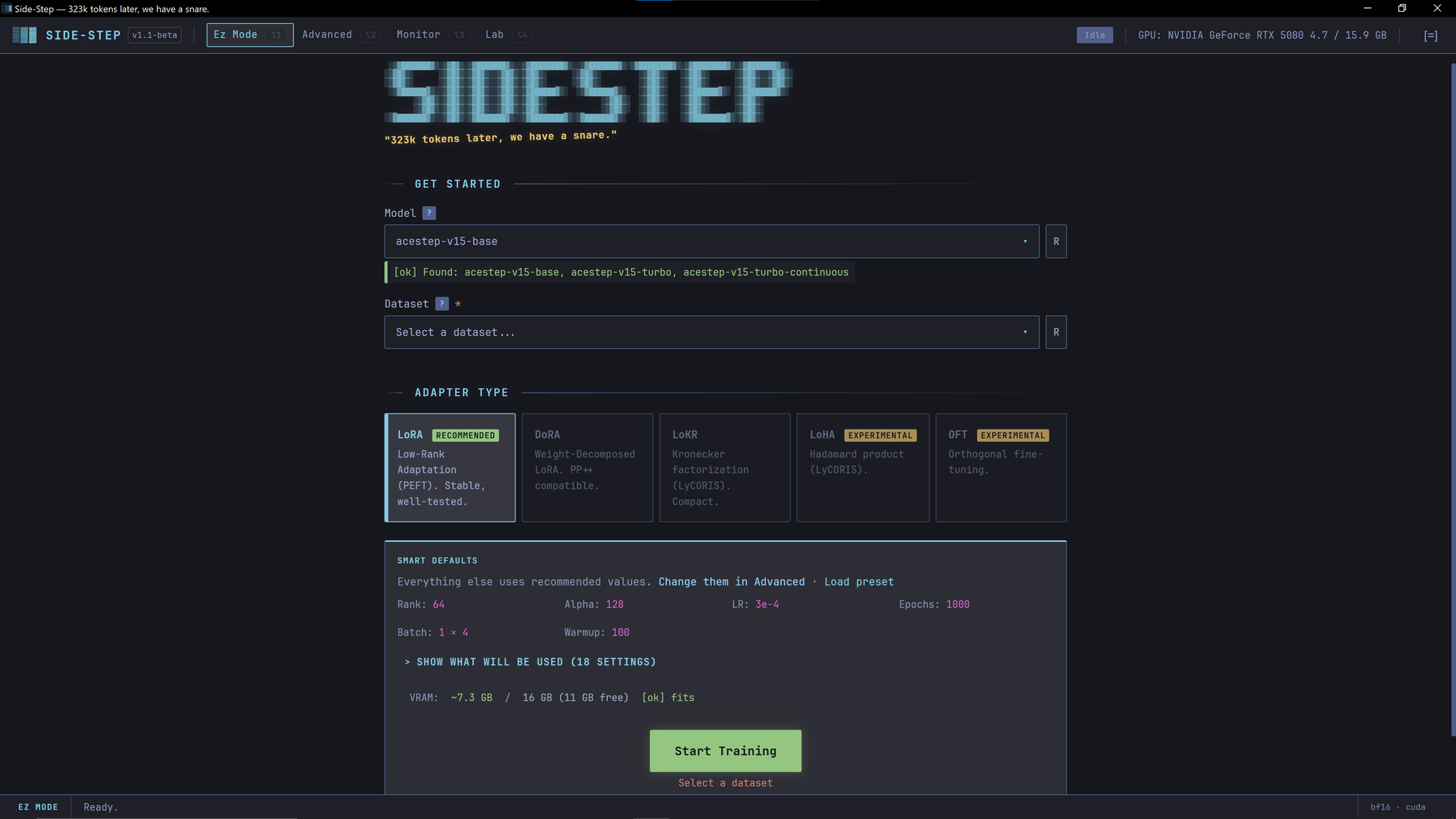
SideStep has an Easy Mode. I created the default folders for my_audio, preprocessed_tensors and trained_adapters. You can either create subfolders for your audios and tensors, to keep your work separated, and pull your audios into the subfolder of my_audio, or you can point SideStep directly to your audio files in the Settings. After clicking Start Training your audios get preprocessed and you can select the preprocessed tensors in the same dropdown menu and start training. That's it. For instrumentals this is the easiest way to train.
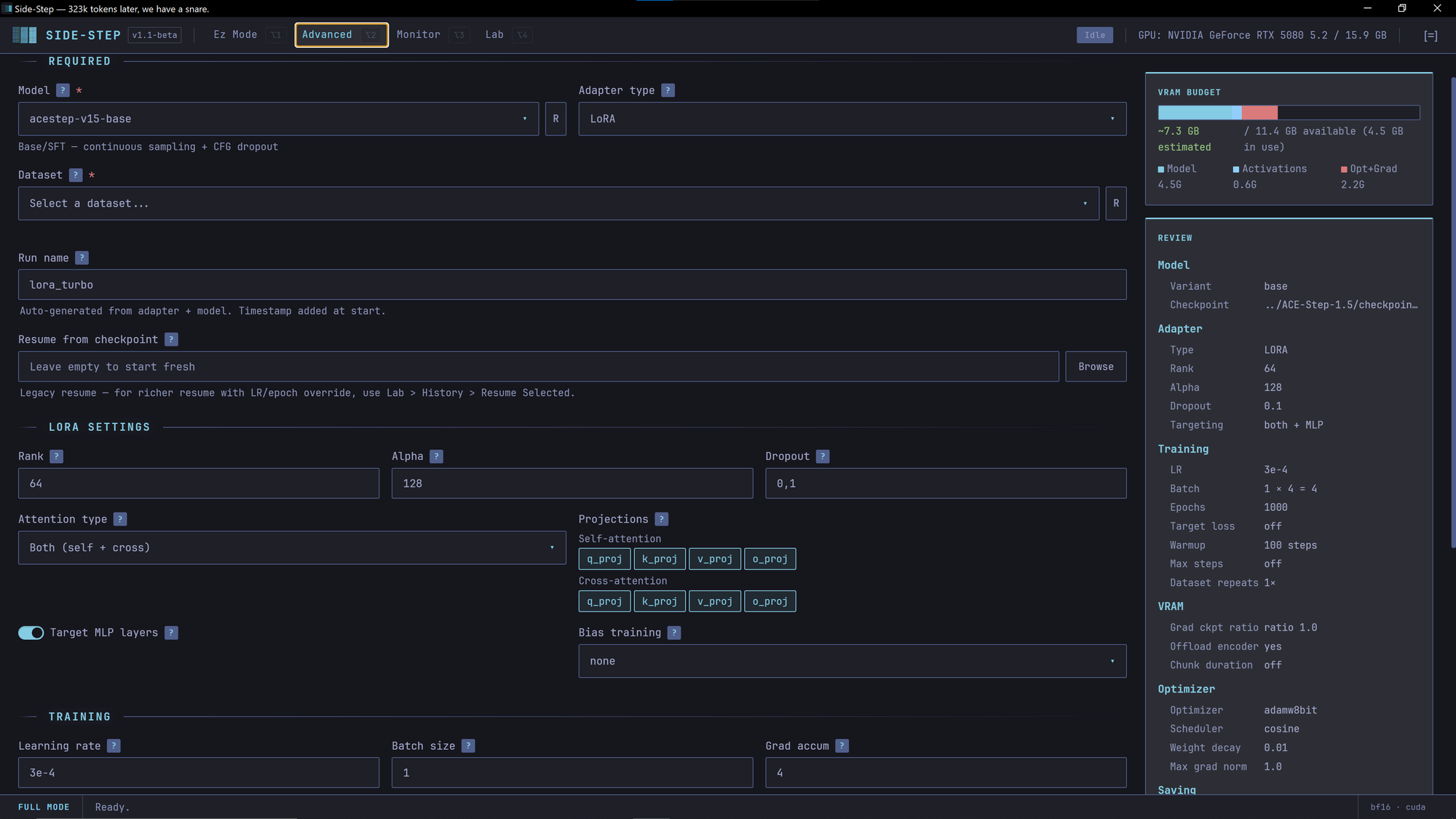
The Advanced mode allows you to control all the parameters and settings of the training. Including memory Management. The VRAM estimation at the top right helps you to find the best settings for your GPU.
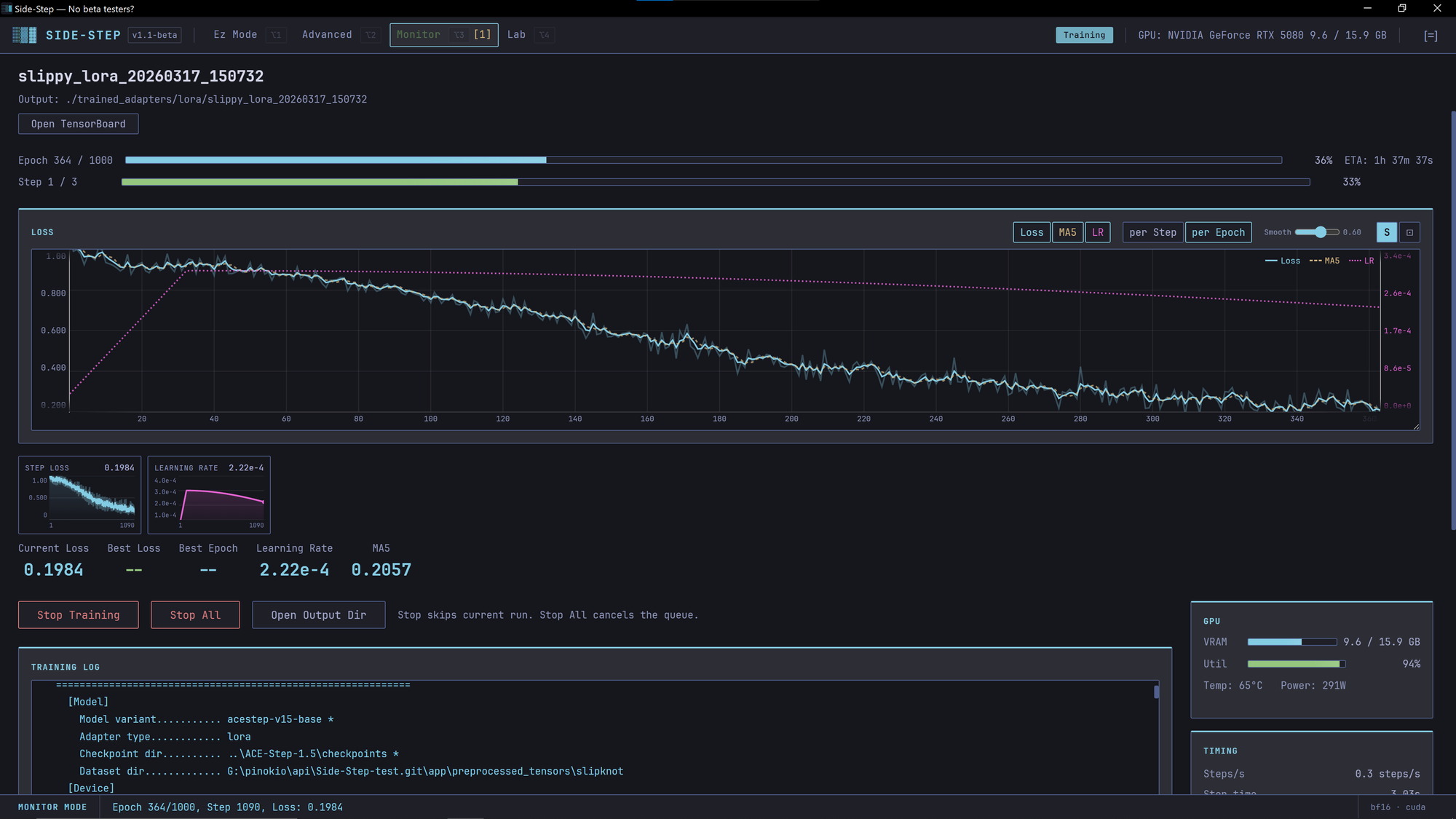
When the Training starts the Monitor shows you a live view of the training powered by Tensorboard. As well as the Steps, Epochs, estimated time, VRAM consumption and more...
The Lab allows you to automatically caption and analyze all songs of your dataset. You can edit and even play each song.
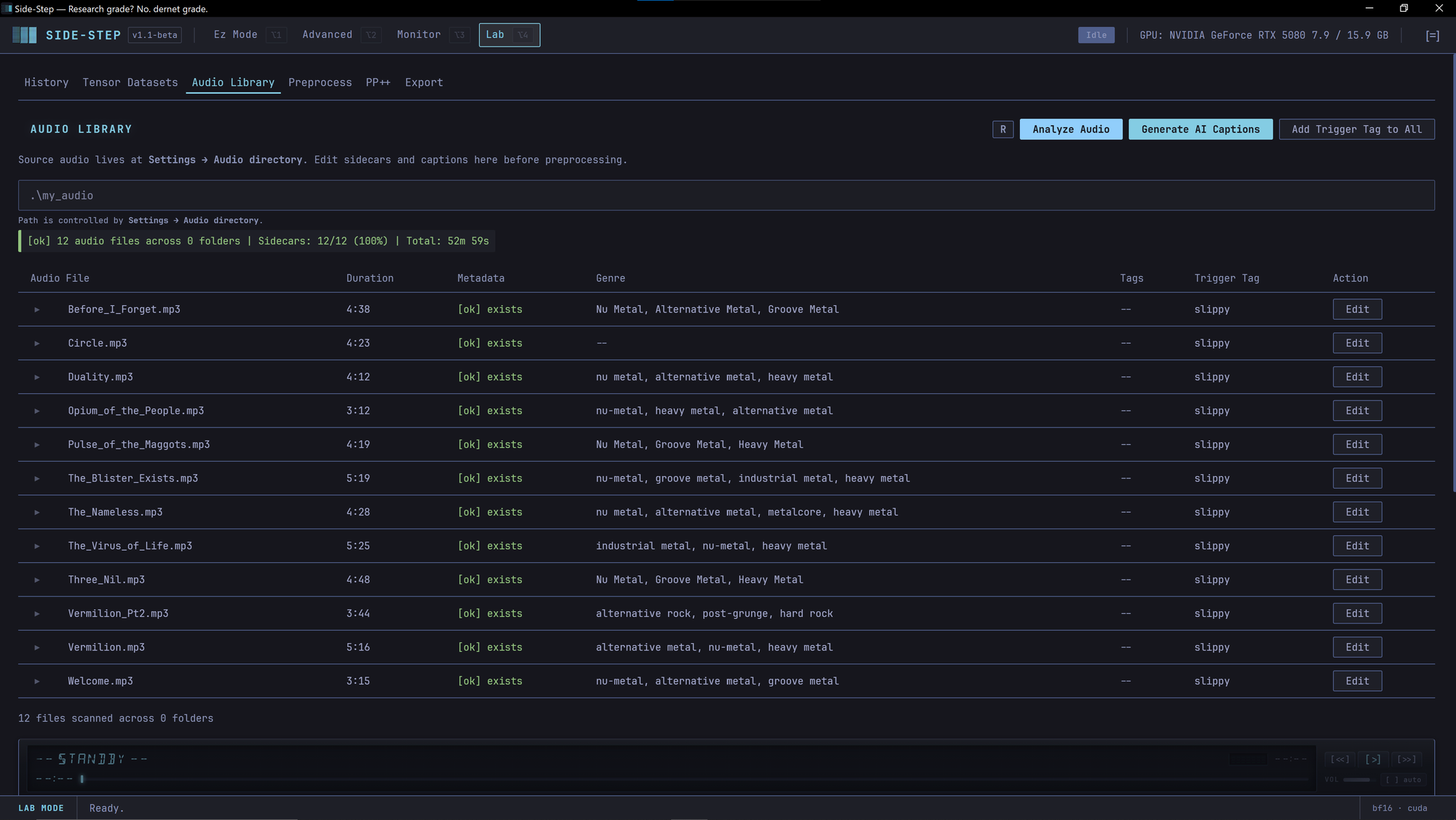
Contrary to AceStep, editing your Songs to fix the Captioning is not necessary. If you use Gemini for captioning it will nail the captions and genre.
Therefore you need an API Key you can get for free here if you have a google account. But it's also possible to use a local model for the captions. (This link only opens in your browser)
The Lyrics get automatically scrapped by Genius if you have an API key. This is also completely free. All you need to do is sign into Genius for free and generate an API key. After creating an account you can use this link Genius API Clients to create an API client and use the API key it provides for Side-Step.
For the App Website URL use the IP in your terminal after starting SideStep. It's the http://127.0.0.1:8770/ including your token.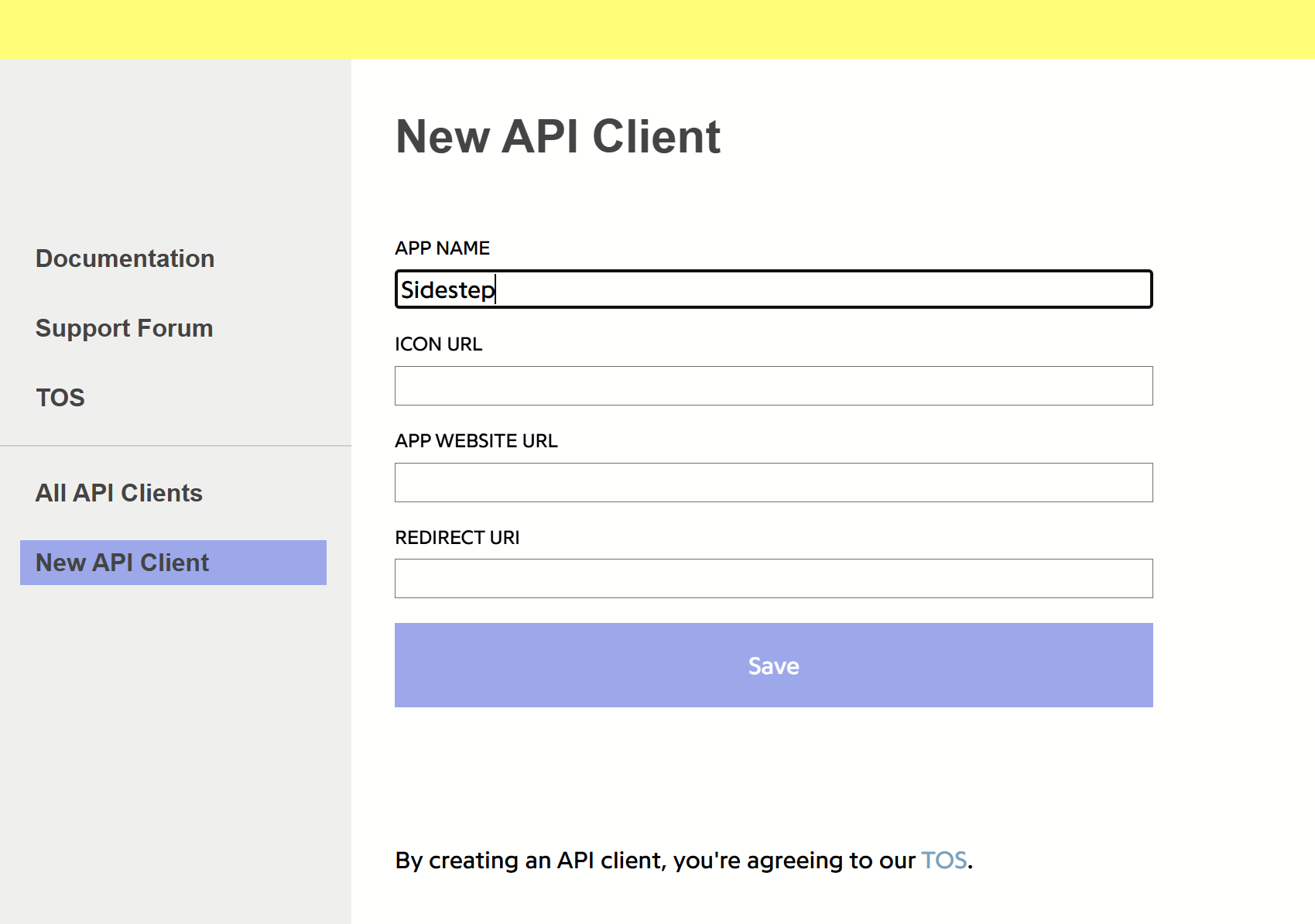
A few things to AceStep I figured out while testing my Lora:
When you change the Lora in AceStep and you get an error, initialize the model again.
Although I trained my Lora with the AceStep base model, I got the far best results using the turbo model together with my Lora in AceStep.
I tried almost all combinations, but initializing without LM, with pt backed and without 8-bit Quantizatin (since this is not supported when using a Lora) gave the best and fastest results.
I trained a Lora on only one album of Slipknot, what must be total chaos for the model. Here is an example of the outcome. For those knowing Slipknot, you'll recognize at once.