LoRAs (Low‑Rank Adaptations) are small add‑on training modules that plug into a large AI model to change or enhance its behavior without retraining the whole model. They’re tiny (5–200MB) but powerful.
What LoRAs Do
Add new identities (faces, characters)
Add new styles (anime, cinematic, claymation, etc.)
Improve motion consistency
Enable lip‑sync with audio
Preserve structure from reference images or videos
Allow multi‑character scenes
Fix drift, jitter, and instability in video models
Why They Matter
Video models are huge and hard to control. LoRAs act like plugins that give you precision and consistency across frames — identity, motion, style, and audio sync.
How They’re Used in Video Generators
Identity LoRAs: lock a face or character across all frames
Audio‑Video LoRAs: synchronize mouth shapes with speech
Style LoRAs: apply a unified artistic look to the entire video
Motion LoRAs: stabilize movement and camera behavior
IC‑LoRAs: enforce pose/depth/structure from reference images
Multi‑LoRA blending: combine identity + style + motion + lip‑sync
Where They’re Used
LTX‑2.3 / LTX‑2.5 (lip‑sync, identity, IC‑LoRAs)
Flux video workflows
WAN / Hummingbird‑XT
ComfyUI pipelines
Cloud video generators (MindStudio, etc.)
How You Load Them
ComfyUI: drop LoRAs into models/loras/ and attach nodes
CLI models: use --lora-paths and --lora-scale
Cloud platforms: activate via prompt keywords or settings

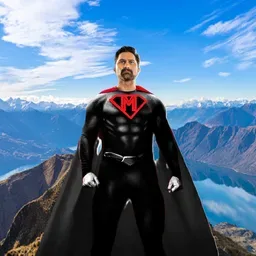
LoRAs (Low‑Rank Adaptations) are small add‑on training modules that plug into a large AI model to change or enhance its behavior without retraining the whole model. They’re tiny (5–200MB) but powerful.
What LoRAs Do
Add new identities (faces, characters)
Add new styles (anime, cinematic, claymation, etc.)
Improve motion consistency
Enable lip‑sync with audio
Preserve structure from reference images or videos
Allow multi‑character scenes
Fix drift, jitter, and instability in video models
Why They Matter
Video models are huge and hard to control. LoRAs act like plugins that give you precision and consistency across frames — identity, motion, style, and audio sync.
How They’re Used in Video Generators
Identity LoRAs: lock a face or character across all frames
Audio‑Video LoRAs: synchronize mouth shapes with speech
Style LoRAs: apply a unified artistic look to the entire video
Motion LoRAs: stabilize movement and camera behavior
IC‑LoRAs: enforce pose/depth/structure from reference images
Multi‑LoRA blending: combine identity + style + motion + lip‑sync
Where They’re Used
LTX‑2.3 / LTX‑2.5 (lip‑sync, identity, IC‑LoRAs)
Flux video workflows
WAN / Hummingbird‑XT
ComfyUI pipelines
Cloud video generators (MindStudio, etc.)
How You Load Them
ComfyUI: drop LoRAs into models/loras/ and attach nodes
CLI models: use --lora-paths and --lora-scale
Cloud platforms: activate via prompt keywords or settings