What happened?
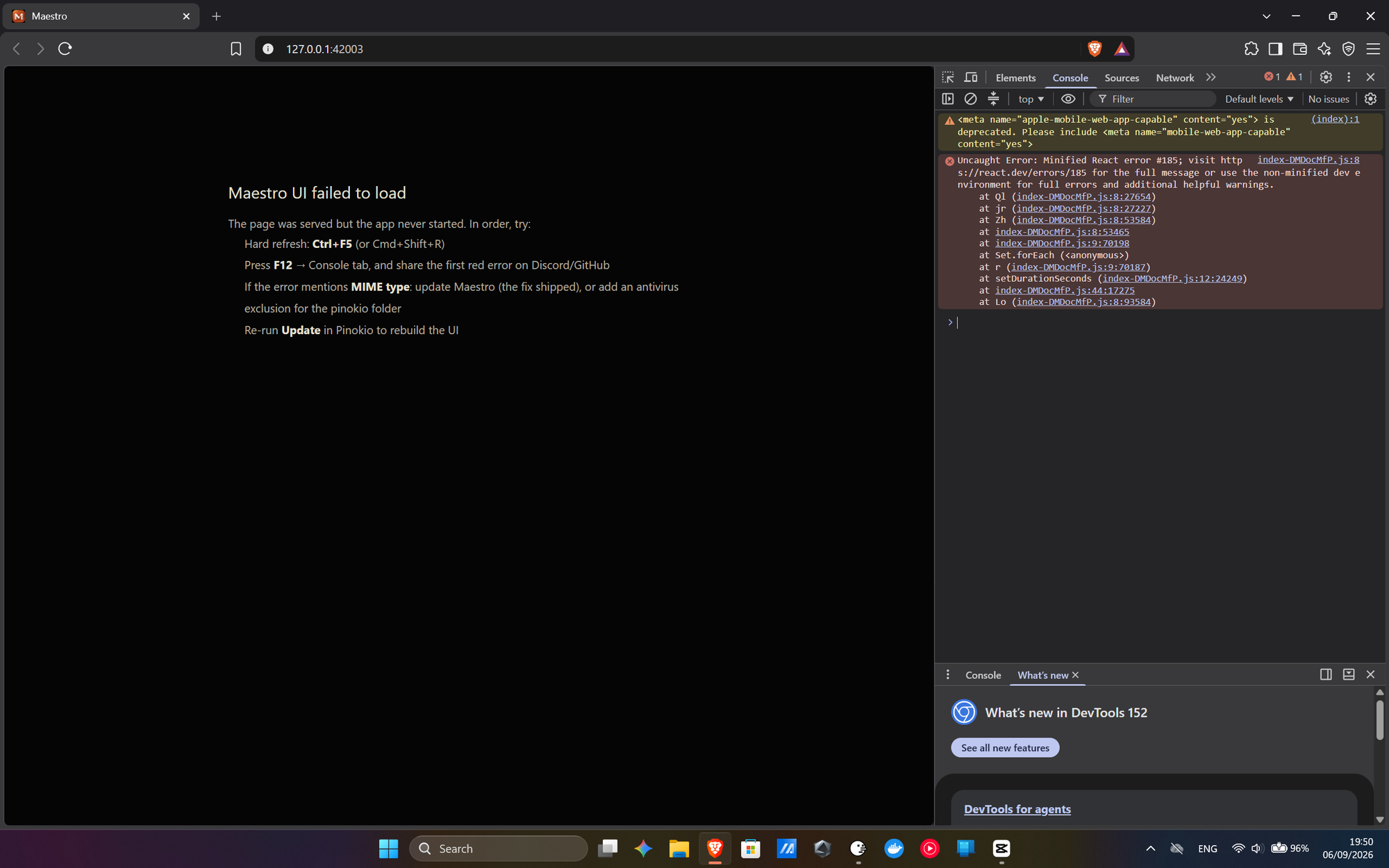
I was excited to finally be able to extend videos using MiniMax H3. Choose from the dropdown, switch the model from the 4-step one to the full one, and started getting this no matter how many times I restart, hard refresh, try to update. I cannot afford a reinstall because I have a project in motion. Luckily, I can access it through WanGP, but they are linked, and I cannot afford to lose anything. Please figure this out. This literally happened because of one dropdown selection.
Steps to reproduce
- Update to the latest version
- Switch the model from H3 4-step to H3 Omni Pruned in the Extend Video mode
- Never see the UI again.
Your system (OS / GPU / RAM / VRAM / etc.)
Win 11 Home
RTX 5090 (laptop)
64GB RAM 24 GB VRAM
Logs / full error output
 AboutMaestroBlizaine/Maestro
What happened?
I was excited to finally be able to extend videos using MiniMax H3. Choose from the dropdown, switch the model from the 4-step one to the full one, and started getting this no matter how many times I restart, hard refresh, try to update. I cannot afford a reinstall because I have a project in motion. Luckily, I can access it through WanGP, but they are linked, and I cannot afford to lose anything. Please figure this out. This literally happened because of one dropdown selection.
Steps to reproduce
Your system (OS / GPU / RAM / VRAM / etc.)
Win 11 Home
RTX 5090 (laptop)
64GB RAM 24 GB VRAM
Logs / full error output