
Phosphene 3.2 rebuilds the Ideogram 4 integration around a visual design canvas - and adds an API built for AI agents.
Ideogram 4 (the open-weight 9.3B text-rendering model, in Phosphene since 3.1) does the one thing diffusion models historically can't: render legible, designed typography exactly where you want it. It was trained on structured captions that say what the words are and where they sit. The new editor is a direct GUI for that format.
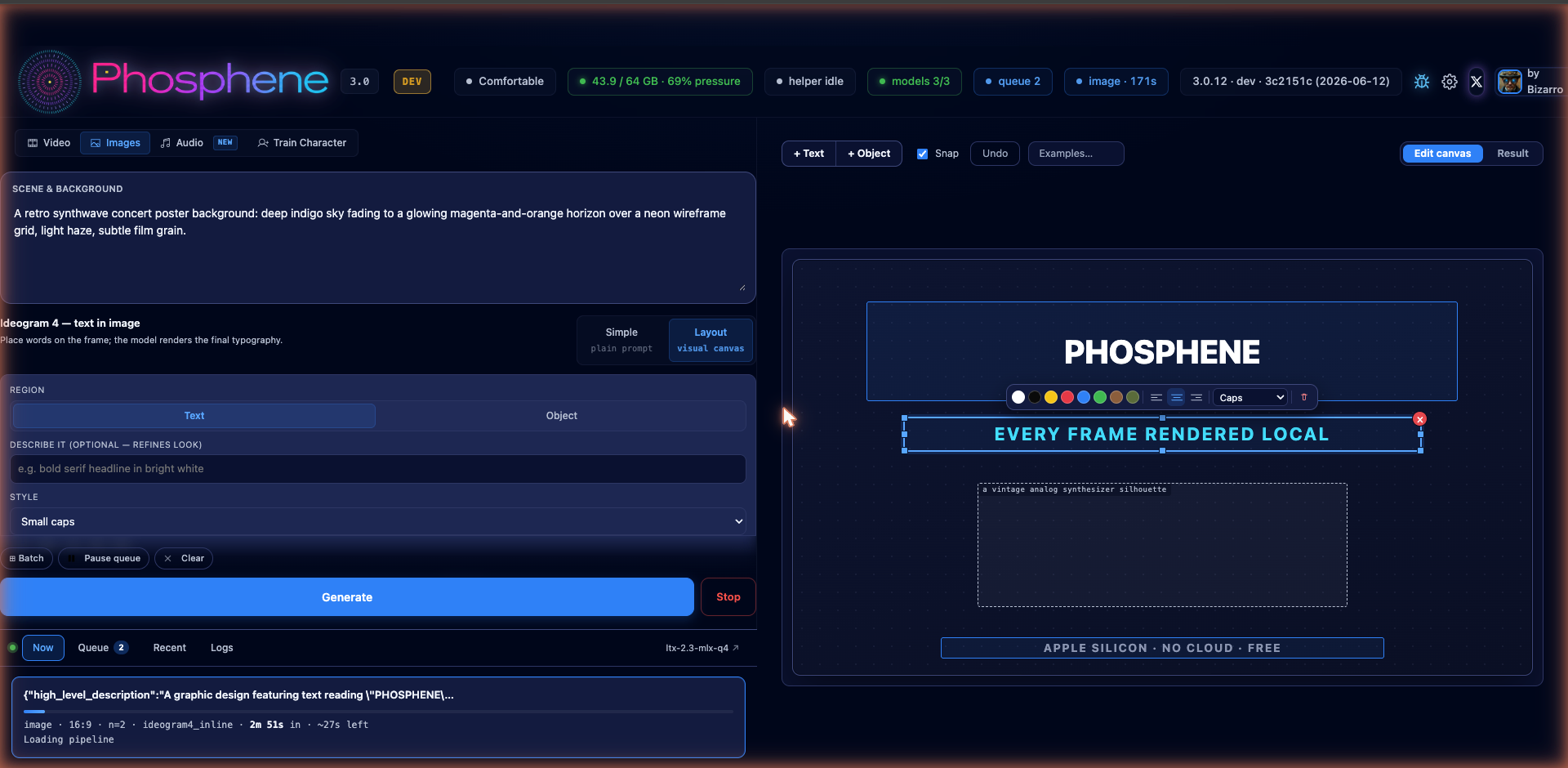
The Layout canvas
Pick Ideogram 4 as the engine and switch to Layout. The right side of the panel becomes an artboard:
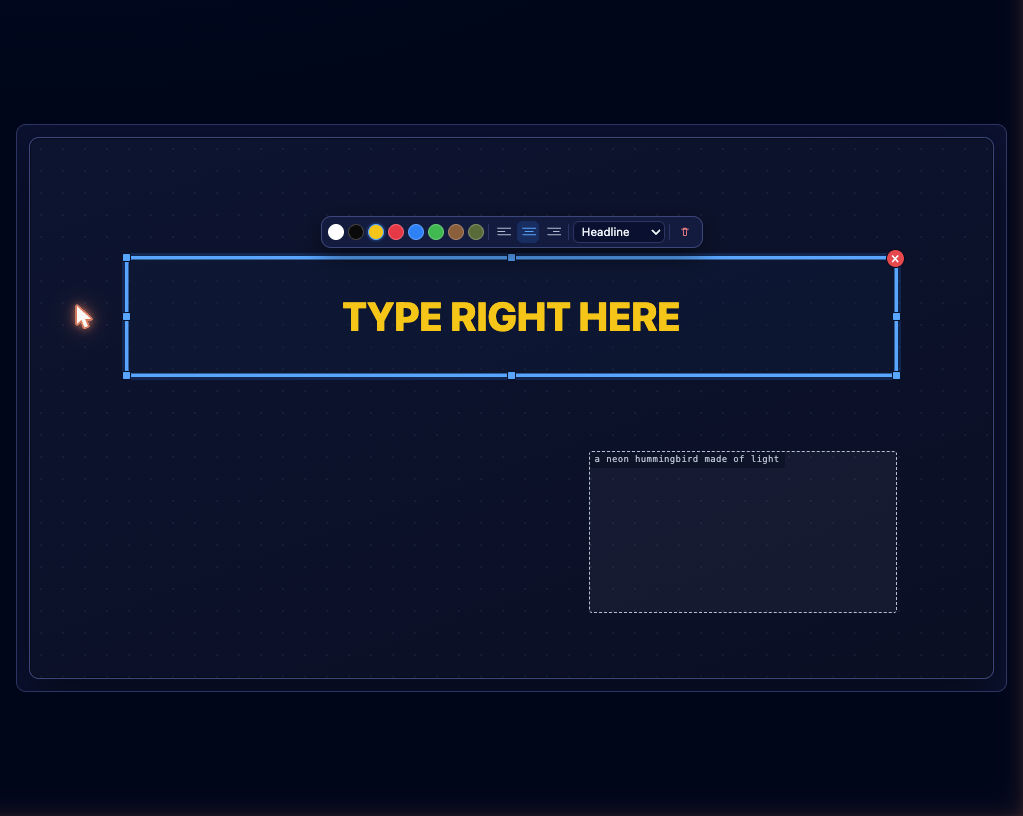
- Type directly on the frame - click a box and type, or paste. What you type is what the model renders.
- Drag, resize, snap - boxes snap to thirds, centers, and each other, with guide lines.
- A floating toolbar on the selected box: color swatches, alignment, text style (headline / subhead / caps / script / serif), delete.
- Object regions - mark a rectangle and describe what goes there ("a steaming ceramic coffee cup"). The model draws it in that region.
- One scene prompt describes the background; the boxes handle the rest.
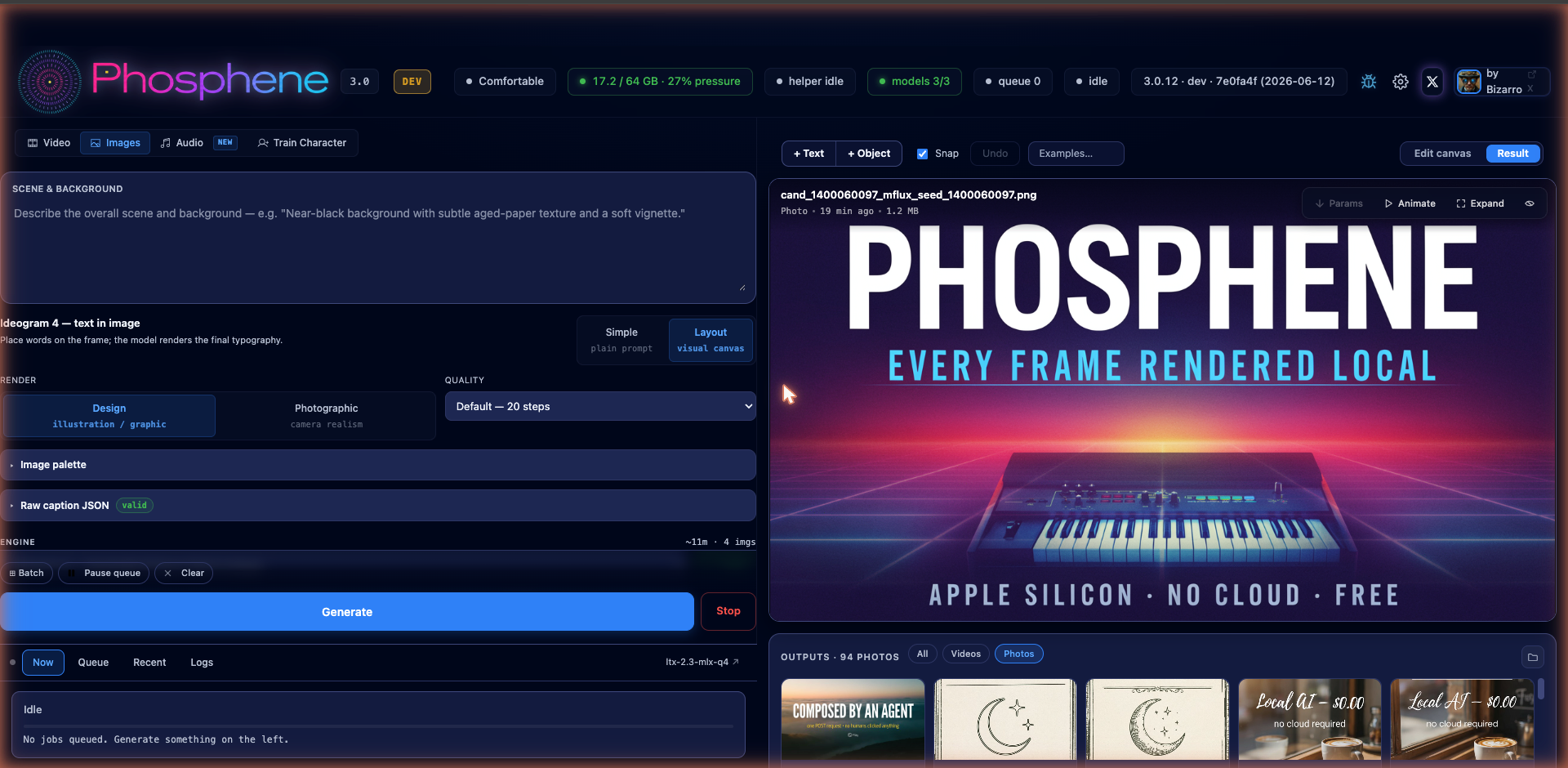
Hit Generate and the render lands right back in the panel:
What it makes
Everything below was composed on the canvas and rendered locally at the Turbo preset (about 2.5 min per image on an M4 Max).
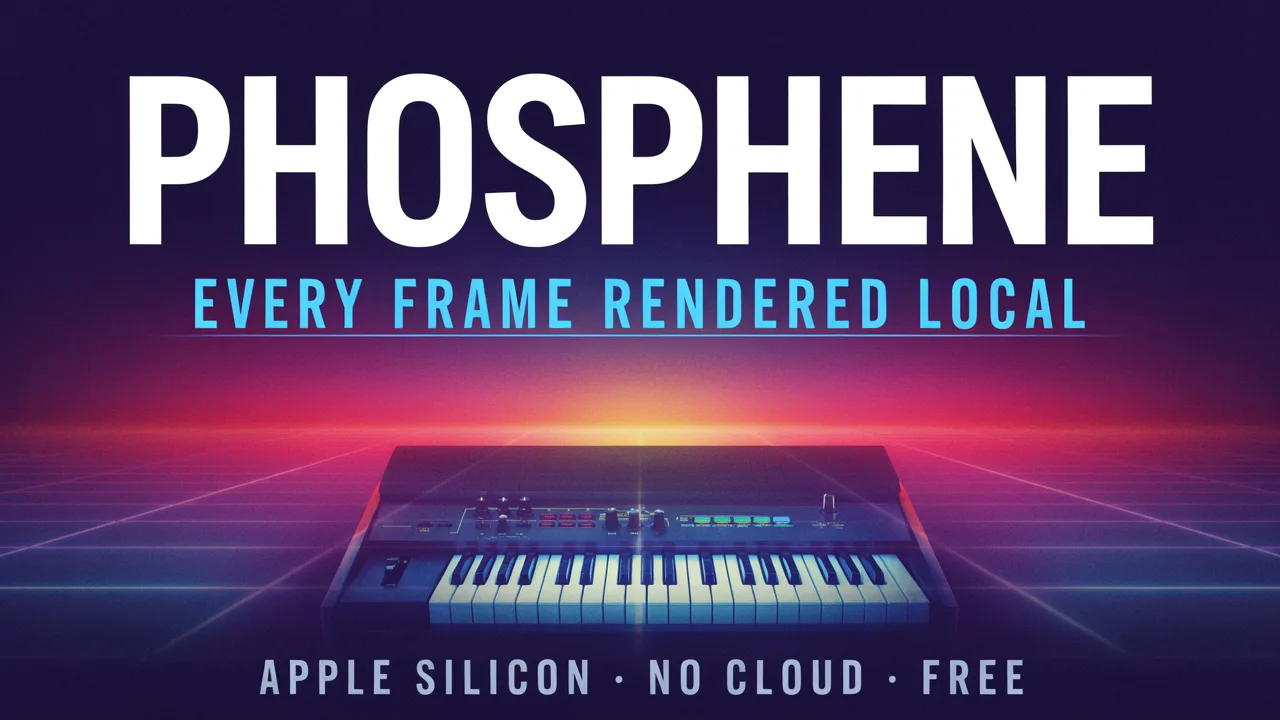
A 16:9 gig poster: three text boxes (headline, cyan caps subhead, small footer) and one object region for the synthesizer. The scene prompt set the neon-grid background.

Photographic render mode - a chalkboard menu that doesn't exist. Three chalk text boxes and an object region for the cup. Same canvas, camera realism instead of graphic design.
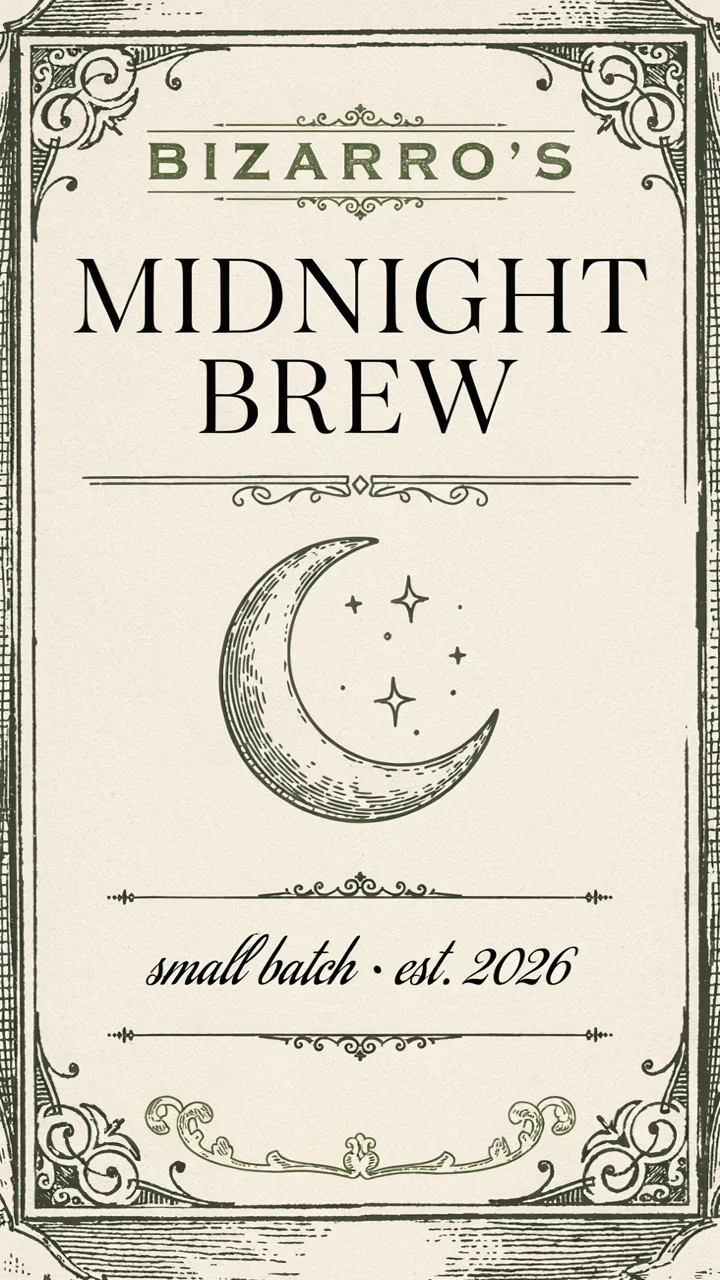
9:16 vertical - a vintage label with serif, caps, and script styles mixed on one frame, plus an engraved emblem region. Aspect comes from the panel's aspect picker, and the boxes keep their positions when you change it.
The agent API
The same composition engine is exposed as a clean HTTP API, so an AI agent can drive it - tell Claude (or any LLM with tool use) what you want, and it lays out the boxes and renders:
POST http://127.0.0.1:8199/image/agent
{
  "scene": "A retro synthwave concert poster background ...",
  "aspect": "16:9", "quality": "turbo",
  "boxes": [
    {"type": "text", "text": "PHOSPHENE", "x": 0.10, "y": 0.10, "w": 0.80, "h": 0.24,
     "style": "headline", "align": "center", "color": "#FFFFFF"},
    {"type": "object", "desc": "a vintage analog synthesizer", "x": 0.25, "y": 0.60, "w": 0.50, "h": 0.30}
  ]
}
The response is the rendered image. Box coordinates are fractions of the frame - no model-specific schema knowledge needed. GET /image/agent/schema returns the full self-documenting contract (an agent can read that one URL and start composing), and validate_only checks a composition without spending GPU minutes. Docs ship in the repo at docs/AGENT_API.md.

This one was made exactly that way: Claude composed the layout and sent a single POST request. 188 seconds later the file was on disk. No UI involved.
Setup
One-time, because the weights are license-gated (free for personal and research use; commercial use needs a license from Ideogram):
- Add a Hugging Face Read token in Settings.
- Accept the license on the ideogram-ai/ideogram-4-fp8 model page.
- Your first render downloads the weights (about 27 GB, one time).
Apple Silicon only. Three quality presets: Turbo (12 steps, ~2.5 min), Default (20 steps, ~5 min), Quality (48 steps, ~10 min) at 1280x720 on an M4 Max.
Update via Pinokio - one click. Free and open source: https://github.com/mrbizarro/phosphene