ds4-webui is a web ui for running DeepSeek V4 Flash locally through ds4.c
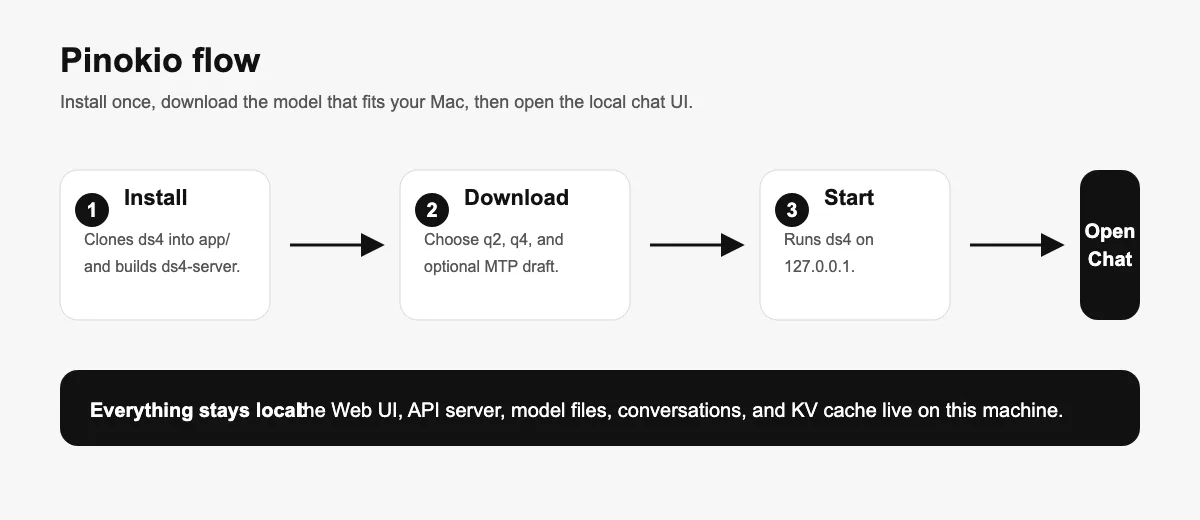
From a user's point of view, it gives you a one-click local workflow: install the engine, download one of the supported GGUF model files, start the server, and chat in a browser UI without sending prompts to a cloud service.
The app is meant for Apple Silicon macOS machines with Metal support and a lot of unified memory.
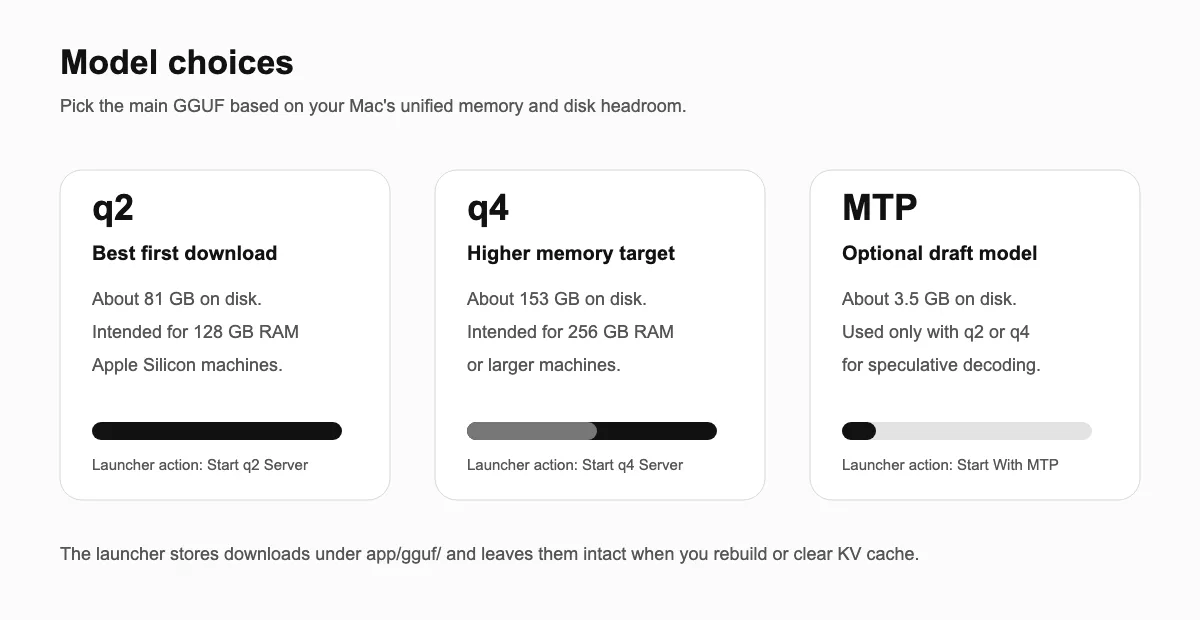
- q2 model is the practical first choice for a 128 GB Mac
- q4 model is aimed at 256 GB or larger systems.
What I Can Do With It
- Run
ds4-server locally on 127.0.0.1.
- Chat with
deepseek-v4-flash through a built-in Web UI.
- Use OpenAI-style local API routes from other tools.
- Keep downloaded models on disk between rebuilds.
- Clear the reusable KV cache without deleting model downloads.
- Factory reset the app if I want a clean reinstall.
First Run
- Click Install. Pinokio clones and builds the upstream
ds4 engine in the app folder.
- Open Download Models.
- Choose a main model:
- q2 main model: about 81 GB on disk, intended for 128 GB RAM machines.
- q4 main model: about 153 GB on disk, intended for 256 GB RAM or larger machines.
- Optional: download the MTP draft model if you want to try MTP start actions after a main model is present.
- Click a Start action.
- When ready, use Open Chat for the browser UI or Models API to inspect the local model endpoint.
The Chat UI
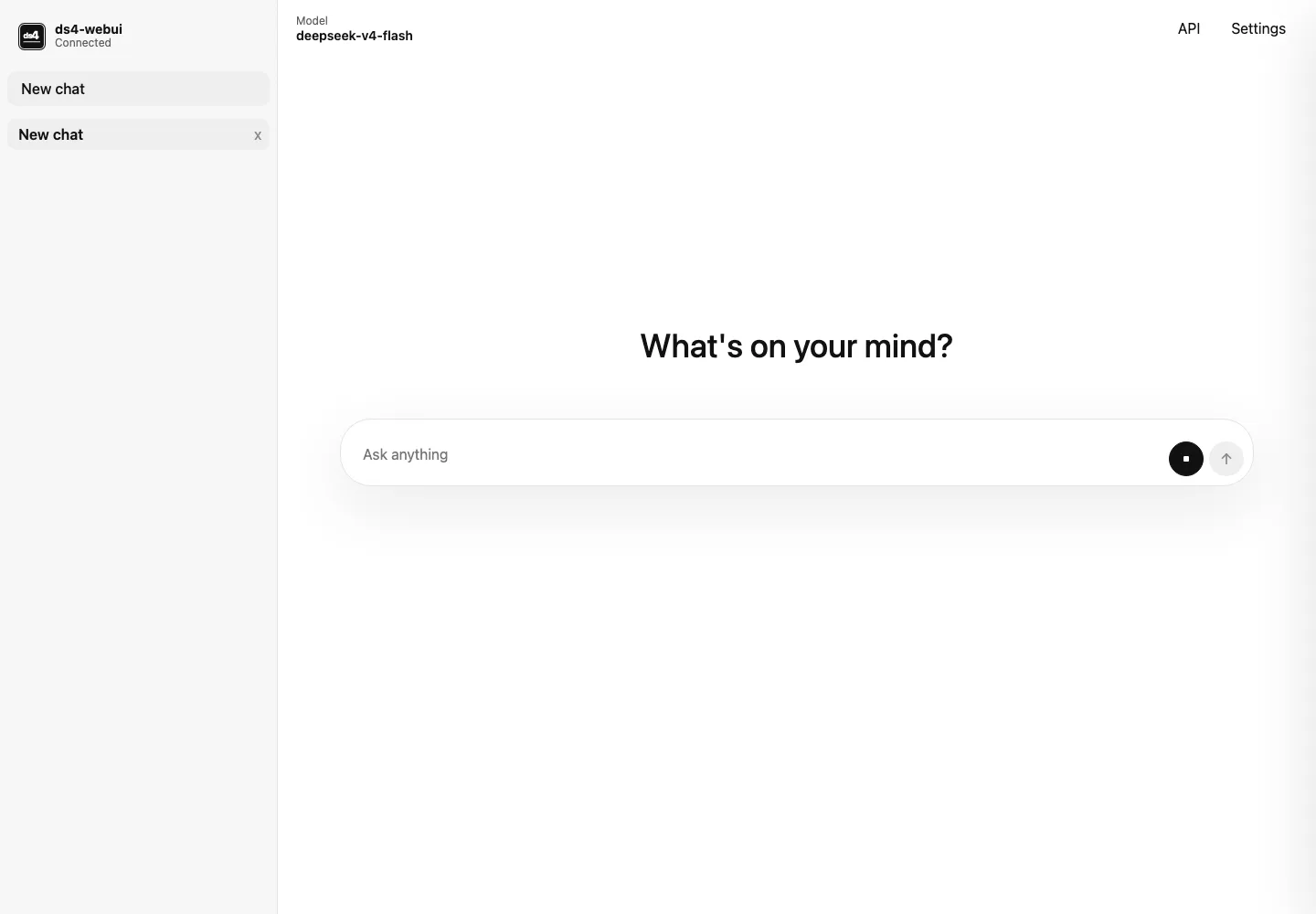
When the server is ready, Open Chat launches a minimal local chat interface. New chats open with a centered prompt, the left rail keeps browser-local conversations, and active conversations stream model output with the composer fixed at the bottom.
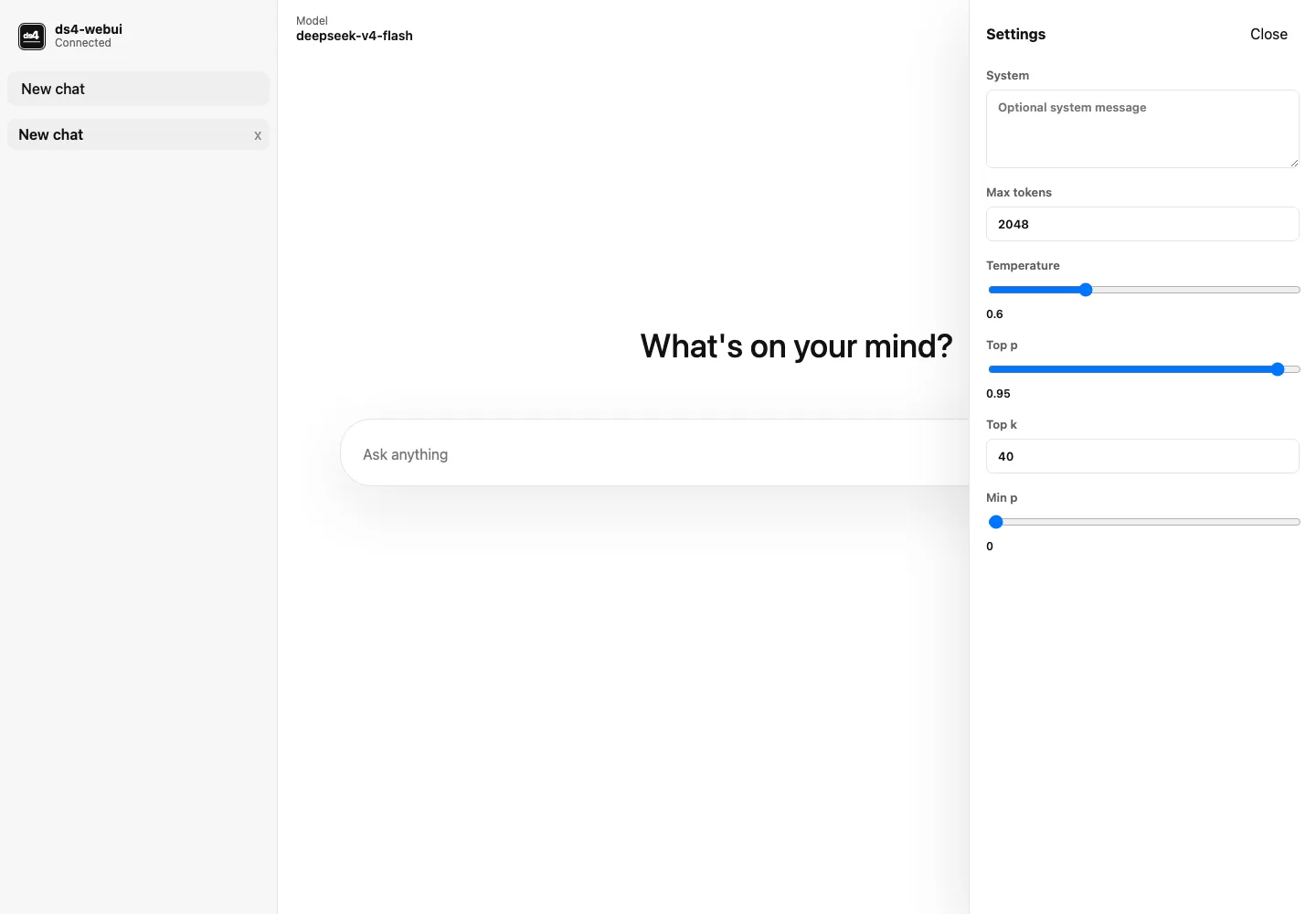
The Web UI includes a compact settings drawer for system prompt, max tokens, temperature, top-p, top-k, and min-p.
Reasoning output appears in a collapsible section above the assistant response when the streamed response includes reasoning fields.
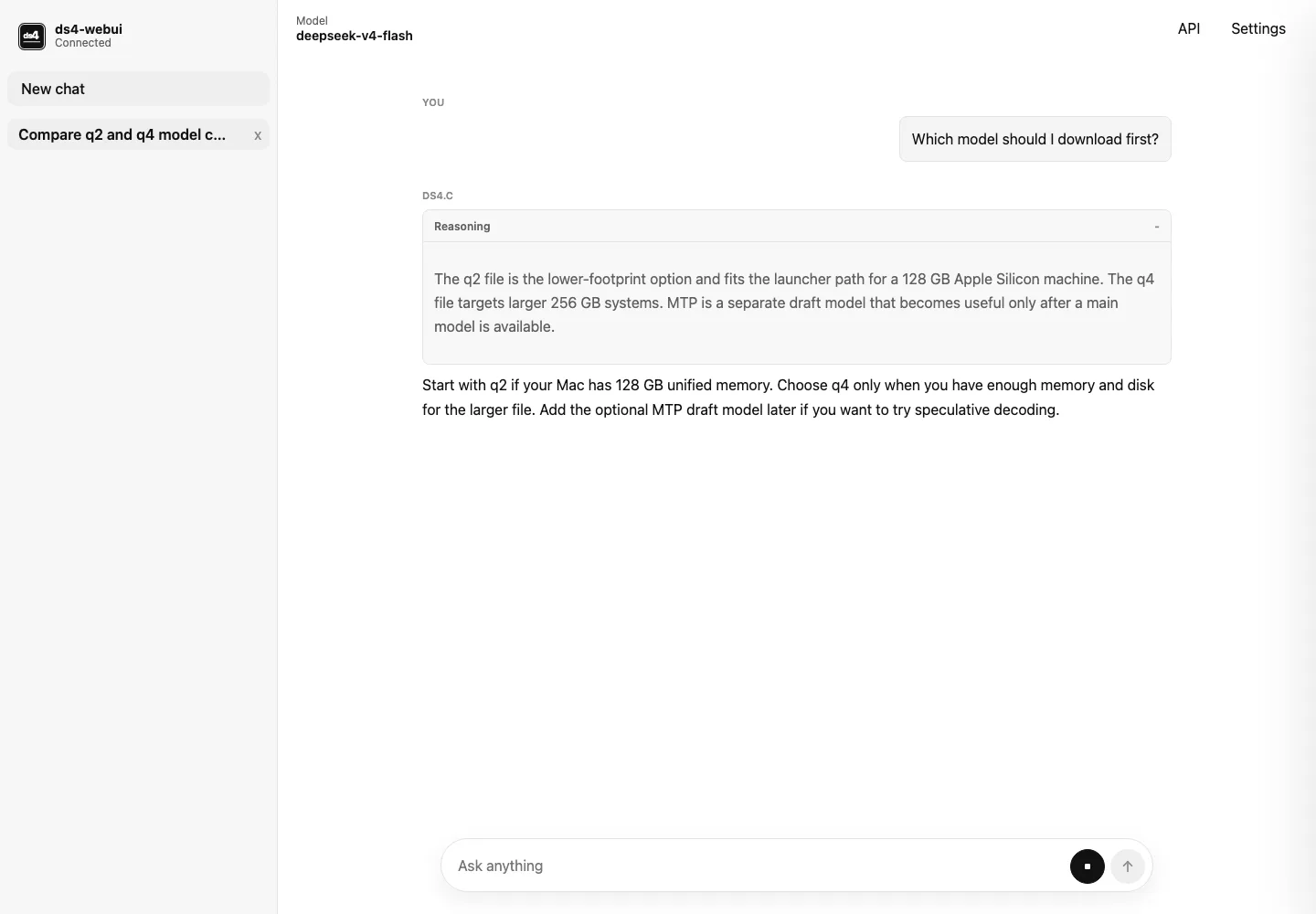
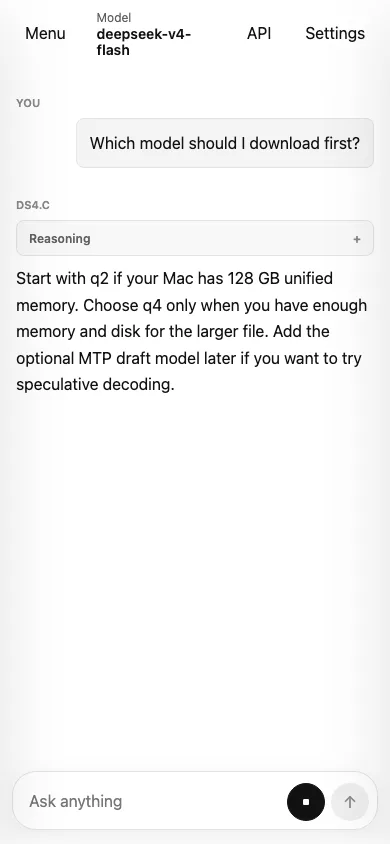
The layout also adapts to a narrow mobile-style viewport.
How It Runs Locally
Pinokio starts two local processes. First, ds4-server runs the Metal inference engine with the selected GGUF. Second, a small dependency-free Node server serves the Web UI and proxies browser /v1/* requests to the ds4 API server.
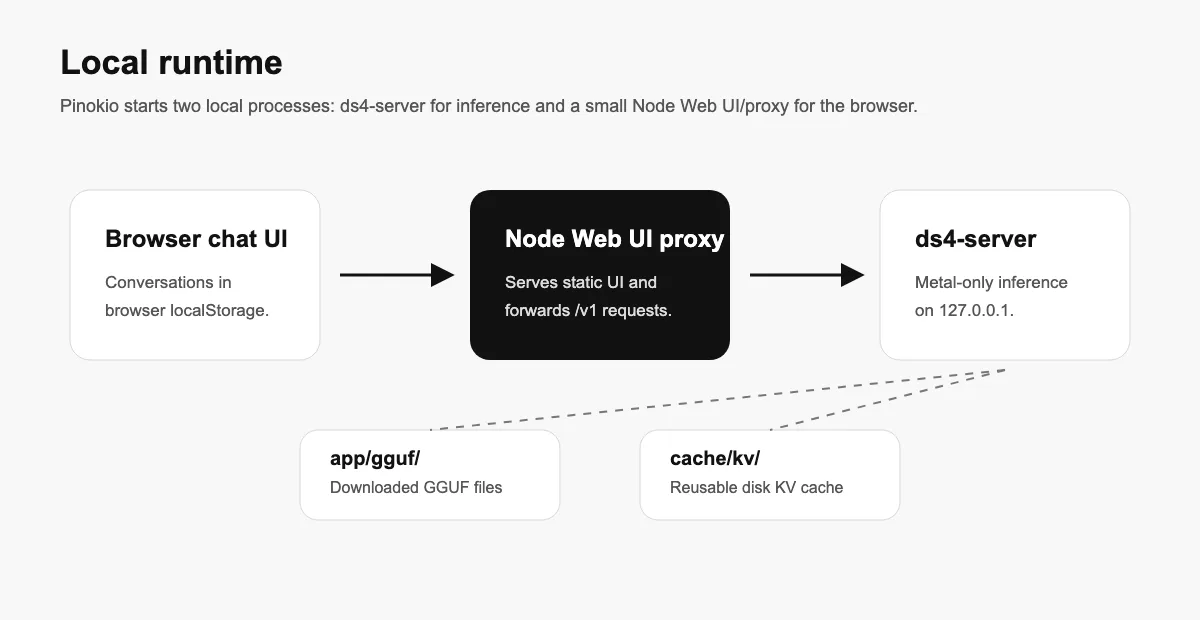
The important local storage locations are:
app/gguf/: downloaded q2, q4, and MTP GGUF files.cache/kv/: disk KV cache used by the running server.- Browser
localStorage: Web UI conversation history and settings.
Clearing the KV cache does not remove downloaded model files. Clearing browser site data removes chat history, but does not remove models or the ds4 cache. Factory reset removes the app folder and cache, including downloaded GGUF files.
API Access
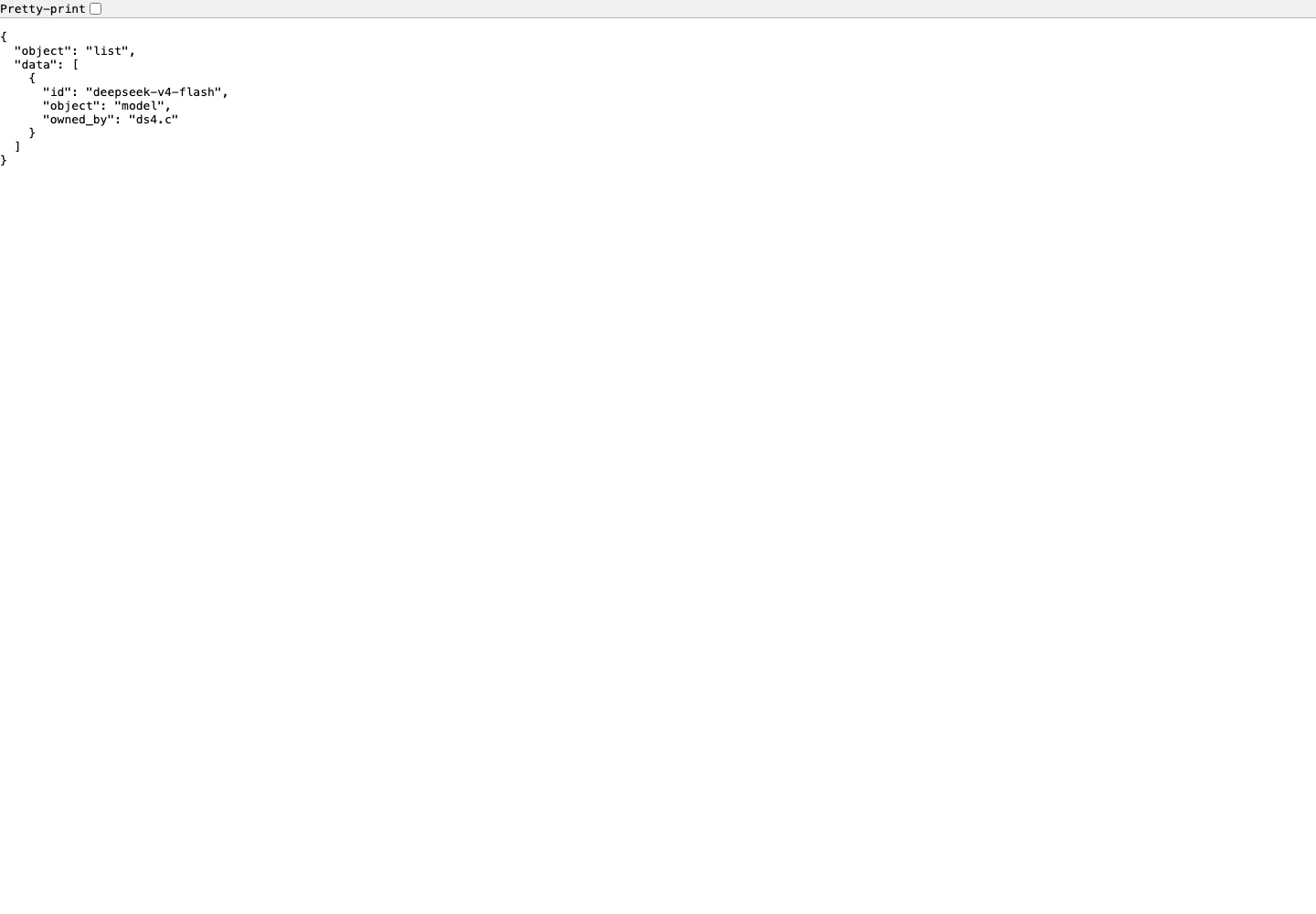
While the server is running, compatible tools can use the local API instead of the Web UI. The exposed model id is deepseek-v4-flash.
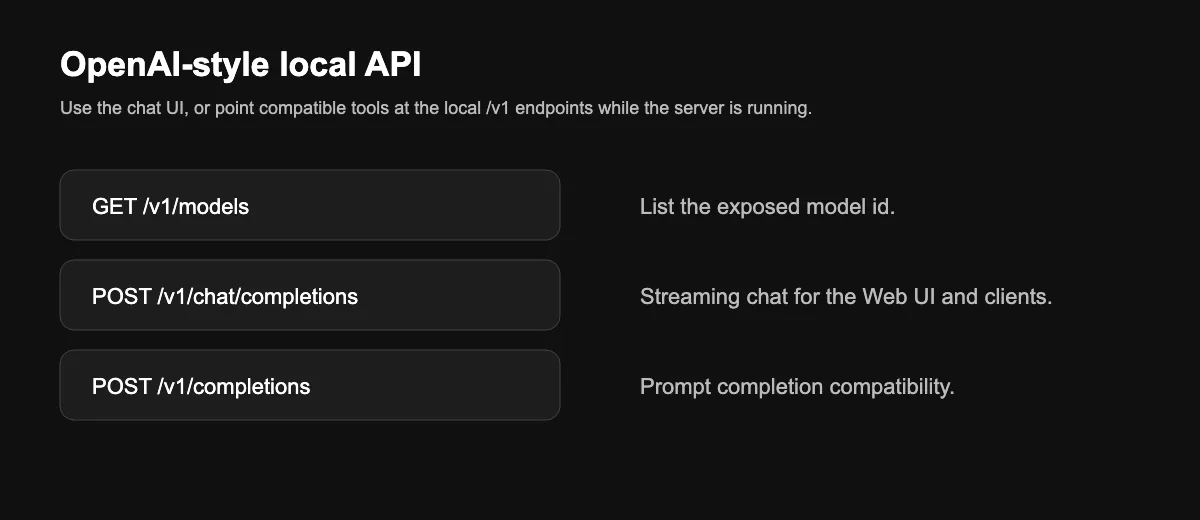
The launcher's Models API action opens /v1/models, which is expected to show JSON in the browser.
Main routes:
GET /v1/modelsGET /v1/models/deepseek-v4-flashPOST /v1/chat/completionsPOST /v1/completionsPOST /v1/messages
Practical Notes
- This is not a general GGUF runner. It is built for the specific DeepSeek V4 Flash GGUF files supported by
ds4.c.
- The inference engine is Metal-only. The Web UI is lightweight, but real inference requires the supported macOS Apple Silicon setup.
- If no start action appears after install, download a main q2 or q4 model first.
- If Open Chat does not appear immediately after starting, wait for the launcher to finish starting both the ds4 API server and the Web UI proxy.
- If Models API opens a JSON page, that is normal and confirms the API route is reachable.


ds4-webui is a web ui for running DeepSeek V4 Flash locally through ds4.c
From a user's point of view, it gives you a one-click local workflow: install the engine, download one of the supported GGUF model files, start the server, and chat in a browser UI without sending prompts to a cloud service.
The app is meant for Apple Silicon macOS machines with Metal support and a lot of unified memory.
What I Can Do With It
ds4-serverlocally on127.0.0.1.deepseek-v4-flashthrough a built-in Web UI.First Run
ds4engine in the app folder.The Chat UI
When the server is ready, Open Chat launches a minimal local chat interface. New chats open with a centered prompt, the left rail keeps browser-local conversations, and active conversations stream model output with the composer fixed at the bottom.
The Web UI includes a compact settings drawer for system prompt, max tokens, temperature, top-p, top-k, and min-p.
Reasoning output appears in a collapsible section above the assistant response when the streamed response includes reasoning fields.
The layout also adapts to a narrow mobile-style viewport.
How It Runs Locally
Pinokio starts two local processes. First,
ds4-serverruns the Metal inference engine with the selected GGUF. Second, a small dependency-free Node server serves the Web UI and proxies browser/v1/*requests to the ds4 API server.The important local storage locations are:
app/gguf/: downloaded q2, q4, and MTP GGUF files.cache/kv/: disk KV cache used by the running server.localStorage: Web UI conversation history and settings.Clearing the KV cache does not remove downloaded model files. Clearing browser site data removes chat history, but does not remove models or the ds4 cache. Factory reset removes the app folder and cache, including downloaded GGUF files.
API Access
While the server is running, compatible tools can use the local API instead of the Web UI. The exposed model id is
deepseek-v4-flash.The launcher's Models API action opens
/v1/models, which is expected to show JSON in the browser.Main routes:
GET /v1/modelsGET /v1/models/deepseek-v4-flashPOST /v1/chat/completionsPOST /v1/completionsPOST /v1/messagesPractical Notes
ds4.c.